Nonprofits can modernize nonprofit IT without overspending by prioritizing mission-critical outcomes, reducing hidden operational waste, and adopting secure cloud and managed services in phases. The key is to invest in a small set of high-impact foundations, then optimize licensing, infrastructure, and support so savings fund the next upgrades.
Why modernization feels expensive, and why it does not have to be
Modernization often gets framed as a big one-time purchase: new systems, new devices, new software, and new consultants. For many organizations, especially small and mid-sized nonprofits in the United States, Canada, the United Kingdom, Australia, and across the EU, the real budget pressure comes from recurring inefficiencies: outdated hardware that demands constant fixes, duplicated software subscriptions, and staff time lost to manual processes. When you modernize nonprofit IT without overspending, you shift spending from unpredictable break-fix costs to predictable, right-sized services.
The goal is not cutting corners. It is aligning technology with programs, fundraising, finance, and compliance needs, while improving reliability and security. Modernization done well should lower risk, reduce time spent on IT issues, and make reporting and collaboration easier for teams spread across cities like New York, Toronto, London, Dublin, Sydney, or remote field locations.
Start with outcomes, not products
Before selecting any tools, write down the top five outcomes your organization needs over the next 12 months. Typical outcomes include faster donor acknowledgement, simpler volunteer onboarding, reliable remote access, better cybersecurity posture, and smoother audits. Then map each outcome to the business process and the system that supports it.
A practical outcome map
- Fundraising: Reduce manual entry between donation forms, CRM, and accounting.
- Programs: Improve case notes, intake, and reporting with secure mobile access.
- Operations: Standardize devices, patching, and permissions to reduce downtime.
- Compliance: Centralize logs, backups, and retention policies for audits and grants.
This keeps modernization focused. It also helps you say no to shiny tools that do not drive measurable mission impact.
Build a low-cost modernization foundation
To modernize nonprofit IT without overspending, invest first in a small set of foundational capabilities that unlock security and productivity without forcing a complete rebuild.
1) Identity and access management
Consolidate logins, enable multi-factor authentication (MFA), and enforce least-privilege access. Whether you use Microsoft Entra ID with Microsoft 365 or Google Workspace, central identity reduces risk and cuts support time for password resets and account cleanup. This is especially important for distributed teams and volunteers who join for short periods.
2) Standard device management
Use a simple endpoint management approach to enforce updates, disk encryption, and basic security baselines. Many nonprofits adopt Microsoft Intune or a lightweight mobile device management tool to manage laptops and phones consistently. Standard images, automated patching, and clear device lifecycle policies reduce emergency replacements and improve staff experience.
3) Backups that match your reality
Cloud services still need backup. Ensure you have versioning and third-party backups for key systems, plus a tested restore process. For organizations operating across regions like California and Arizona or across provinces like Ontario and British Columbia, reliable cloud-first backups reduce dependence on a single office server and simplify disaster recovery.
Right-size the cloud instead of lifting and shifting
Cloud can save money, but only if you avoid overprovisioning and paying for unused capacity. A common mistake is moving an old server into the cloud unchanged, then paying monthly for resources sized for peak usage that rarely occurs.
Cost controls that actually work
- Choose SaaS when possible: Donor management, HR, ticketing, and accounting tools often cost less than custom-hosted solutions when you include maintenance.
- Turn off what you do not use: Decommission test environments, old storage, and unused virtual machines.
- Set budgets and alerts: Use cloud billing alerts by project and department to prevent surprises.
- Use reserved capacity selectively: Commit only for stable workloads, not experimental ones.
If you are in a high-cost metro area like San Francisco, Seattle, Boston, or Vancouver, reducing the need for on-premises hardware refreshes can also reduce office space requirements and power costs over time.
Modernize workflows before you modernize everything else
Many nonprofits overspend by replacing tools when the real issue is a broken process. Streamlining workflows can produce immediate value with minimal spend.
High-impact workflow upgrades
- Digital intake and forms: Replace paper intake with secure forms that feed a case management or CRM system.
- Automated donor receipts: Trigger acknowledgements and tax letters automatically, with review queues for exceptions.
- Document templates and e-sign: Standardize grant agreements, volunteer waivers, and policy acknowledgements.
- Simple analytics: Use dashboards for program outcomes and fundraising KPIs without building a data warehouse on day one.
These changes help modernize nonprofit IT without overspending because they reduce staff time, errors, and duplicate work, often delivering savings that can fund security and infrastructure improvements.
Use nonprofit pricing, but verify total cost
Many vendors offer nonprofit discounts, including major platforms and security tools. Discounts are helpful, but the bigger savings come from matching licenses to actual usage and eliminating overlapping products.
License optimization checklist
- Inventory all subscriptions, renewal dates, and owner contacts.
- Identify users with multiple tools performing the same function.
- Downgrade or remove inactive accounts and short-term volunteer access.
- Bundle strategically when it reduces management overhead and security gaps.
For example, if staff in Chicago and field teams in rural areas both need secure collaboration, one well-managed productivity suite with unified security may be cheaper than several disconnected tools that require separate administration and training.
Security modernization is budget protection
Ransomware and business email compromise can cripple a nonprofit. Security improvements may feel like overhead, but they are often the most cost-effective modernization step because they prevent catastrophic losses and service disruption.
Minimum viable security for most nonprofits
- MFA everywhere, especially email and finance tools
- Phishing-resistant policies and regular training
- Role-based access and separation of duties for payments
- Endpoint protection and automated patching
- Immutable backups and tested recovery drills
If your nonprofit works with protected health information in the United States, or sensitive client data under GDPR in Europe, modern security controls also simplify compliance reporting and grant requirements.
Phase upgrades to avoid the big-bang budget spike
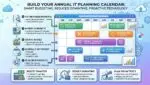
A phased roadmap is the core tactic to modernize nonprofit IT without overspending. Break modernization into 90-day increments with clear deliverables and measurable outcomes.
An example 12-month phased roadmap
- Quarter 1: Identity cleanup, MFA, device inventory, backup implementation.
- Quarter 2: Endpoint management, patch automation, decommission unused systems.
- Quarter 3: Workflow automation for intake, donor receipts, and document management.
- Quarter 4: Reporting dashboards, advanced security monitoring, policy and governance refresh.
This approach makes costs predictable and creates quick wins for leadership, boards, and funders who want to see responsible stewardship.
Decide what to outsource and what to keep in-house
Not every nonprofit needs a full internal IT team. Many organizations do best with a hybrid model: keep strategy and vendor oversight internal, outsource routine operations like patching, help desk, and security monitoring to a managed service provider (MSP).
When outsourcing saves money
- Small IT teams stretched across multiple locations
- No coverage during vacations or after-hours incidents
- Rapid growth or frequent onboarding of staff and volunteers
- Need for specialized skills like security and cloud cost management
Look for transparent pricing, documented service levels, and a plan for knowledge transfer. The best partners help you modernize nonprofit IT without overspending by reducing downtime and preventing expensive security incidents.
Governance: the hidden lever for long-term savings
Governance sounds formal, but it can be lightweight and still effective. Define who approves new tools, who owns data, and how you handle access, retention, and deprovisioning. This prevents tool sprawl and keeps costs from creeping up each year.
Simple governance policies to adopt
- Standard onboarding and offboarding checklist
- Approved software list with exceptions process
- Data classification and retention guidelines
- Annual license and security review tied to budgeting
Boards and finance committees appreciate governance because it ties technology decisions to risk management and fiscal responsibility, which is especially important for grant-funded organizations.
Measure success with a few clear metrics
Track metrics that show whether modernization is working without inflating overhead. Useful indicators include help desk tickets per user, device compliance rates, phishing click rates, time to onboard a new staff member, and month-end closing time. Use these to communicate progress to leadership and funders and to target the next improvements.
Conclusion
To modernize nonprofit IT without overspending, focus on outcomes, build a secure foundation, right-size cloud usage, and deliver improvements in phases that reduce operational drag. With disciplined licensing, practical security, and lightweight governance, technology becomes a stable platform for your mission instead of a recurring emergency. If you align your roadmap with programs and finance, you can modernize confidently while protecting every dollar entrusted to your organization.
Frequently Asked Questions
What is the first step to modernize nonprofit IT without overspending?
What is the first step to modernize nonprofit IT without overspending?
Start with a 12-month outcomes list tied to fundraising, programs, and compliance, then map each outcome to a process and the systems involved. This prevents tool sprawl and makes it easier to modernize nonprofit IT without overspending by funding only projects that remove manual work, reduce downtime, or measurably improve security.
Should a nonprofit move everything to the cloud to save money?
Should a nonprofit move everything to the cloud to save money?
Not automatically. To modernize nonprofit IT without overspending, prioritize SaaS for common needs, then right-size any hosted workloads with budgets, alerts, and regular cleanup of unused resources. A selective cloud approach often costs less than a full lift-and-shift and reduces management effort for small teams.
How can we improve cybersecurity on a limited budget?
How can we improve cybersecurity on a limited budget?
Implement MFA, strong offboarding, automated patching, endpoint encryption, and tested backups first. These steps reduce the most common risks at low cost and help modernize nonprofit IT without overspending by avoiding incident response expenses and downtime that disrupts services, fundraising, and grant reporting.
Is outsourcing IT support cheaper than hiring staff?
Is outsourcing IT support cheaper than hiring staff?
It can be, especially for nonprofits with limited coverage or multiple locations. A managed provider can standardize patching, monitoring, and help desk processes so you modernize nonprofit IT without overspending on specialized hires. Keep strategy, vendor ownership, and priorities internal to maintain mission alignment and control.
How do we avoid paying for software we do not use?
How do we avoid paying for software we do not use?
Run a quarterly license review: compare user activity to assigned plans, remove inactive accounts, and consolidate overlapping tools. Tie renewals to an owner and a measurable need. This disciplined approach helps modernize nonprofit IT without overspending by turning subscription waste into budget for security, training, and workflow automation.