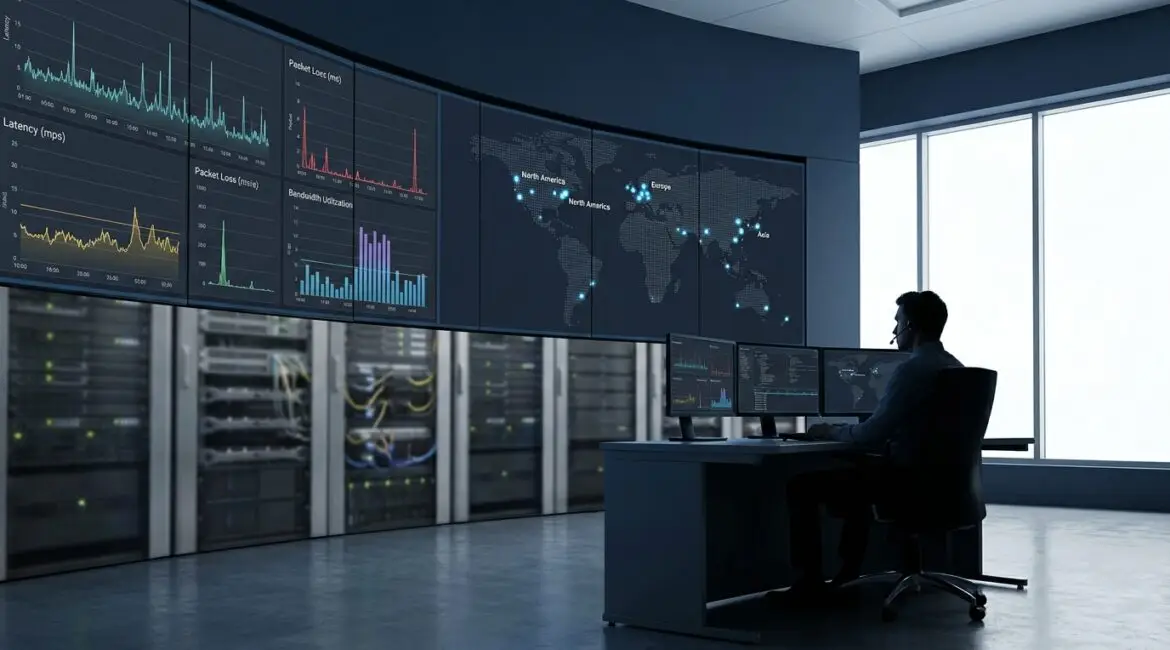
Network monitoring is the continuous process of observing a network’s health, performance, and security so teams can detect issues early, troubleshoot fast, and prove service levels. What it should actually track is anything that predicts or explains user impact: availability, latency, loss, throughput, device health, application reachability, and security signals. Done well, network monitoring turns scattered metrics into actionable insight for operations and business stakeholders.
What network monitoring really is (and what it is not)
At its core, network monitoring collects telemetry from routers, switches, firewalls, wireless controllers, servers, and cloud networking components, then correlates it into alerts, dashboards, and reports. This telemetry can be gathered through polling (for example, SNMP), streaming telemetry, flow records (NetFlow, sFlow, IPFIX), packet capture, and synthetic tests such as HTTP checks.
Network monitoring is not the same as a one time network assessment. It is also not just “up or down” pings. A simple ping can confirm reachability, but it cannot reliably explain why users in Dallas, Toronto, or London are complaining about slow Microsoft 365 access, choppy VoIP, or intermittent VPN disconnects. Effective network monitoring must reveal where time is spent, where packets are lost, and which dependencies are failing.
Why network monitoring matters across regions and architectures
Modern networks are hybrid: on premises data centers, SaaS, public cloud VPCs and VNets, SD WAN, and remote work. Many organizations route traffic across continents, for example from a branch in São Paulo to applications hosted in Virginia, or from a warehouse in Hamburg to a cloud region in Frankfurt. In these cases, user experience depends on ISP paths, peering, DNS behavior, and security inspection points as much as it depends on internal switching.
Network monitoring provides the evidence needed to answer practical questions: Is the issue local Wi Fi in the Chicago office, a congested WAN circuit in Sydney, DNS latency in a cloud resolver, or packet loss introduced by an inline firewall? Without continuous monitoring, teams often rely on anecdotes and guesswork, which increases downtime and escalations.
What network monitoring should actually track
A useful way to define scope is to track four categories: availability, performance, capacity, and security. Each category needs measurable signals, sensible thresholds, and context so alerts are actionable.
1) Availability and reachability
Start with what must be reachable for the business to operate. Track:
- Device up/down: routers, switches, firewalls, load balancers, wireless controllers, and critical servers.
- Interface status: link up/down, port errors, and flaps that indicate unstable circuits or optics.
- Path reachability: hop by hop visibility using traceroute like tests from key sites, such as New York headquarters to a cloud region in Ashburn.
- Dependency checks: DNS resolution, DHCP availability, NTP synchronization, and VPN tunnel status.
Availability tracking should include maintenance windows and topology awareness. If an access switch is down, you want one parent alert, not 48 endpoint alarms.
2) Performance and user experience
Users do not feel “bandwidth.” They feel delay, loss, and jitter. Network monitoring should track:
- Latency: round trip time between sites, to data centers, and to SaaS endpoints. Track baseline by time of day.
- Packet loss: even 1 to 2 percent can break voice and video; intermittent loss is especially harmful.
- Jitter: critical for VoIP and conferencing, especially across SD WAN overlays.
- Application reachability: synthetic tests for HTTP, HTTPS, API endpoints, and login pages.
- DNS performance: lookup time and failure rates, because slow DNS can look like “the network is slow.”
For global organizations, capture performance from multiple vantage points. A user in Singapore may see different SaaS performance than a user in Paris due to routing and peering differences. Monitoring from representative sites makes the results defensible.
3) Capacity, congestion, and utilization
Capacity issues often build slowly and explode during peak hours. Track:
- Interface utilization: inbound and outbound, 95th percentile, and peak usage by circuit and uplink.
- Queue drops and QoS behavior: drops per class, shaping, and policing counters.
- WAN circuit health: provider SLA stats, errors, and retransmissions when available.
- Wireless capacity: client counts per AP, channel utilization, and retransmission rates.
Utilization alone is not enough. A 30 percent utilized link can still have microbursts that cause drops. Where possible, include queue depth, drops, and flow level visibility to identify which traffic is driving congestion.
4) Device health and control plane stability
Networks fail when devices are overloaded or misbehaving. Network monitoring should track:
- CPU and memory: sustained high usage on firewalls, VPN concentrators, and routers can cause intermittent issues.
- Temperature and power: especially in edge closets and industrial environments.
- Logs and events: link renegotiations, spanning tree changes, and interface errors.
- Routing and adjacency state: BGP neighbor flaps, OSPF adjacency changes, and route count anomalies.
Control plane monitoring is crucial for SD WAN and cloud routing because failures can be partial. A tunnel may be “up” while performance is degraded, or a route leak may steer traffic through a distant region.
5) Traffic visibility and flow analytics
Flow data answers “who is talking to whom” and “what is consuming capacity.” Track:
- Top talkers: by source, destination, application, and site.
- East west traffic: within a data center or VPC, which often drives firewall and load balancer strain.
- SaaS traffic patterns: sudden changes to Microsoft 365, Salesforce, or Zoom usage that impact egress.
- Baseline deviations: abnormal spikes that may indicate backup windows, misconfigurations, or security events.
In multinational environments, flows can show when European branch traffic is hairpinning through a US data center instead of breaking out locally, adding latency and cost.
6) Security signals that overlap with operations
Security tools are specialized, but network monitoring should still track operationally relevant security indicators:
- Firewall session counts and drops: sudden increases may precede outages.
- VPN authentication failures: spikes can indicate an IdP issue or brute force attempts.
- DNS anomalies: unusual NXDOMAIN rates or requests to suspicious domains.
- Certificate and TLS expiration: expired certificates look like network failures to users.
Keep these signals focused on availability and incident response. Deep threat hunting belongs in SIEM and EDR, but network monitoring should provide early warnings that security posture changes are about to affect service.
How to choose metrics and thresholds that do not create alert fatigue
Good network monitoring is not “alert on everything.” Use a tiered approach:
- Business critical services: strict thresholds and fast paging. Examples: payment processing, warehouse scanning, and core VPN.
- Important but tolerant services: ticket based alerts during business hours. Examples: internal file shares or non critical APIs.
- Informational signals: dashboards and weekly reports, not alerts. Examples: slow growth in utilization.
Set thresholds using baselines per site. A 60 ms baseline from Los Angeles to a cloud region may be normal, while 60 ms inside a campus network in Atlanta is not. Combine static thresholds with anomaly detection where feasible, but ensure the model can be explained to operators.
Where to monitor from: viewpoints that match the business
Place monitoring probes or agents in the same places users work and applications live:
- Key offices and warehouses: for example, a probe in a Tokyo branch and another in an Osaka warehouse if both have separate ISPs.
- Data centers and cloud regions: monitor inside each region that hosts critical workloads, such as Dublin, Frankfurt, or Northern Virginia.
- Remote access edges: VPN concentrators, ZTNA gateways, and SASE points of presence.
This approach helps isolate whether a problem is local LAN, WAN, cloud ingress, or SaaS. It also provides concrete evidence when engaging ISPs or cloud providers.
A practical rollout plan for network monitoring
If you are starting or rebuilding, focus on a staged rollout:
- Inventory and map: identify critical devices, circuits, and applications. Build a simple dependency map.
- Implement basic health: up/down, interface state, and key CPU and memory metrics for core devices.
- Add performance probes: latency, loss, jitter, and synthetic application checks from key locations.
- Enable flow visibility: at WAN edges and data center cores to explain congestion and unusual traffic.
- Refine alerting: remove noisy alerts, tune thresholds, and document runbooks for common incidents.
Build reports that matter to stakeholders: uptime, mean time to detect, mean time to resolve, and the top causes of user impact by region. This is where network monitoring becomes a management tool, not just an engineering dashboard.
Professional closing
Network monitoring is most effective when it tracks what the business actually experiences: availability, performance, capacity, device stability, and the security signals that predict outages. By monitoring from the right geographic viewpoints and focusing on metrics that explain user impact, teams can reduce downtime, speed troubleshooting, and plan upgrades with confidence. If you align telemetry, thresholds, and reporting to your services and regions, network monitoring becomes a dependable foundation for resilient operations.
Frequently Asked Questions
What is the difference between network monitoring and application monitoring?
What is the difference between network monitoring and application monitoring?
Network monitoring focuses on reachability, latency, loss, jitter, utilization, and device health across routers, switches, firewalls, Wi Fi, and WAN links. Application monitoring focuses on code level and service metrics like response times, errors, and database calls. Use network monitoring to prove whether the network path is the bottleneck before escalating to app teams.
Which metrics should I track first if I have limited time?
Which metrics should I track first if I have limited time?
Start network monitoring with device and interface availability, WAN latency and packet loss between key sites, and VPN tunnel status. Add CPU and memory for firewalls and routers, then basic synthetic checks for critical web apps and DNS. These signals quickly identify outages, unstable links, and common performance issues without complex setup.
How often should network monitoring poll devices and links?
How often should network monitoring poll devices and links?
For most environments, poll critical interface counters and device health every 60 seconds and use 5 minute rollups for reporting. For latency and loss probes, 10 to 30 second intervals can improve detection of intermittent issues. Tune network monitoring by link criticality and scale so polling does not overload devices or collectors.
Do I need packet capture for effective network monitoring?
Do I need packet capture for effective network monitoring?
Not always. Network monitoring can be highly effective with metrics, logs, and flow records, especially for capacity and reachability. Use packet capture selectively for hard problems like retransmissions, MTU issues, or TLS handshake failures. Keep captures time bounded and targeted to a circuit, VLAN, or endpoint to avoid noise and storage sprawl.
How can network monitoring help when users say “the internet is slow”?
How can network monitoring help when users say “the internet is slow”?
Network monitoring can separate local issues from upstream problems by comparing latency, loss, DNS timing, and SaaS reachability from multiple locations. If only one office shows loss, the LAN or ISP is likely at fault. If all regions degrade simultaneously, it may be a cloud, DNS, or security gateway issue supported by monitoring evidence.