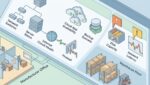
Capacity planning is the process of making sure your IT environment has the right amount of computing power, storage, internet bandwidth, software capacity, and support resources to meet business demand. Your business needs it because when technology runs out of room, performance drops, downtime increases, and costs usually rise at the worst possible time.
For many organizations, the issue is not a dramatic system failure. It is the slower, more expensive pattern of employees waiting on applications, storage filling up, internet connections choking during busy hours, or aging servers struggling to support new workloads. Good planning helps you avoid those problems before they affect operations.
What capacity planning means in plain English
Think of your IT environment like a building. If you have 20 people working in a space designed for 20, things are fine. If you grow to 35 people without adding desks, parking, or electrical capacity, the building becomes harder to use every day.
Technology works the same way. Capacity planning looks at what your systems are handling now, how demand is changing, and when upgrades or design changes should happen so the business can keep moving without unnecessary disruption.
That includes questions like:
- Do your servers have enough performance for your applications?
- Is your storage growing faster than expected?
- Can your internet connection support cloud apps, video calls, and file transfers during peak hours?
- Will your Microsoft 365, line-of-business apps, or security tools still perform well after adding staff or another location?
- Are you budgeting for growth, or waiting for something to break?
Why businesses run into capacity problems
Most organizations do not set out to ignore planning. They get busy. A new employee is hired, a second office opens, more files are retained, another software platform is added, and remote work becomes standard. Each change seems manageable on its own.
Over time, those small changes stack up. A manufacturer in Southeast Wisconsin may add connected production equipment and start collecting more operational data. A nonprofit in Kenosha may expand programming and onboard seasonal staff. A law firm or accounting practice in Northeast Illinois may rely more heavily on document management, cloud collaboration, and video meetings during peak client periods.
None of those are unusual changes. The problem starts when the technology environment is still sized for the business as it operated two or three years ago.
What happens when you skip capacity planning
When capacity is too tight, the impact often shows up as business friction first and hard downtime second. People feel the slowdown before leadership sees a red alert.
Common operational effects
- Applications take longer to open or save data
- Shared files become slow during busy periods
- Internet calls and meetings become unreliable
- Backups take too long or fail to complete on time
- Employees submit more support tickets for recurring performance issues
- Upgrades become urgent and expensive instead of planned and controlled
Those issues cost real money. If 25 employees lose just 15 minutes per day to slow systems, that is more than 31 hours of lost productivity each week. At an average loaded labor cost of $35 per hour, that is over $1,000 per week, or more than $50,000 per year.
Now add the cost of emergency purchases, rushed consulting time, after-hours remediation, and frustrated staff. A preventable bottleneck can turn into a budget problem quickly.
Capacity planning is about business performance, not just IT performance
Business leaders sometimes hear this topic and assume it is mainly about servers, storage, or networking hardware. In practice, it is about whether technology can support the way your organization actually works.
For example, a professional services firm may not need large on-site infrastructure, but it does need enough internet bandwidth, secure remote access, cloud application performance, and endpoint readiness to support billable work. A nonprofit may need to plan around fundraising events, grant reporting cycles, and a lean internal team that cannot afford repeated disruptions. A manufacturer may need to consider production uptime, plant-floor connectivity, and the impact of delays on shipping schedules.
That is why capacity planning should be tied to operations, staffing, budgeting, and growth expectations. It is not a standalone technical exercise.
What should be included in an IT capacity planning process
A useful planning process looks at both current usage and future demand. It should be practical enough to guide decisions, not just produce a report that sits unread.
Core areas to review
- Compute capacity: Servers, virtual environments, cloud resources, and workstation performance
- Storage capacity: File growth, retention requirements, backup storage, and performance of shared data systems
- Network capacity: Internet bandwidth, internal network throughput, wireless coverage, and site-to-site connectivity
- Application capacity: User counts, licensing limits, database performance, and software dependencies
- Security tool impact: Whether endpoint protection, logging, monitoring, and filtering tools are properly sized
- Support capacity: Internal IT staffing, vendor responsiveness, and the ability to support growth without delays
This process also works best when paired with a clear inventory and lifecycle view. If you do not know what you own, where it lives, or when it should be replaced, planning becomes guesswork. That is one reason a business technology inventory that actually helps is such an important foundation.
Signs your environment may already be outgrowing its capacity
You do not need advanced monitoring data to spot early warning signs. Leadership teams often notice patterns well before IT metrics are reviewed.
- Your team complains that systems are slower than they used to be
- Storage warnings or mailbox limits show up more often
- Video conferencing quality drops during busy parts of the day
- New hires are added faster than devices, licenses, or access can be prepared
- Critical systems run on aging hardware with no room for added demand
- Projects are delayed because the environment cannot support another application or location
- You are making repeated emergency purchases instead of following a plan
If several of those sound familiar, the issue may not be isolated support noise. It may be a planning gap.
Practical examples of capacity planning in action
Example 1: Manufacturing
A small manufacturer adds quality control cameras, cloud reporting, and more connected equipment. Storage fills faster than expected, backups start running into production hours, and plant managers cannot access reports quickly. A capacity review identifies the need for better storage performance, revised backup windows, and stronger network segmentation before the next production expansion.
Example 2: Nonprofit growth
A nonprofit adds staff across two offices and increases remote work. Its older firewall and internet connection were sized for a much smaller team. During major fundraising campaigns, cloud applications slow down and donor records take longer to update. Capacity planning helps the organization budget for internet redundancy, improved wireless coverage, and right-sized security services before the next campaign cycle. Related planning around connectivity is covered in business internet redundancy.
Example 3: Professional services
An accounting firm adds a document-heavy client portal and hires seasonal staff for tax season. Without planning, login issues, slow file access, and licensing shortages appear just when the team is under deadline pressure. A proactive review maps expected seasonal demand and addresses licensing, storage growth, and workstation refresh timing ahead of the busy period.
How capacity planning supports budgeting and risk reduction
One of the biggest business benefits is better financial control. Planned upgrades are almost always less disruptive than urgent replacements. They also give leadership time to compare options, phase spending, and align investments with actual business priorities.
Capacity planning can help you:
- Spread technology costs over time
- Avoid premium pricing tied to emergency purchases
- Reduce downtime risk from overloaded systems
- Improve employee productivity
- Support growth with fewer surprises
- Make stronger decisions about cloud, on-site, and hybrid environments
It also connects naturally to replacement scheduling and refresh planning. If your systems are near their limits and nearing end of life, those problems tend to compound each other. A structured IT replacement schedule can help prevent that cycle.
How often should a business review capacity?
At minimum, most organizations should review capacity annually as part of budgeting and strategic planning. Many should review it quarterly, especially if they are growing, adding locations, increasing cloud usage, or dealing with compliance and uptime requirements.
You should also review capacity after major business changes, such as:
- Mergers or acquisitions
- Office relocations or expansions
- Large hiring plans
- New software rollouts
- Changes in data retention requirements
- Shifts to hybrid or remote work
What good planning looks like from an advisor
A good technology advisor does not start by pushing hardware. They start by understanding how your business operates, where delays are happening, what growth looks like, and which systems are truly critical.
From there, the planning process should produce clear recommendations, realistic timelines, cost ranges, and business tradeoffs. Maybe the right answer is an internet upgrade. Maybe it is storage optimization, cloud redesign, better standardization, or a phased refresh plan. The point is to solve the actual business problem before it becomes a disruption.
Conclusion
Capacity planning helps your business stay ahead of slowdowns, outages, and surprise costs by matching technology resources to real operational demand. It gives leadership a clearer way to budget, reduce risk, and support growth without waiting for performance problems to force the issue.
If you’re ready to strengthen your technology, reduce risk, and plan for the future, contact Platinum Systems to schedule a technology strategy discussion. We can help you evaluate whether your current IT environment is prepared for what your business needs next.