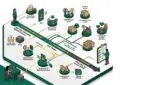
Configuration drift is what happens when systems gradually change from their approved settings over time, often without anyone noticing right away. It is a security risk because even small, unplanned changes can open gaps that lead to data exposure, downtime, failed updates, and harder recovery when something goes wrong.
For many businesses, configuration drift starts quietly. A firewall rule gets added for a temporary project and never removed. A user keeps local admin rights after changing roles. A server setting is adjusted to solve a short-term issue, but the change is never documented. Months later, the environment no longer matches the secure, supportable standard the business thought it had.
That matters because security problems are often not caused by one dramatic event. They build from small exceptions, inconsistent settings, and weak visibility. For manufacturers, nonprofit organizations, and professional service firms across Southeast Wisconsin and Northeast Illinois, those small changes can affect production, client service, compliance, and budget planning.
What configuration drift means in plain English
Think of your technology environment like a fleet of company vehicles. If every vehicle starts with the same maintenance schedule, tire pressure, and safety checks, things are easier to manage. But if each vehicle gets modified a little differently over time, reliability drops and risk goes up.
Configuration drift works the same way in IT. Your computers, servers, cloud platforms, firewalls, Microsoft 365 settings, and business applications are supposed to follow an approved baseline. When those settings start to vary from one system to another, or from the original standard, drift has started.
Some drift is accidental. Some is the result of rushed support work. Some comes from growth, staff turnover, or poor documentation. The common issue is loss of consistency.
Common examples of configuration drift in business environments
Most organizations do not notice drift until it causes a problem. Here are a few common examples:
- Security settings changed without review
A laptop encryption policy is disabled on a few devices so a user can work around a problem, but it never gets turned back on. - Firewall rules added and left in place
A vendor needs temporary access to a system, so an exception is created and forgotten. - Inactive accounts keep permissions
An employee changes departments, but their old access remains in place. - Patch settings vary between devices
Some systems install updates automatically, while others are paused or excluded. - Cloud app sharing rules become inconsistent
One team can share files externally with almost no restrictions, while another follows tighter controls. - Local software differences multiply
Employees install unapproved tools that create support issues and increase security exposure.
If your business is already dealing with software sprawl, that often makes drift worse. A growing mix of apps, exceptions, and one-off fixes creates more room for inconsistency. Our article on how to reduce software sprawl across your organization explains why standardization matters so much.
Why configuration drift becomes a security risk
Drift is dangerous because attackers and system failures both take advantage of inconsistency. A business may believe it has strong protections in place, but if only some systems actually match that standard, the weakest point becomes the real standard.
It creates hidden security gaps
A policy can look good on paper while the live environment tells a different story. If multi-factor authentication is required for most accounts but excluded for a few legacy users, those exceptions can become the easiest path for compromise.
The same is true for endpoint protection, logging, browser controls, and access restrictions. One overlooked exception may be enough to create a serious issue.
It makes incidents harder to detect
When every system is configured a little differently, unusual behavior is harder to spot. Security teams and support providers spend more time figuring out whether a setting is expected or suspicious.
That delay matters during an incident. If a ransomware event hits and your team cannot quickly tell which systems are out of standard, response slows down.
It increases downtime and troubleshooting time
Configuration drift is not only a cybersecurity issue. It also affects operations. If two file servers, workstations, or network devices are supposed to be identical but behave differently, support becomes slower and more expensive.
A professional services firm in Kenosha might lose half a day of billable work because a line-of-business application fails only on a subset of computers with altered settings. A manufacturer could see production delays if a machine interface workstation no longer matches the approved setup after repeated exceptions and manual changes.
It can break compliance and insurance expectations
Many organizations are expected to maintain consistent controls, whether for client contracts, grant requirements, cyber insurance, or industry standards. If your documented security controls do not match your actual environment, that gap can create problems during audits, claims, or incident reviews.
Nonprofits are especially vulnerable here because lean internal teams often rely on informal processes. A few undocumented changes across shared accounts, devices, or cloud permissions can create more exposure than leadership realizes.
How configuration drift usually starts
Drift rarely begins because someone wants a less secure environment. It usually starts with practical business pressures:
- A fast fix is needed to keep operations moving
- A vendor requests an exception
- A new office or remote user is added quickly
- Staff turnover leaves gaps in documentation
- Different technicians solve similar problems in different ways
- Technology grows faster than governance
None of those situations are unusual. The problem is what happens next. If the business does not have a process to review, document, and standardize changes, temporary decisions become permanent risk.
What configuration drift can cost a business
The cost of drift is often indirect at first, which is why it gets ignored. But over time, it shows up in very real ways:
- More support hours because systems behave inconsistently
- More downtime during updates, outages, or troubleshooting
- Higher security risk from overlooked exceptions and weak controls
- Slower onboarding because new devices and accounts are not built the same way
- Budget waste from duplicated tools, manual rework, or failed projects
Even a small incident can be expensive. If 20 employees lose three hours of productivity due to a preventable configuration issue, and their average loaded labor cost is $40 per hour, that is $2,400 in lost productivity before you count support time, client delays, or missed deadlines.
If the issue affects production equipment, financial systems, or donor data access, the business impact can climb much higher.
How to reduce configuration drift
The goal is not to freeze every system forever. Businesses need change. The goal is to make change controlled, visible, and repeatable.
Start with a secure baseline
Define what approved settings should look like for key systems such as laptops, servers, firewalls, Microsoft 365, and core business applications. This is the foundation for spotting drift later.
If you want a deeper look at that process, see our article on secure configuration baseline management.
Standardize wherever possible
The more exceptions you allow, the harder your environment is to secure and support. Standard device builds, approved software lists, consistent access rules, and repeatable deployment methods all reduce drift.
This is one reason technology standardization has such strong long-term value. It lowers variation, which lowers risk.
Document changes and approvals
Every meaningful change should have an owner, a reason, and a record. That does not need to be overly complicated, but it does need to exist. When changes are documented, they can be reviewed later and cleaned up if they are no longer needed.
Review systems regularly
Periodic audits help identify settings that no longer match policy. That includes access reviews, firewall rule reviews, endpoint configuration checks, and cloud security assessments.
A useful technology inventory also helps here because you cannot manage what you do not clearly track. Our post on how to create a business technology inventory that actually helps covers that foundation.
Automate where it makes sense
Automation helps enforce consistency. That may include device management tools, policy-based configuration, patch management, and alerting when settings change unexpectedly.
Automation is not a substitute for planning, but it does reduce the chance that a secure standard slowly erodes through manual work.
What business leaders should ask their IT provider
If you are not involved in day-to-day IT, you do not need to know every technical setting. You do need confidence that your environment is being managed intentionally.
Here are a few practical questions to ask:
- Do we have approved security baselines for our key systems?
- How do we detect when settings change from the approved standard?
- Which exceptions are currently in place, and who approved them?
- How often do we review access, firewall rules, and cloud configurations?
- Are we standardizing our environment as we grow, or adding complexity?
Those questions often reveal whether your organization is planning proactively or simply reacting to issues as they appear.
Configuration drift is a business issue, not just an IT issue
At its core, configuration drift is about control. When systems slowly move away from approved standards, businesses lose visibility, predictability, and resilience. Security becomes weaker, support becomes harder, and costs become less predictable.
Well-managed organizations treat configuration consistency as part of operational discipline. That is true for manufacturers with production dependencies, nonprofits protecting donor and program data, and professional service firms that need reliable access to client systems and documents.
If you’re ready to strengthen your technology, reduce risk, and plan for the future, contact Platinum Systems to schedule a technology strategy discussion.
Platinum Systems helps organizations take a practical, long-term approach to technology management so small issues do not turn into expensive disruptions. If you would like guidance evaluating your current environment and reducing configuration drift, contact Platinum Systems.