

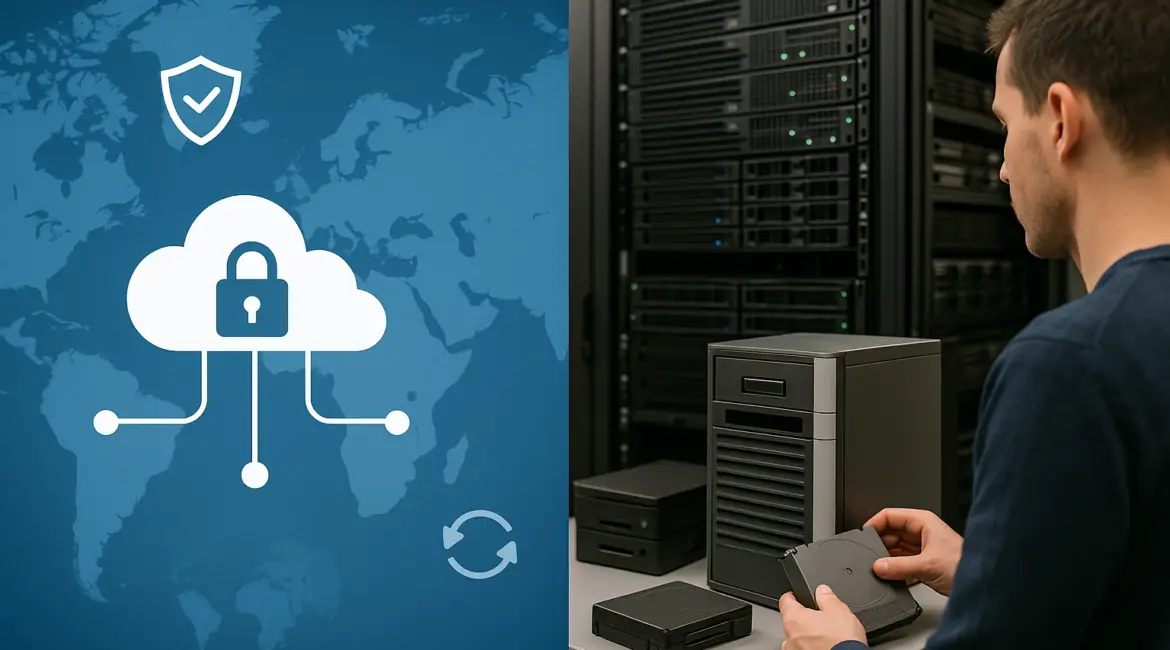
Cloud backup can be safer than on premises backup when it is configured with immutable storage, strong identity controls, and tested recovery, because it is harder for local disasters and many attackers to destroy every copy. On premises backup can be safer when you need tight physical control, predictable performance, and strict data residency, provided your facility, processes, and offsite copies are equally mature. For most organizations, the safest answer depends on how you design controls, not where the backups sit.
What “safer” really means for backups
Safety in backup is not a single attribute. It is a blend of confidentiality (no unauthorized access), integrity (no tampering), availability (restorable when needed), and resilience (survives disasters and ransomware). The question cloud backup vs on premises backup which is safer should be evaluated against your threat model and operational realities.
Start by defining your recovery objectives: RPO (how much data you can lose) and RTO (how long you can be down). A solution that is “secure” but cannot restore within your RTO is not safe in practice.
Safety factors where cloud backup often has an edge
Geographic redundancy and disaster resilience
Cloud providers commonly replicate data across multiple facilities and sometimes across regions. For a company in Miami concerned about hurricanes, or a business in San Francisco planning for earthquakes, geographically separated copies are a major safety advantage. In contrast, on premises backups often sit in the same building or campus as production, unless you invest in a separate site or colocation in another city.
Cloud backup also reduces the risk of single-site failures such as fire, flood, theft, or extended power loss. If your local office is inaccessible, recovery can still proceed from another location with internet access and proper credentials.
Immutability and ransomware resistance
Modern cloud backup platforms and object storage can support immutable backups, meaning backups cannot be altered or deleted for a defined retention period. This directly counters ransomware groups that attempt to encrypt or delete backups before extorting payment.
On premises environments can implement immutability too, using hardened backup appliances, write-once storage, or offline copies. However, these require careful segmentation and management. If attackers gain domain admin privileges, they may be able to destroy on premises repositories more easily than cloud repositories protected by separate identities and multi-factor authentication.
Security investment and continuous patching
Major cloud platforms invest heavily in physical security, monitoring, and infrastructure patching at scale. Dedicated security operations, facility controls, and hardware lifecycle management are generally stronger than what a small or midsize organization can fund internally.
That said, cloud safety is not automatic. Misconfigurations like overly permissive access policies, exposed keys, or weak MFA can undermine those advantages.
Safety factors where on premises backup can be safer
Direct physical control and isolated networks
Organizations with strict internal controls sometimes prefer to keep backups in facilities they own and manage. A hospital group in Germany or a financial firm in Switzerland may want clear physical chain of custody, controlled access rooms, and network isolation that is easier to validate with internal auditors.
On premises backup can also be kept entirely offline or air-gapped more simply, for example by rotating removable media stored in a secure offsite vault. While operationally demanding, true isolation can be a powerful defense against remote attackers.
Predictable recovery performance for large restores
When you need to restore tens or hundreds of terabytes quickly, local storage and LAN speeds can be safer for meeting tight RTOs. Cloud restores can be limited by internet bandwidth, egress constraints, and the time required to rehydrate large datasets. Some cloud vendors offer bulk restore appliances and direct connect options, but those add complexity and cost.
Data residency and specialized compliance constraints
Some regulations and contracts require data to remain within specific borders or facilities. While cloud providers offer region selection, on premises backup can simplify compliance if you have unique sovereignty requirements or restrictions on third-party processing. This is common in government, defense, and certain critical infrastructure environments.
Key risks that decide the outcome
Identity and access management
Backups are only as safe as the identities that can delete or encrypt them. Cloud backup is safer when administrative access is separated from production identities, protected by phishing-resistant MFA, and constrained by least privilege. On premises backup is safer when backup admins are isolated, credentials are rotated, and backup servers are not joined to the same domain as production.
In both models, treat backup administration as a high-value target. Require separate accounts, enforce conditional access where possible, and log every privileged action.
Misconfiguration and human error
Cloud risks often stem from configuration mistakes: public buckets, weak keys, broad roles, or missing retention locks. On premises risks often stem from neglected patching, expired certificates, untested media, or a single IT generalist holding too much access.
Safety improves when configuration is standardized with templates, changes are reviewed, and monitoring alerts are tied to clear operational runbooks.
Testing and recovery drills
The safest backup is the one you can restore under pressure. Regular restore tests, including bare-metal recovery and application-consistent restores, are essential. For businesses with multiple locations, test recovery from a different site, such as restoring a London workload from a Frankfurt region, or restoring a Chicago branch system from an alternate data center.
Include ransomware scenarios in drills: assume credentials are compromised and verify that immutable backups and separate admin paths still allow recovery.
So, which is safer in practice?
For many small and midsize organizations, cloud backup is often safer because it provides strong physical security, geographic redundancy, and modern immutability features that are hard to replicate on a limited budget. For organizations with mature facilities, dedicated security staff, and strict sovereignty requirements, on premises backup can be safer, especially when combined with offline copies and disciplined operations.
In reality, the safest design is frequently hybrid: keep fast local backups for quick restores and add a cloud copy for disaster recovery and ransomware resilience. This approach reduces single points of failure and balances performance with geographic separation.
A practical safety checklist for either approach
Controls that make cloud backup safer
- Enable immutable or write-once retention and prevent early deletion.
- Use separate backup admin identities, phishing-resistant MFA, and least privilege roles.
- Encrypt in transit and at rest; manage keys with strong governance.
- Lock down network paths; avoid exposing backup management interfaces to the public internet.
- Test restores quarterly at minimum and after major changes.
Controls that make on premises backup safer
- Maintain at least one offline or air-gapped copy and store it offsite.
- Segment backup infrastructure from production and avoid shared domain admin access.
- Patch backup systems promptly and monitor for unusual deletion or encryption activity.
- Protect facilities with access controls, cameras, and environmental monitoring.
- Document recovery procedures and validate them with real restore drills.
Cost and operational realities that affect safety
Safety is influenced by what you can sustain. Cloud backup shifts costs to ongoing subscription and storage consumption, which can be predictable if you manage retention and data growth. On premises backup requires capital expenditure, refresh cycles, and staffing for maintenance. Underfunded on premises environments often drift into unsafe states due to delayed patching, aging disks, and inadequate offsite replication.
Cloud also introduces egress costs and potential latency for large restores. If your RTO depends on rapid full-environment recovery, ensure your connectivity and restore method are proven. Some organizations use dedicated links or staged recovery environments to meet targets.
Decision guide by scenario
If you run a single office or a small set of sites and lack a secondary data center, cloud backup is usually safer because it reduces dependence on one location. If you operate a regulated environment with dedicated facilities and strict internal controls, on premises backup can be safer, but only if you also maintain true offsite and offline resilience. If you face significant ransomware risk and have limited security staff, prioritize immutable cloud copies and a clear incident response playbook.
Conclusion
The best answer to cloud backup vs on premises backup which is safer is the option you can secure, monitor, and restore reliably under real-world conditions. Cloud backup often leads in geographic resilience and managed security capabilities, while on premises backup can excel in tight physical control and fast large-scale restores. Choose based on threat model, compliance, and recovery goals, and strengthen either approach with immutability, least privilege access, and frequent recovery testing. A deliberate, well-tested strategy is what ultimately makes backups safe.
Frequently Asked Questions
Is cloud backup always safer than on premises backup?
Is cloud backup always safer than on premises backup?
No. Cloud backup vs on premises backup which is safer depends on your controls. Cloud can be safer with immutability, strong MFA, and separate admin identities. On premises can be safer with true offline copies, strong physical security, and disciplined patching. Compare your ransomware exposure, disaster risks, and ability to test restores regularly.
How do I protect backups from ransomware in either model?
How do I protect backups from ransomware in either model?
For cloud backup vs on premises backup which is safer against ransomware, focus on immutability and access separation. Enable retention locks or immutable storage, require phishing-resistant MFA for backup admins, and avoid shared domain admin privileges. Keep at least one isolated copy, monitor for mass deletions, and run restore drills that assume compromised credentials.
What role does geography play in backup safety?
What role does geography play in backup safety?
Geography is central to cloud backup vs on premises backup which is safer for disasters. Cloud backups can be stored in separate regions, protecting you from local events like wildfires in California or flooding in the UK. On premises backups are often co-located unless you fund a second site. Use distance and regional diversity to reduce correlated failure.
Can a hybrid backup strategy be safer than choosing one option?
Can a hybrid backup strategy be safer than choosing one option?
Yes. In cloud backup vs on premises backup which is safer discussions, hybrid is often the safest operational choice. Keep local backups for fast restores and add a cloud copy for offsite resilience and ransomware recovery. Apply consistent retention, encryption, and access policies across both, and verify end-to-end restores so the two layers actually work together.
What is the fastest way to decide which approach fits my business?
What is the fastest way to decide which approach fits my business?
To answer cloud backup vs on premises backup which is safer for you, list your RPO and RTO, data residency requirements, and top threats. Then confirm whether you can implement immutability, separate admin access, and quarterly restore tests. If you cannot fund a second site and strong physical controls, cloud or hybrid usually improves safety quickly.