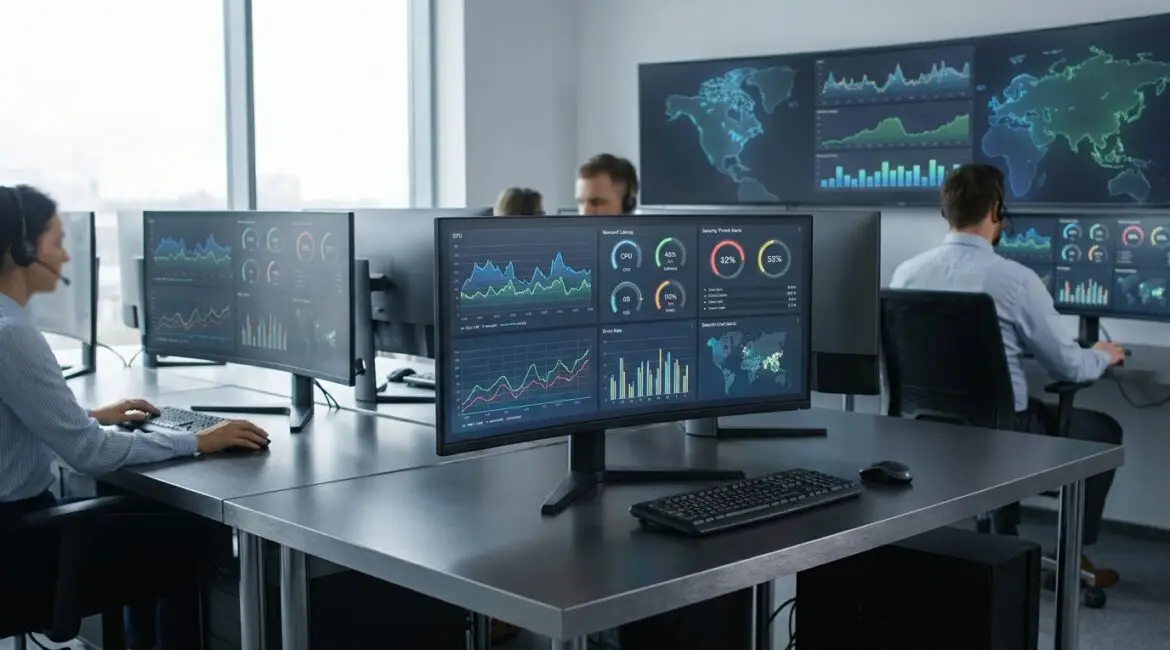
What is automated IT monitoring?
Automated IT monitoring is the use of software tools to continuously track the health, performance, availability, and security of IT systems without relying on manual checks. It matters because it detects issues early, reduces downtime, and gives teams actionable insight across servers, networks, applications, and cloud services. For organizations operating across regions like North America, Europe, and APAC, it also standardizes visibility across time zones and sites.
How automated IT monitoring works
At a high level, automated IT monitoring collects data from your infrastructure and applications, evaluates that data against thresholds or behavioral baselines, and then alerts or triggers actions when something looks wrong. Modern environments often span on-prem data centers, public cloud providers, edge sites, and SaaS platforms, so the monitoring approach must be consistent and scalable.
Data collection: metrics, logs, and traces
Most monitoring programs rely on three primary data types. Metrics are numeric time series (CPU, memory, latency, error rates). Logs are detailed event records from systems and applications. Traces follow a request as it moves through microservices and dependencies, which is critical for distributed systems running in AWS, Azure, or Google Cloud across multiple regions.
Agents, agentless checks, and integrations
Tools gather data using installed agents (for deep OS and application telemetry), agentless methods (such as SNMP polling for network devices), and direct integrations (cloud APIs, Kubernetes, databases, identity providers). A retail chain with stores in California, Ontario, and the UK may use agents in data centers, API integrations for cloud workloads, and lightweight checks for branch routers and switches.
Alerting and event correlation
Automated alerts notify the right teams when conditions are met, such as rising error rates or disk usage thresholds. Event correlation groups related signals to reduce noise, such as linking a database latency spike to an underlying storage IOPS constraint. Many organizations also route alerts into incident management platforms, chat tools, and ticketing systems to ensure follow-through.
Automation and remediation workflows
Beyond alerting, automated IT monitoring can trigger runbooks to remediate known issues. Examples include restarting a failed service, scaling a Kubernetes deployment, or failing over traffic between data centers. In regulated industries, remediation might require approvals, but monitoring can still automate diagnosis and evidence collection.
Why automated IT monitoring matters
IT systems underpin revenue, customer experience, and internal operations. When those systems fail, the impact is immediate: lost sales, breached SLAs, reputational damage, and operational disruption. Automated IT monitoring matters because it replaces late discovery with early detection and replaces guesswork with data.
Improved uptime and customer experience
Continuous monitoring shortens the time to detect incidents, often called MTTD. Faster detection usually leads to faster resolution (MTTR), especially when dashboards and runbooks are tied to alerts. For a SaaS company serving customers from New York to Frankfurt, small latency increases can become churn drivers; monitoring helps spot degradations before customers complain.
Better security posture and faster response
While monitoring is not a full security program, it plays a central role in detecting anomalous behavior: unusual login patterns, unexpected outbound traffic, or sudden privilege changes. Automated IT monitoring provides the baseline and alerting pipeline that security teams can use to triage quickly, particularly in hybrid environments with both cloud identity and on-prem systems.
Cost control and capacity planning
Monitoring highlights underutilized resources and helps teams right-size compute, storage, and database tiers. It also supports capacity planning by showing growth trends and seasonal patterns. For example, an e-commerce operation in Australia may see predictable demand spikes around holiday periods; trend-based alerts and forecasting can prevent last-minute scaling surprises.
Operational efficiency and less firefighting
Manual checks do not scale, and they are inconsistent across shifts. Automated IT monitoring standardizes checks and reduces repetitive work, letting teams focus on reliability improvements and engineering tasks. It also improves handoffs between teams by providing shared dashboards and consistent incident timelines.
Compliance, auditing, and reporting
Many frameworks require evidence of control effectiveness, availability, and incident response. Monitoring platforms can provide retention, reporting, and audit trails, including when an alert fired, who acknowledged it, and how it was resolved. Organizations with operations spanning the United States and the EU often use monitoring reports to support internal controls and service commitments.
What to monitor: practical coverage areas
Effective automated IT monitoring is not just collecting everything. It is collecting the right signals tied to service health, user experience, and business outcomes.
Infrastructure: servers, VMs, containers, and storage
Track CPU saturation, memory pressure, disk latency, filesystem utilization, and node health. For Kubernetes, include pod restarts, deployment rollouts, resource requests versus limits, and control plane health where relevant. Storage monitoring should include IOPS, throughput, and error rates, not just free space.
Network: connectivity, latency, and device health
Monitor packet loss, interface errors, DNS performance, VPN tunnel status, and WAN link utilization. For distributed sites, such as clinics across Texas and Florida, network visibility is often the difference between diagnosing an ISP issue quickly and losing hours to user reports.
Applications and user experience
Application performance monitoring focuses on response time, error rates, throughput, and dependency calls. Synthetic monitoring simulates user journeys from different geographies like London, Singapore, and São Paulo to catch regional routing or CDN issues. Real user monitoring adds actual browser and mobile telemetry to highlight what customers feel.
Databases and message queues
Monitor query latency, lock contention, replication lag, connection pool saturation, and slow query counts. For message queues, watch consumer lag, dead-letter queues, and processing times. Many outages present as application errors but originate in data stores; database-focused monitoring helps isolate the root cause.
Key features to look for in automated IT monitoring tools
Tool selection depends on scale, architecture, and operational maturity, but some capabilities are consistently valuable.
Service-centric dashboards and SLO tracking
Dashboards should map to services, not just hosts. SLO tracking links monitoring to user outcomes, such as availability and latency targets. This keeps teams aligned on what matters, especially when multiple squads own parts of the same customer-facing workflow.
Noise reduction and alert quality controls
Alert fatigue is a common failure mode. Look for deduplication, maintenance windows, dynamic thresholds, and routing based on ownership. A practical standard is that every alert should be actionable, with a clear runbook link and defined severity.
Flexible deployment and data residency options
Some organizations need SaaS monitoring for speed and ease, while others require self-hosted or region-specific storage due to policy. If you operate in Canada, Germany, or other regions with data residency requirements, confirm where telemetry is stored and how retention and access controls are managed.
Integrations with ITSM, on-call, and collaboration
Monitoring should connect to ticketing, incident response, and change management. Integrations with on-call scheduling and chat reduce the time between detection and engagement. For mature operations, automated enrichment of incidents with logs, traces, and topology reduces troubleshooting time.
Getting started: a practical implementation approach
Implementing automated IT monitoring is most successful when done in phases, with clear ownership and measurable outcomes.
1) Define critical services and dependencies
Start by identifying the services that drive revenue or core operations, then map dependencies: databases, third-party APIs, identity, DNS, and networking. A dependency map helps ensure you monitor what actually affects the service.
2) Establish baseline signals and thresholds
Instrument key metrics and logs, then set initial thresholds based on known limits and observed behavior. Use dynamic thresholds where traffic patterns vary by geography or time of day, such as business-hour peaks in Paris versus overnight processing in Seattle.
3) Build alert routing and runbooks
Assign ownership for each service and define escalation paths. Create short runbooks that answer: what does the alert mean, what to check first, and when to escalate. This is where automated IT monitoring turns from data collection into operational reliability.
4) Iterate using incident reviews
After each incident, adjust monitors and runbooks. Remove noisy alerts, add missing signals, and refine thresholds. Over time, your monitoring becomes a feedback loop that steadily reduces outages and shortens recovery time.
Conclusion
Automated IT monitoring is essential for keeping modern systems reliable, secure, and cost-effective across on-prem, cloud, and hybrid environments. By collecting the right telemetry, correlating events, and routing actionable alerts to the right teams, it turns IT operations into a proactive discipline rather than a reactive scramble. If you invest in clear service definitions, high-quality alerts, and repeatable runbooks, automated IT monitoring becomes a durable foundation for performance, compliance, and customer trust.
Frequently Asked Questions
What is the difference between automated IT monitoring and manual monitoring?
What is the difference between automated IT monitoring and manual monitoring?
Automated IT monitoring continuously collects metrics, logs, and health checks and triggers alerts without human prompting. Manual monitoring relies on staff periodically checking dashboards, running commands, or waiting for user complaints. In practice, automated IT monitoring reduces detection time, standardizes coverage across shifts, and supports consistent incident response with runbooks.
Can automated IT monitoring work in a hybrid environment with on-prem and cloud systems?
Can automated IT monitoring work in a hybrid environment with on-prem and cloud systems?
Yes, automated IT monitoring is well suited to hybrid environments when you use a mix of agents, API integrations, and network checks. The key is consistent service mapping across on-prem data centers and cloud regions, plus unified alert routing. This helps teams correlate issues that span VPNs, identity providers, and cloud dependencies.
How do I reduce alert fatigue when implementing automated IT monitoring?
How do I reduce alert fatigue when implementing automated IT monitoring?
Start with a small set of actionable alerts tied to service health, then add more only when they prove useful. Use deduplication, maintenance windows, and dynamic thresholds to prevent noise. Every automated IT monitoring alert should have an owner, severity, and a short runbook so responders know exactly what to do next.
What should I monitor first if I am new to automated IT monitoring?
What should I monitor first if I am new to automated IT monitoring?
Begin with your most critical customer-facing service and monitor availability, latency, and error rate, then add the top dependencies like database latency and network connectivity. Add synthetic checks from key geographies where your users are located. This phased approach makes automated IT monitoring immediately valuable while keeping setup manageable.
Does automated IT monitoring help with security and compliance requirements?
Does automated IT monitoring help with security and compliance requirements?
Automated IT monitoring supports security by flagging unusual patterns such as authentication anomalies, unexpected outbound traffic, and sudden configuration changes. For compliance, it provides timestamped evidence of system health, alerts, and incident handling. Pair automated IT monitoring with access controls and retention policies to meet audit and reporting needs.