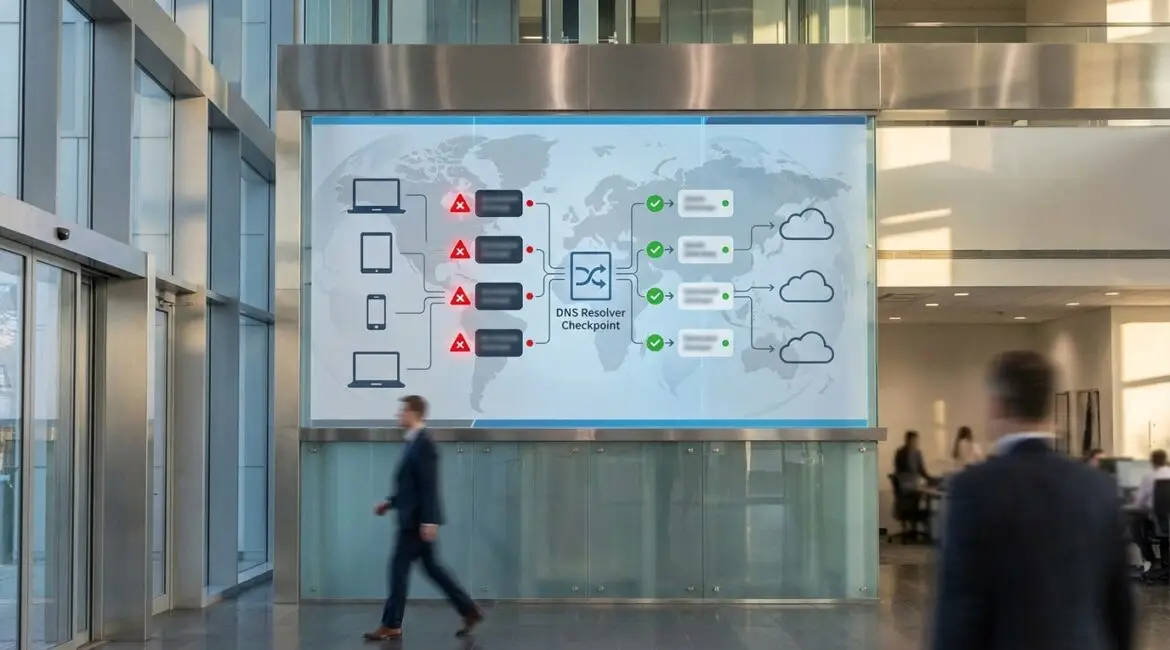
DNS filtering is a security control that blocks or allows access to internet domains based on policy, preventing users and systems from reaching known malicious or inappropriate destinations. It improves cybersecurity by stopping threats like phishing, malware, and command-and-control traffic before a connection is established. In practice, DNS filtering becomes a fast, low-friction layer of defense for offices and remote workers alike.
Understanding DNS and where filtering fits
Every time you type a website name or an application calls an internet service, the Domain Name System (DNS) translates a human-readable domain (like example.com) into an IP address. That lookup usually happens before any web page, file download, or API response occurs. Because DNS is at the beginning of most internet connections, it is an ideal enforcement point for security policy.
DNS filtering applies rules to DNS queries and responses. If a requested domain matches a blocked category or a threat intelligence indicator, the resolver can refuse to answer, return a safe “block page” destination, or redirect to a controlled sinkhole for investigation. This happens regardless of whether the user is on a browser, a mobile app, or an IoT device that never opens a browser at all.
What DNS filtering actually does
At its core, DNS filtering decides whether a domain should be reachable. Organizations commonly use a mix of approaches:
- Threat-based blocking: Prevents connections to domains associated with malware distribution, phishing, botnets, and exploit kits.
- Category-based filtering: Blocks categories like newly registered domains, parked domains, adult content, or gambling, depending on acceptable use policies.
- Allowlisting: Ensures only approved domains can resolve in high-security environments such as point-of-sale networks or healthcare devices.
- Policy by identity and context: Applies different rules for employees, contractors, guests, or specific sites and departments.
Because DNS filtering works at the domain layer, it is not a replacement for endpoint protection, email security, or a secure web gateway. Instead, it is a complementary control that reduces exposure early and broadly.
How DNS filtering improves cybersecurity
DNS filtering strengthens cybersecurity through prevention, visibility, and resilience. The biggest gains come from stopping the connection before any payload is delivered or any credential prompt appears.
1) Blocking phishing before users ever see it
Phishing campaigns rely on users reaching deceptive domains that mimic banks, HR portals, or cloud logins. DNS filtering can block known phishing domains and common lookalike patterns, reducing the chance that users in New York, London, or Singapore ever reach a fake login page. This is especially valuable for organizations with heavy SaaS usage, where credential theft is a primary risk.
2) Preventing malware and drive-by infections
Many malware strains are delivered through compromised websites, malicious ads, or short-lived domains. By blocking newly observed malicious domains and command-and-control infrastructure, DNS filtering reduces infections and can also limit outbound beaconing from already compromised devices. That containment effect can be crucial for geographically distributed environments like retail locations across the United States or branch offices across the European Union.
3) Reducing the impact of ransomware
Ransomware operations often use DNS to locate command-and-control servers, exfiltration endpoints, and staging sites. While DNS filtering cannot stop all ransomware, it can disrupt the kill chain by blocking known infrastructure and suspicious domains. In many cases, preventing the initial phishing click and the first malicious download offers the highest return.
4) Improving security for unmanaged and hard-to-protect devices
Printers, VoIP phones, smart TVs, and operational technology frequently lack robust endpoint agents. DNS filtering gives these devices a baseline control without requiring software installation. In hospitality environments in Dubai or manufacturing sites in Germany, where device diversity is high, this can quickly reduce risk exposure across the network.
5) Strengthening remote work and travel security
Remote workers often move between home networks, coworking spaces, and public Wi-Fi in airports from Los Angeles to Tokyo. DNS filtering delivered via cloud resolvers or roaming agents can enforce consistent policy off-network, reducing reliance on users to connect to a VPN for basic protection.
Where DNS filtering is deployed
DNS filtering can be implemented in several ways, and many organizations use a hybrid model:
- On-premises DNS resolvers: Common in data centers and large campuses where local control and integration are priorities.
- Cloud DNS security services: Useful for distributed organizations with multiple sites across regions such as North America and APAC.
- Endpoint roaming clients: Ensures policy follows the device anywhere, even off corporate networks.
- Network-layer enforcement: Router, firewall, or SD-WAN forwarding of DNS to approved resolvers to avoid bypass.
The best choice depends on network architecture, compliance requirements, and how much control you need over logging and retention.
Key features to look for in a DNS filtering solution
Not all DNS filtering offerings provide the same security depth. Consider these capabilities when evaluating options:
- High-quality threat intelligence: Frequent updates, fast detection of newly registered malicious domains, and strong phishing coverage.
- Flexible policies: Controls by user, group, device, location, and time of day.
- Comprehensive reporting: Actionable logs, category analytics, and easy export to SIEM tools.
- Low latency and global anycast: Important for performance across regions like Europe, the Middle East, and South America.
- Encrypted DNS support: Compatibility with DNS over HTTPS (DoH) and DNS over TLS (DoT) where appropriate.
- Integrations: Identity providers, EDR platforms, firewall vendors, and ticketing systems.
DNS filtering and encrypted DNS: what changes and what does not
Encrypted DNS (DoH and DoT) helps protect DNS queries from local interception, which is valuable on untrusted networks. It can also complicate enforcement if endpoints use external resolvers outside IT control. Effective DNS filtering strategies address this by configuring managed devices to use approved encrypted resolvers, blocking unauthorized DoH endpoints at the network edge, and using endpoint agents for roaming users.
Even with encryption, DNS filtering still works when the organization controls where DNS queries go. The practical goal is consistency: users should get encrypted transport plus policy enforcement and logging, not one at the expense of the other.
Limitations and common misconceptions
DNS filtering is powerful, but it is not magic. Understanding the boundaries helps you deploy it correctly:
- It does not inspect full URLs: Most DNS filtering operates at the domain level, so it may not block a malicious path on an otherwise reputable domain.
- It is not full content filtering: It can block destinations, but it does not analyze file contents like a sandbox or advanced proxy.
- It can be bypassed without controls: Hardcoded DNS, alternate resolvers, and some VPNs can route around DNS filtering unless you enforce DNS egress rules.
- False positives happen: Good solutions provide quick overrides and allowlisting workflows to keep business operations moving.
Implementation best practices for stronger outcomes
To get real cybersecurity benefits from DNS filtering, focus on policy design and operational discipline:
- Start with threat categories: Block malware, phishing, command-and-control, and newly registered domains first to reduce risk with minimal business disruption.
- Roll out in phases: Use monitor mode or limited pilot groups before broad enforcement across all offices, whether in Toronto, Sydney, or Cape Town.
- Enforce approved DNS paths: Lock down DHCP and endpoint DNS settings, and restrict outbound DNS to approved resolvers.
- Integrate with your SOC: Send logs to SIEM, create alerts for spikes, and tie DNS events to endpoint telemetry.
- Maintain allowlists and exception handling: Assign ownership, document business justification, and review exceptions regularly.
- Measure outcomes: Track blocked queries, top threat categories, user click rates, and incident response time improvements.
Real-world use cases by industry
DNS filtering adapts well across sectors because it is lightweight and broadly compatible:
- Healthcare: Protects legacy medical devices and reduces exposure to phishing that can impact patient data and operations.
- Education: Enforces acceptable use and reduces malware risk across large numbers of student devices and guest networks.
- Retail and hospitality: Provides quick protection for many locations and kiosks with minimal on-site IT support.
- Financial services: Adds another barrier against credential theft and fraudulent lookalike domains targeting customers and employees.
Conclusion: a practical first line of defense
DNS filtering improves cybersecurity by blocking risky domains before connections are made, enhancing protection against phishing, malware, and command-and-control traffic across office networks and remote endpoints. When paired with strong identity controls, endpoint security, and consistent DNS enforcement, it becomes a dependable, high-leverage layer for organizations operating across multiple geographies. If you want a security control that is fast to deploy, easy to measure, and effective against common threats, DNS filtering is a strong place to start and a smart layer to keep.
Frequently Asked Questions
Is DNS filtering the same as a firewall or secure web gateway?
Is DNS filtering the same as a firewall or secure web gateway?
DNS filtering is not the same as a firewall or secure web gateway because it typically blocks at the domain lookup stage rather than inspecting full traffic content. Use DNS filtering to stop access to known bad domains early, then rely on firewalls, proxies, and EDR for deeper inspection, segmentation, and device-level containment.
Can DNS filtering protect users who are not on the corporate network?
Can DNS filtering protect users who are not on the corporate network?
Yes, DNS filtering can protect off-network users through cloud resolvers and roaming endpoint clients that apply the same policies anywhere. This matters for remote workers and travelers using home Wi-Fi or public hotspots. Ensure managed devices are configured to use approved resolvers so DNS filtering stays consistent without requiring a VPN.
How do I stop employees from bypassing DNS filtering with alternate DNS or DoH?
How do I stop employees from bypassing DNS filtering with alternate DNS or DoH?
Prevent bypass by enforcing DNS egress controls so devices can only reach approved resolvers, and block known external DoH endpoints at the firewall. On managed endpoints, set DNS policies via MDM or group policy and disable unauthorized resolver changes. Pair these steps with DNS filtering logging to detect anomalies quickly.
Will DNS filtering slow down internet access?
Will DNS filtering slow down internet access?
Properly implemented DNS filtering should not noticeably slow access because DNS queries are small and modern providers use global anycast networks. Performance depends on resolver proximity and capacity, especially for distributed teams across regions. Choose a DNS filtering service with strong uptime, low latency, and local points of presence.
What should I block first when rolling out DNS filtering?
What should I block first when rolling out DNS filtering?
Start DNS filtering with high-confidence threat categories such as malware, phishing, command-and-control, and newly registered domains to reduce risk quickly with minimal disruption. Run a short monitoring phase to identify business-critical domains that could be affected. Then add category-based controls gradually, backed by a clear exception workflow.