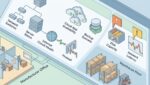
Yes, you can often improve file server performance without replacing the entire system. In many cases, slow file access is caused by a few specific bottlenecks such as aging disks, overloaded network connections, poor folder design, or too many users competing for the same resources at once.
That matters because a full rip-and-replace is expensive, disruptive, and often unnecessary. For many businesses in Southeast Wisconsin and Northeast Illinois, a focused improvement plan can extend the life of existing infrastructure while making daily work noticeably faster.
Start by identifying what “slow” actually means
When someone says the file server is slow, that can mean several different problems. Files may take too long to open, users may wait on large saves, searches may drag, or remote staff may struggle to access shared folders.
Before spending money, define the problem in business terms. Ask a few basic questions:
- Is the issue happening for everyone or only certain teams?
- Is it worse at certain times of day?
- Are large files affected more than small files?
- Is the slowdown in the office, remote, or both?
- Did the problem start after growth, a software change, or a move?
A manufacturer in Kenosha might notice engineering drawings taking 20 to 30 seconds to open during production hours, while a law firm may only see delays when several people save large case files at once. Those are different problems, and they need different fixes.
Common causes of poor file server performance
Most file server issues come down to a short list of technical and operational causes. The good news is that many of them can be addressed without replacing the server itself.
Storage is too slow for current workloads
If your server still relies on older spinning hard drives, storage speed may be the biggest issue. This is especially common when the business has grown, file sizes have increased, or more people are working from shared folders at the same time.
Moving active data to solid-state storage can produce a major performance gain without replacing the whole environment. In some cases, upgrading the storage layer alone cuts file open times from 15 seconds to 3 or 4 seconds.
The network is creating delays
Sometimes the server is fine, but the path to it is not. A congested switch, outdated network cabling, a 1 Gbps bottleneck, or a poor VPN setup can all make file access feel slow.
This is common in organizations with multiple locations. A nonprofit with a main office in Racine and a satellite office near Kenosha may have acceptable performance locally but poor performance across sites if the connection is undersized or not configured well.
Too many permissions and too much folder sprawl
File servers often accumulate years of ad hoc growth. Departments create nested folders, duplicate data, and complicated permissions that no one fully understands. Over time, this can slow access, complicate backups, and increase support time.
It also creates security risk. If your shared data structure has grown messy, it is worth reviewing both performance and access. A related read is how to protect shared business data from unauthorized access.
Server resources are undersized or poorly allocated
The server may not need replacement, but it may need more memory, better CPU allocation, or a configuration review. This is especially true in virtual environments where several systems share the same host and compete for resources.
In plain English, the file server may be waiting its turn too often. That delay adds up across the day.
High-impact ways to improve performance without a full replacement
Once the root cause is clear, targeted changes usually provide the best return. Here are the improvements Platinum Systems would typically review first.
Upgrade storage before replacing the server
If the server hardware is still supported and otherwise stable, upgrading from traditional disks to SSDs or moving hot data to faster storage can be a smart first step. This is often far less expensive than replacing the entire server stack.
For a 25-person accounting firm, a storage upgrade might cost a fraction of a full server replacement while saving each employee several minutes a day. Across busy tax season, that time savings becomes meaningful.
Clean up file shares and archive inactive data
Not every file needs to live on the fastest storage. One practical approach is to separate active working files from older records that must be retained but are rarely used.
Examples include:
- Archiving closed client files for professional service firms
- Moving older donor records for nonprofits to lower-cost storage
- Separating current production documents from historical drawings for manufacturers
This reduces clutter, improves search and navigation, and can lower backup windows as well.
Review network paths and office connectivity
If users across multiple offices are accessing the same file server, network design matters. A better site-to-site connection, improved switch capacity, or a smarter remote access setup may solve more than a server upgrade would.
This is one reason technology planning matters. Businesses often assume the file server is the problem when the real issue is the environment around it. That is also why strategic review before a major purchase is so valuable. See how to evaluate business technology before making a major purchase for a practical framework.
Reduce unnecessary background load
Backups, antivirus scans, indexing jobs, sync tools, and other scheduled tasks can slow a file server if they run at the wrong times or are poorly configured. The answer is not to remove protection. The answer is to tune it properly.
A simple schedule adjustment can make a visible difference. If backups start during the busiest hour of the day, users will feel it.
Standardize permissions and simplify folder structure
Performance and security often improve together when you reduce complexity. Clear department shares, standardized access groups, and fewer one-off exceptions make the environment easier to manage and easier for employees to use.
If your environment has grown organically, this kind of cleanup often pairs well with broader process improvements. Another useful resource is what data governance means for small businesses.
When cloud file platforms may help, and when they may not
Some organizations assume the answer is to move everything out of the file server and into a cloud platform. Sometimes that helps. Sometimes it simply shifts the problem.
Cloud file tools can work well when:
- Teams need easier remote access
- Most files are standard office documents
- Collaboration and version control matter more than raw speed
They may be less ideal when:
- Users work with very large CAD, media, or database files
- Applications depend on traditional file shares
- Internet reliability is inconsistent
For many businesses, the best answer is a hybrid model. Keep high-performance local workloads where they belong, and move appropriate collaboration data to cloud platforms over time.
Know when optimization is enough and when replacement is justified
Not every server should be preserved indefinitely. Sometimes the right move is to optimize now and plan a staged replacement later.
Replacement becomes more likely when:
- The server is out of support
- Parts are hard to source
- Performance problems return quickly after tuning
- Security requirements have outgrown the platform
- Downtime risk is becoming a business issue
For example, if a 40-person firm loses even 20 minutes of productivity per employee each week due to file delays, that is over 13 labor hours lost every week. Over a year, the cost of wasted time can exceed the cost of a planned upgrade.
The key is to make that decision based on facts, not frustration. A measured review helps you avoid overspending on the wrong fix while reducing the chance of an avoidable outage later. If aging infrastructure is part of the issue, it may also help to review how to reduce business risk from outdated technology.
A practical approach for business leaders
If file server performance is affecting your team, start with a short assessment instead of a shopping list. Look at user complaints, server health, storage performance, network paths, permissions, and backup timing together.
That gives you a clearer picture of what is worth fixing now, what can wait, and what should be part of a longer-term roadmap. It also helps you tie technology decisions back to business outcomes like staff productivity, downtime reduction, and budget control.
Platinum Systems works with organizations that want practical answers, not unnecessary replacement projects. If you’re ready to strengthen your technology, reduce risk, and plan for the future, contact Platinum Systems to schedule a technology strategy discussion.
Improving file server performance is often less about buying everything new and more about making smarter decisions with what you already have. If you would like guidance on the right next step, Platinum Systems can help you evaluate your environment and build a plan that fits your business.