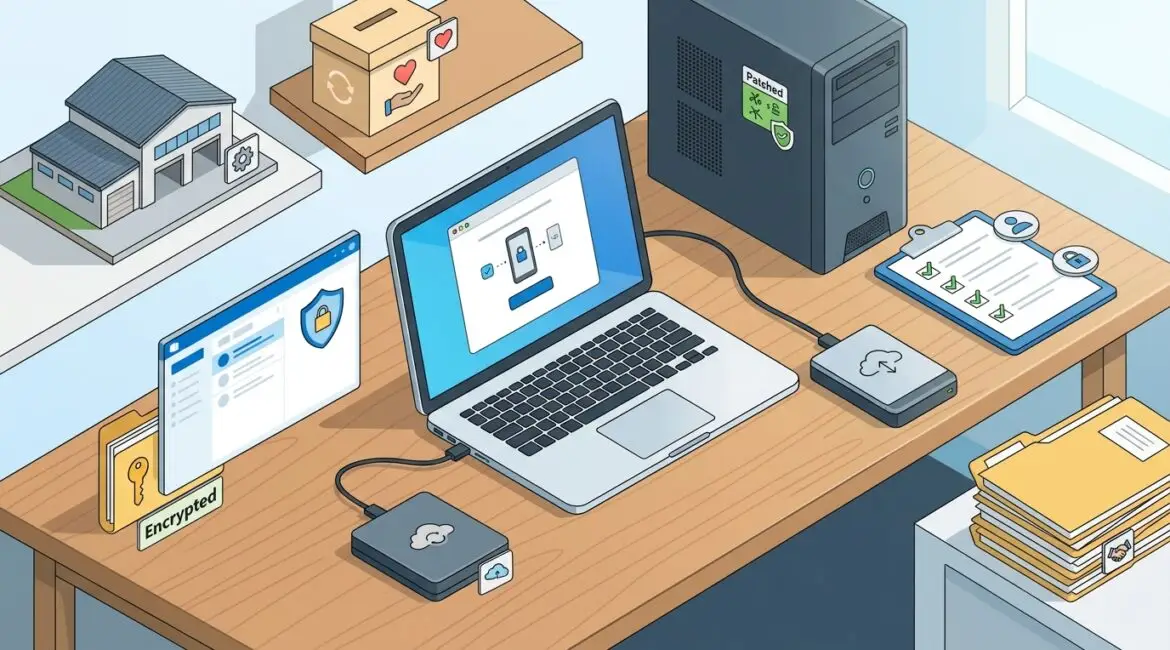
A cybersecurity control is any safeguard your business uses to prevent, detect, or reduce security problems. For small businesses, the controls that matter most are the practical ones that protect user accounts, business devices, email, sensitive data, and your ability to recover quickly if something fails.
That definition sounds broad because it is. A control can be a technical setting like multifactor authentication, a policy that limits who can access payroll records, or a routine process for testing backups. The goal is not to buy every security product on the market. The goal is to put the right protections in place for the way your business actually operates.
What counts as a cybersecurity control?
In plain English, a cybersecurity control is a way to lower risk. Some controls stop bad things from happening. Some help you spot a problem faster. Others help you keep working or recover after an incident.
Most controls fall into a few simple categories:
- Preventive controls stop issues before they happen, such as multifactor authentication, device encryption, and application allowlisting.
- Detective controls help you notice suspicious activity, such as monitoring, alerts, and login audits.
- Corrective controls help you fix problems, such as malware removal, account lockdowns, and system restoration.
- Administrative controls are policies and procedures, such as onboarding rules, acceptable use policies, and vendor access reviews.
- Physical controls protect equipment and spaces, such as locked server closets, badge access, and camera coverage.
Small businesses often assume cybersecurity means software alone. In reality, some of the most valuable controls are process decisions. If a departing employee keeps access to email and cloud files for two weeks, that is a security gap even if your antivirus is excellent.
Why small businesses should focus on a short list first
Most organizations do not fail because they missed an obscure security feature. They struggle because the basics were inconsistent. A manufacturer with 35 employees may have one plant manager using a personal Dropbox account, two outdated shop floor PCs, and no backup test in the last year. A nonprofit may rely on shared logins for donor systems. A law or accounting firm may have strong passwords but no multifactor authentication on email.
Those are common, fixable problems. They also create real business costs.
If a 20-person professional services firm loses access to email and files for one full workday, the cost is not only IT repair time. It may also include missed billable hours, delayed client communication, and staff downtime. At even an average loaded labor cost of $40 per hour, eight hours of lost productivity across 20 employees can easily reach $6,400 before recovery costs are added.
The cybersecurity controls that matter most to small businesses
1. Strong identity and access control
If the wrong person can log in, the rest of your security stack has a harder job. Identity controls are often the highest-value place to start.
Key examples include:
- Multifactor authentication for email, cloud apps, VPNs, and admin accounts
- Unique user accounts for every employee
- Role-based access so people only see the systems and data they need
- Fast onboarding and offboarding processes
- Privileged account controls for IT staff and vendors
For many businesses in Southeast Wisconsin and Northeast Illinois, email is still the front door to the company. If an attacker gets into Microsoft 365, they may gain access to files, password resets, invoices, and internal conversations. That is why identity controls usually provide one of the best returns on security spending.
If your organization uses Microsoft 365, a good next step is reviewing account protections and conditional access policies. Platinum Systems has covered this in how to use Microsoft Entra ID to improve business security.
2. Device security and patch management
Laptops, desktops, servers, and mobile devices need consistent protection. One unpatched device can become the entry point for malware or unauthorized access.
Important device controls include:
- Automatic operating system and software updates
- Managed antivirus or endpoint detection tools
- Full disk encryption on laptops
- Screen lock and device timeout policies
- Removal of unsupported or aging hardware
This matters a lot for manufacturers and field-based teams. A computer on a production floor in Kenosha may run critical software every day, but if it is too old to support security updates, it becomes both a reliability risk and a security risk. Good control planning should include replacement schedules, not just emergency fixes.
3. Backup and recovery controls
Some business owners think backups are separate from cybersecurity. They are not. A backup is a corrective control that can save your business when files are deleted, systems fail, or ransomware spreads.
What good backup controls look like:
- Backups for servers, cloud data, and critical workstations where needed
- Versioning and retention policies
- Protected backup access with limited admin rights
- Regular recovery testing
- Clear recovery priorities for critical systems
A nonprofit that loses its donor database a week before a major campaign has both an operational and financial problem. A CPA firm that cannot restore tax files during deadline season can lose revenue and client trust quickly. Backups only help if they are recoverable within a timeframe your business can tolerate.
For a deeper look at this area, see how to reduce the risk of accidental data deletion.
4. Email and browser protection
Many attacks still start with a link, attachment, or fake login page. That makes email and web activity a practical priority.
Useful controls include:
- Spam and phishing filtering
- Attachment and link scanning
- Secure DNS or web filtering
- Browser security settings and extension control
- User awareness training tied to actual business scenarios
For example, a professional service firm may receive a fake invoice approval request that looks like it came from a partner. A purchasing employee at a small manufacturer may get a spoofed message about a shipment delay. Good controls reduce the chance that one click turns into a larger outage.
5. Data protection controls
Not all business data needs the same level of protection. Payroll files, donor data, legal records, banking information, and HR documents deserve tighter handling than a general marketing brochure.
Strong data controls often include:
- Data classification rules
- Secure file storage with controlled sharing
- Email encryption when sensitive information is sent externally
- Restrictions on personal cloud storage or USB devices
- Retention and deletion policies
This is where many small businesses overspend in one area and under-manage another. They may buy a security tool but still allow sensitive files to live in scattered folders with broad permissions. A better approach is to identify what data matters most and then protect it in a way that fits daily operations.
6. Security policies and documented procedures
Controls work better when expectations are clear. Policies do not need to be long or legalistic to be useful. They need to define how your business handles access, devices, vendors, remote work, and incident response.
Important examples include:
- Acceptable use policy
- Password and authentication standards
- Vendor access procedures
- Incident reporting steps
- Employee onboarding and offboarding checklists
Without documented procedures, businesses rely too much on memory and tribal knowledge. That usually leads to inconsistent decisions, especially during staff turnover or urgent events.
7. Monitoring, logging, and regular review
You cannot manage what you cannot see. Monitoring is what helps a business notice unusual sign-ins, failed backups, storage issues, or devices falling behind on updates.
This does not mean every small business needs a full security operations center. It does mean someone should be reviewing critical alerts, account activity, patch status, and system health on a regular basis. That is part of proactive planning, not just technical support.
Businesses that want a clearer baseline often start with an IT health check to identify the biggest gaps before deciding where to invest next.
How to decide which controls matter most for your business
The right priorities depend on what would hurt your organization most. A small manufacturer may focus on production downtime and vendor access. A nonprofit may care most about protecting donor information and keeping staff productive with limited budget. A financial or legal firm may prioritize email security, document protection, and client confidentiality.
Start with a few business questions:
- Which systems would stop operations if they failed tomorrow?
- What data would cause the most damage if exposed or deleted?
- Which user accounts have the most access?
- Where are you relying on informal workarounds or shared credentials?
- How long could you realistically operate without email, file access, or line-of-business software?
These questions usually reveal where controls should be strengthened first.
Good controls should support productivity, not fight it
Business owners sometimes worry that stronger security will slow everyone down. Poorly planned controls can do that. Well-planned controls usually reduce friction over time by standardizing access, reducing support issues, and preventing messy emergencies.
For example, multifactor authentication adds a small step at login, but it can prevent account compromise that would otherwise shut down email for half a day. Standardized device management may feel stricter at first, but it often reduces recurring support tickets and replacement surprises. Security and efficiency are not opposites when the controls are chosen carefully.
Conclusion
A cybersecurity control is simply a practical way to reduce risk, protect operations, and recover faster when something goes wrong. For most small businesses, the most important controls are the ones that strengthen identity security, protect devices and data, improve email safety, and make recovery possible without major disruption.
The key is to prioritize controls based on business impact, not hype. If you’re ready to strengthen your technology, reduce risk, and plan for the future, contact Platinum Systems to schedule a technology strategy discussion.