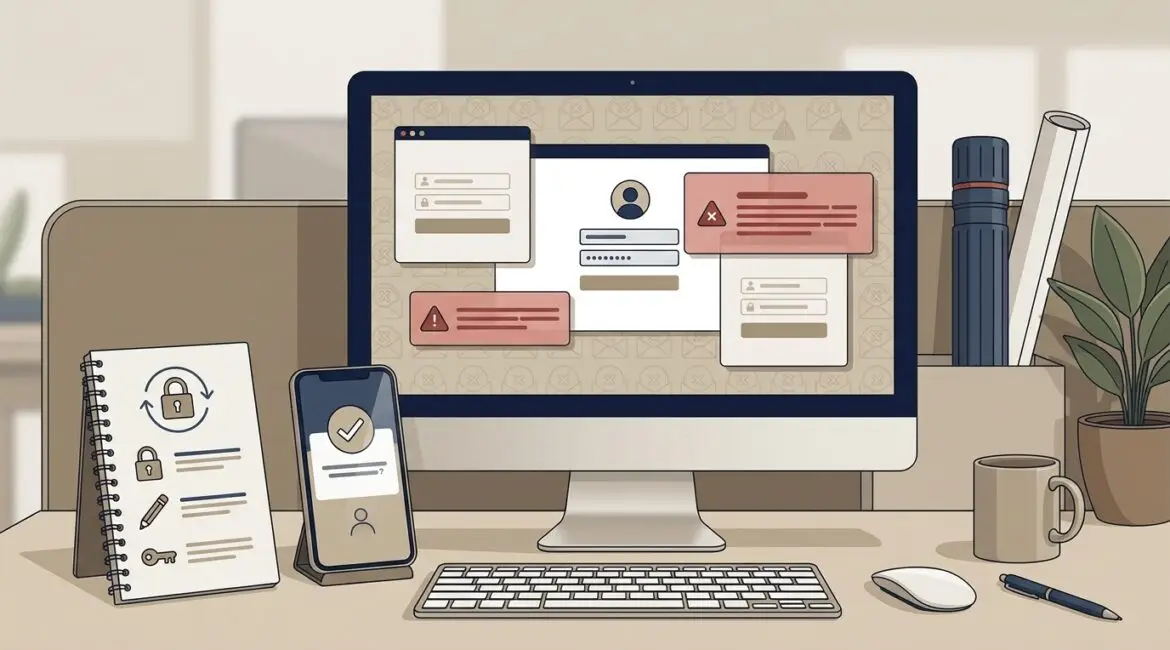
To protect business systems from credential stuffing attacks, start by requiring multi-factor authentication, blocking password reuse, monitoring login activity, and limiting access to only the accounts and applications people actually need. These attacks succeed because many employees reuse passwords across personal and business accounts, which gives criminals an easy way to test stolen credentials against email, Microsoft 365, VPNs, payroll portals, and other systems.
For business leaders, the issue is less about the technical name and more about the operational fallout. One compromised account can interrupt payroll, expose client data, lock up purchasing workflows, or give an attacker a foothold to move deeper into your environment.
What credential stuffing means in plain English
Credential stuffing is an automated login attack. A criminal takes usernames and passwords leaked from one breach, often from unrelated websites, and tries them against other services to see where they still work.
For example, an employee at a Kenosha manufacturer might use the same password for a retail website and their Microsoft 365 account. If that retail site gets breached, attackers may test that same email and password combination against business tools. If the login works, they are in without needing to guess anything.
This is different from a traditional brute force attack. The attacker is not randomly trying millions of passwords. They are using real stolen credentials and relying on password reuse to do the work for them.
Why businesses are common targets
Credential stuffing is attractive to attackers because it is cheap, automated, and often effective. Small and midsize organizations in Southeast Wisconsin and Northeast Illinois are not immune. In many cases, they are easier targets because they have fewer identity controls in place and less visibility into suspicious sign-in activity.
Attackers often target:
- Email and Microsoft 365 accounts
- Remote access portals and VPNs
- Cloud file storage platforms
- Payroll and HR systems
- Accounting and billing applications
- Donor management systems used by nonprofits
- Client portals used by law firms, accounting firms, and consultants
A single compromised account can create direct cost. If a finance user account is taken over, an attacker may redirect invoices or payroll details. If an operations manager loses access during production scheduling, a manufacturer could lose hours of output. Even a short disruption can cost far more than the preventive controls.
How these attacks affect real organizations
Manufacturers
A production company may rely on Microsoft 365, ERP access, shipping systems, and vendor portals. If an attacker gets into an employee mailbox, they can monitor purchasing conversations, send fake invoice requests, or reset passwords for connected systems. That can delay orders, create payment errors, and waste staff time untangling the issue.
Nonprofits
Nonprofits often manage donor records, grant documents, and financial data with lean internal teams. If a reused password exposes a donor platform or shared email account, the organization may face privacy concerns, board reporting issues, and disruption during a fundraising campaign.
Professional service firms
Accounting firms, law offices, and consultants depend on trusted communication and document access. A compromised account can expose tax records, contracts, or client correspondence. The direct financial loss may be one part of the problem, but the reputational damage and client confidence issues can last much longer.
The most effective ways to reduce risk
Require multi-factor authentication everywhere you can
If you do only one thing, do this first. Multi-factor authentication adds a second step to the login process, such as an app approval, code, or security key. Even if a password is stolen, the attacker is much less likely to get in.
This is one of the clearest ways to reduce exposure to credential stuffing attacks. It is especially important for email, remote access, finance systems, cloud storage, and administrator accounts.
Stop password reuse
Employees often reuse passwords because it feels practical. The business cost shows up later. Set policies that require unique passwords for business systems and support those policies with an enterprise password manager.
If your organization still shares passwords in spreadsheets or email, this is a good time to fix it. Platinum Systems has covered enterprise password management in more detail because it helps reduce both security risk and day to day friction.
Use conditional access and risk-based sign-in controls
Many modern identity platforms can flag or block suspicious logins based on location, device, impossible travel patterns, or repeated failed attempts. That means a login from an employee in Racine followed two minutes later by a login attempt from another country can be challenged or denied automatically.
These controls are especially useful for businesses with remote staff, traveling executives, or multiple offices.
Monitor login activity and alerts
Most organizations already have access to sign-in logs but rarely review them. That is a missed opportunity. Repeated failed logins, unusual login times, and sign-ins from unexpected regions can be early warning signs.
Visibility matters here. If your team cannot easily see what accounts are being targeted, it becomes much harder to respond before a small issue becomes a business disruption. That is one reason broader monitoring and identity review should be part of a regular security process.
Limit access based on role
Not every employee needs access to every system. If a compromised account only has limited rights, the damage is easier to contain. Review who has access to finance tools, HR platforms, shared mailboxes, vendor portals, and administrative settings.
This is also where identity planning matters. Our article on Microsoft Entra ID to improve business security explains how stronger identity controls can simplify access management while reducing password-related risk.
Reduce or eliminate shared accounts
Shared logins create accountability problems and make suspicious activity harder to investigate. If five people use the same account, you cannot easily tell who logged in, who changed a setting, or whether the right person approved access.
Where shared access is unavoidable, add extra protection, tighter monitoring, and a plan to review those accounts regularly.
Train employees on the real issue
Most users have heard of phishing. Fewer understand that a password reused on a personal shopping site can later affect the business. Training should explain this clearly and without jargon.
Keep the message simple:
- Do not reuse business passwords anywhere else
- Use the approved password manager
- Approve login prompts only when you initiated the sign-in
- Report unexpected login alerts right away
What a practical response plan looks like
If you suspect credential stuffing activity, speed matters. A good response plan should include:
- Disabling or locking affected accounts quickly
- Resetting passwords and revoking active sessions
- Reviewing sign-in logs for related activity
- Checking mailbox rules, forwarding settings, and app connections
- Confirming whether multi-factor authentication was bypassed or missing
- Reviewing access to financial, donor, client, or operational systems
For many businesses, this is also a reminder that security should be part of a larger operating plan, not just an emergency task. A structured review such as an IT health check can help identify weak identity controls before an attacker does.
What this can cost if ignored
The financial impact is usually not limited to one line item. Consider a 25-person professional services firm where three employees lose access to email for half a day while accounts are secured and investigated. If their average burdened labor cost is $45 per hour, that is already more than $500 in lost time, and that does not include delayed client work, IT response, or possible data review.
Now consider a nonprofit during a year-end giving campaign or a manufacturer waiting on purchase order approvals. The cost of interruption can rise quickly, even if no ransomware or large-scale breach occurs.
Credential stuffing prevention is really identity management
Businesses often think of passwords as a user problem. In practice, this is a management and governance issue. If your environment allows weak password habits, lacks multi-factor authentication, and gives broad access without review, you are relying on luck.
The better approach is to treat identity as part of business resilience. That means clear policies, the right tools, regular reviews, and leadership support. Done well, it reduces risk without making employees less productive.
Final thoughts
Credential stuffing attacks are preventable in many cases, but prevention takes planning. Stronger sign-in controls, better password practices, and regular access reviews can protect revenue, limit downtime, and make your systems easier to manage over time.
If you’re ready to strengthen your technology, reduce risk, and plan for the future, contact Platinum Systems to schedule a technology strategy discussion.