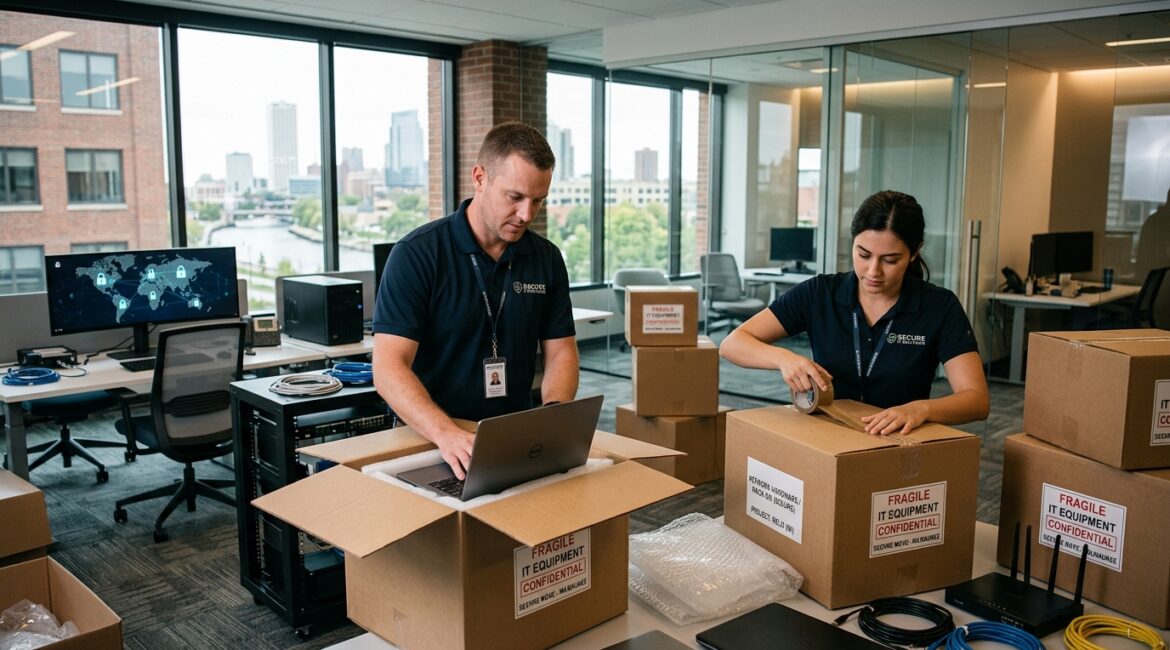
To protect business data during an office relocation, you need more than movers and a floor plan. You need a clear technology move plan that covers backups, device handling, internet cutover, access controls, and testing before the first employee logs in at the new office.
Businesses often treat a move as a facilities project, then discover too late that servers were unplugged without documentation, laptops went missing in transit, or internet service was not ready on day one. A well-planned relocation reduces those risks and helps you avoid expensive downtime.
Why office moves create data risk
An office move changes a lot at once. Equipment is disconnected, employees work in temporary setups, vendors come and go, and normal routines are interrupted. That creates openings for mistakes and security gaps.
For a manufacturer in Southeast Wisconsin, one day without access to production schedules or inventory systems can delay shipments and create overtime costs. For a nonprofit in Kenosha, losing access to donor records or grant files during a move can disrupt fundraising and reporting. For a law firm or accounting office in Northeast Illinois, even a short outage can mean missed deadlines and frustrated clients.
Common relocation risks include:
- Lost or stolen devices during packing, transport, or unpacking
- Unverified backups that fail when you actually need them
- Improper shutdowns that damage systems or corrupt data
- Internet and phone cutover delays that stop business operations
- Unauthorized access from movers, contractors, or former employees
- Configuration drift when equipment is reconnected differently than before
Start planning earlier than most businesses think
The safest moves start at least 60 to 90 days before relocation. That gives your team time to inventory systems, confirm vendor schedules, document dependencies, and decide what should move, what should be replaced, and what should be retired.
This is also a good time to review whether your current setup still fits the business. If you are already dealing with aging servers, inconsistent laptops, or scattered file storage, a move can expose those weaknesses fast. A structured review similar to evaluating business technology before making a major purchase can help you avoid carrying old problems into the new space.
Build a relocation checklist that includes technology
Your technology checklist should identify:
- Critical applications and where they are hosted
- All laptops, desktops, servers, phones, printers, and network gear
- Who owns each vendor relationship
- Internet installation and testing dates
- Backup status and recovery contacts
- Move-day responsibilities for internal staff and outside partners
- Post-move testing steps for every critical system
If this list does not exist, the move will rely on memory. That is where avoidable mistakes happen.
Protect the data before anything is unplugged
Before a single cable is removed, confirm that your data is backed up and recoverable. Many businesses assume backups are working because a dashboard says so. That is not enough. You need to know whether the most important files, systems, and cloud data can actually be restored.
A practical approach includes:
- Running a fresh backup before the move window
- Checking backup completion logs for errors
- Testing restoration of key files or systems
- Confirming retention for Microsoft 365, shared drives, and line-of-business apps
- Documenting who to call if recovery is needed
If your organization has never tested recovery, review your planning against a formal IT disaster recovery plan for your business. A move is one of the clearest reminders that backup and recovery are business issues, not just IT tasks.
Control physical access to equipment and records
During a relocation, physical security matters as much as cybersecurity. Devices may sit in hallways, loading docks, storage rooms, or trucks. Paper files may be boxed and left unattended. Temporary access badges may be handed out without a clear record.
That is a problem if those devices contain customer information, payroll data, financial records, case files, or donor information.
Reduce exposure during transport
- Label equipment by asset ID, not by user name or department function
- Keep an inventory of what leaves and what arrives
- Use locked containers for sensitive devices and records
- Limit who handles servers, firewalls, and storage devices
- Require sign-off when critical equipment changes custody
Device encryption is especially helpful here. If a laptop disappears during the move, encryption can keep the data unreadable. That does not solve the operational disruption, but it can significantly reduce breach exposure.
Review who has access before and after the move
Office moves often involve outside electricians, cabling vendors, copier companies, phone providers, movers, and temporary staff. That makes it a smart time to review who has physical and digital access to your systems.
Check user accounts, shared folders, VPN access, admin rights, and building access lists. If an employee left recently or a vendor no longer needs access, remove it before the move. This is also a good time to tighten permissions around shared files and collaboration tools. Platinum Systems often advises clients to treat relocations as a checkpoint for better access discipline, especially when organizations have grown quickly.
For businesses with a lot of shared data, our related guidance on protecting shared business data from unauthorized access is a useful next step.
Plan the network and internet cutover carefully
One of the most common relocation issues is assuming internet service will be ready when you arrive. In reality, carrier delays, construction problems, and building access issues can push activation dates back by days or even weeks.
If your staff depends on cloud applications, VoIP phones, remote desktops, or file sync, that delay can slow or stop operations. A 25-person professional services firm that bills $150 per hour can lose thousands of dollars in productivity in a single day if core systems are unreachable.
Key cutover steps
- Order internet circuits early and confirm installation dates in writing
- Verify firewall, switch, and wireless requirements for the new space
- Document current network settings before disconnecting anything
- Test connectivity, phones, printers, and secure remote access before go-live
- Keep a backup connectivity option, such as temporary wireless failover
This is also where secure configuration matters. Rebuilding a network quickly without standards can lead to open ports, weak Wi-Fi settings, or forgotten admin passwords. Consistency reduces both downtime and risk.
Decide what should move and what should not
Not every piece of technology deserves a place in the new office. A move is a practical time to retire unsupported hardware, replace failing equipment, and standardize systems that have become difficult to manage.
For example, if a nonprofit has three aging desktops used for finance and donor management, moving them may cost more in labor and lost time than replacing them. If a manufacturer still relies on an old server with no warranty, relocating it without a modernization plan may carry more risk than moving the workload to a newer platform.
Businesses that use relocations to simplify their environment usually see benefits after the move, not just during it. Fewer device types, clearer documentation, and centralized management make support easier and reduce future disruption.
Test business-critical workflows, not just devices
A successful move is not measured by whether the lights on the switch turn on. It is measured by whether your people can do their jobs.
After the move, test real workflows such as:
- Logging into email and business applications
- Opening shared files
- Printing checks, labels, or intake forms
- Processing payments
- Using phones, Teams, or conference room tools
- Accessing line-of-business software from the office and remotely
Assign department leaders to validate their own critical processes. The accounting team should confirm finance workflows. Operations should test production or scheduling systems. Development staff should verify donor platforms and reporting tools. This catches business-impacting issues faster than a generic technical checklist alone.
Keep employees informed during the transition
Moves create confusion when employees do not know what is changing, what to pack, or how to work if systems are temporarily unavailable. Clear communication reduces mistakes.
Give staff simple instructions on:
- What equipment stays with them and what gets packed
- How to label devices and accessories
- Where to store important files before the move
- Who to contact for problems
- What to expect on the first day in the new office
Short, practical communication works better than long technical memos. People need to know what to do, by when, and what to avoid.
Use the move as a chance to improve your technology strategy
An office relocation is operational, but it is also strategic. It gives you a natural point to review security, resilience, device management, and long-term infrastructure decisions. Businesses that pause to plan usually come out of the move with fewer recurring issues and better visibility into their environment.
At Platinum Systems, we encourage organizations across Southeast Wisconsin and Northeast Illinois to treat relocations as a business continuity project, not just a logistics event. That means aligning facilities, leadership, operations, and IT before problems surface.
If you’re ready to strengthen your technology, reduce risk, and plan for the future, contact Platinum Systems to schedule a technology strategy discussion.
Conclusion
Protecting business data during an office relocation comes down to preparation, control, and testing. When you back up data, limit access, document systems, and validate critical workflows, your move becomes far less disruptive and far more secure.
If your organization is planning a move and wants experienced guidance, Platinum Systems can help you evaluate the technology risks, coordinate the transition, and build a stronger foundation for what comes next.