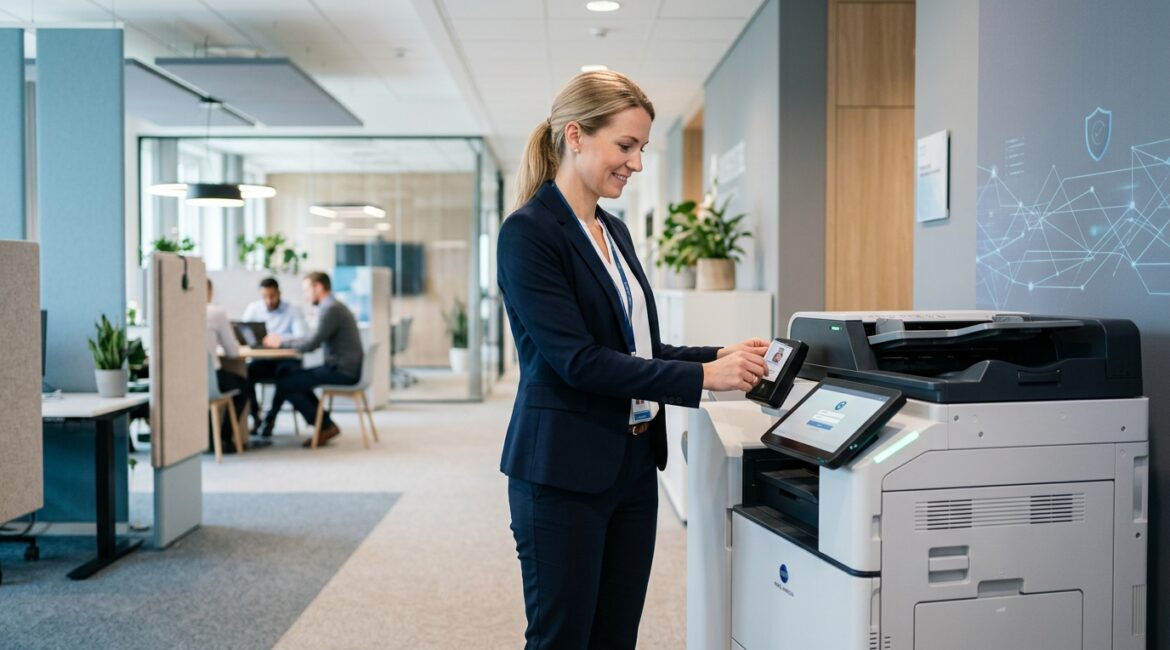
Secure printing is the set of controls that protect printed documents before, during, and after they come out of a printer. If your business prints payroll, client records, financial reports, donor information, legal documents, or HR paperwork, then yes, you likely need it in some form.
Many organizations spend time protecting email, cloud apps, and laptops, but forget that paper can still create real security and compliance problems. A document left on a shared printer tray is often easier to access than a protected file in Microsoft 365.
What secure printing actually means
In plain English, secure printing helps make sure the right person gets the right document at the right time, and that nobody else can see it, take it, or reprint it without permission.
Depending on the environment, secure printing can include:
- User authentication at the printer using a badge, PIN, mobile app, or login
- Pull printing where a job is held until the employee releases it at the device
- Encrypted print jobs so data is protected while traveling across the network
- Access controls that limit who can print, scan, copy, or fax certain documents
- Audit logs that show who printed what and when
- Automatic deletion of unreleased print jobs after a set time
- Secure disposal practices for misprints, extra copies, and retired devices
It is not one product. It is a mix of printer settings, user policies, identity controls, and workflow decisions.
Why businesses still need to think about print security
It is easy to assume printing matters less because more work is digital. In reality, many businesses still print sensitive information every day, especially in finance, healthcare administration, legal services, manufacturing, education, and nonprofits.
Consider a few common examples:
- A professional service firm prints tax returns and client financial statements during busy season
- A manufacturer in Kenosha prints production schedules, vendor pricing, and employee HR forms
- A nonprofit prints donor lists, grant applications, and board packets before meetings
- An operations team in Southeast Wisconsin prints shipping paperwork and inventory reports at multiple locations
If those documents sit in an output tray for 20 minutes, the risk is not theoretical. Anyone walking by may see information they should not have.
The business risks of unsecured printing
Confidential information left in the open
This is the most obvious issue. Payroll summaries, medical accommodation forms, client contracts, or donation records can be exposed simply because someone hit print and got pulled into another task.
No visibility into who printed what
Without logs, it is difficult to investigate mistakes, policy violations, or unusual activity. If a sensitive report was printed six times, you want to know whether that was normal work or something worth reviewing.
Waste and unnecessary cost
Unclaimed print jobs add up. A 75-person office that wastes even 25 pages a day can easily burn through thousands of pages a year in paper, toner, and device wear. That may not sound dramatic, but it becomes a recurring operating cost with no business value.
Compliance and client trust concerns
For accounting firms, law offices, healthcare-adjacent organizations, and nonprofits handling donor or beneficiary data, print security can support broader confidentiality and record-handling requirements. Even when a specific regulation does not name printers directly, the expectation is the same: protect sensitive information wherever it exists.
How secure printing works in a real business
One of the most common approaches is pull printing. An employee sends a document to print, but nothing comes out right away. The job stays in a secure queue until that employee walks to the printer and authenticates with a badge, PIN, or mobile app.
That solves several problems at once:
- Documents do not sit unattended
- Employees can release jobs from any approved printer
- Unclaimed jobs can expire automatically
- Print activity can be logged for accountability
For a growing business with multiple offices in Northeast Illinois and Southeast Wisconsin, this can also simplify operations. Instead of managing separate printer habits at each location, you create one consistent process.
Signs your business probably needs secure printing
Not every company needs advanced print controls on day one. But secure printing deserves attention if any of these apply:
- You print documents with personal, financial, legal, or HR information
- You have shared printers in open office areas
- You operate in multiple offices or hybrid work environments
- You need better accountability for document handling
- You have experienced lost printouts, duplicate printing, or confidential pages left behind
- You are reviewing cyber insurance, compliance, or internal control requirements
If your team already cares about access control in cloud systems, it makes sense to apply similar thinking to print workflows. Our article on protecting shared business data from unauthorized access covers the same principle from the digital side.
What secure printing does not fix by itself
Secure printing helps, but it is not a complete information security program. A business can require badge release at the printer and still have weak document retention practices, poor offboarding, or inconsistent permissions.
That is why print security works best as part of a broader plan that includes identity controls, documented processes, and standard settings. If you are trying to reduce one-off exceptions and inconsistent device behavior, our article on secure configuration management is closely related.
Practical implementation options
Basic approach for smaller offices
For a small business with one or two multifunction printers, a practical starting point might include:
- PIN release for sensitive jobs
- Default black-and-white or duplex printing to reduce waste
- Admin passwords changed from factory defaults
- Firmware updates on printers
- Clear staff rules for handling printouts and shredding
This is often enough to address the most common issues without creating a complicated project.
More advanced approach for growing organizations
For larger teams, manufacturers, nonprofits with multiple departments, or professional service firms, stronger controls may include:
- Badge-based authentication tied to employee accounts
- Centralized print management across locations
- Role-based permissions for print, scan, and copy functions
- Detailed reporting and audit logs
- Encryption for print traffic
- Rules that route jobs to approved devices only
These features can improve security, but they also improve consistency and supportability. That matters when you want fewer help desk issues and fewer device-specific workarounds.
What about cost and return on investment?
Secure printing usually costs far less than dealing with repeated waste, avoidable reprints, or an incident involving exposed information. The exact cost depends on your printers, user count, and whether your devices already support authentication features.
For example, if a 50-person office wastes 15 to 20 minutes a day collectively dealing with misplaced printouts, reprints, and trips to the wrong device, that can translate into dozens of lost hours each quarter. Add paper, toner, and support time, and the case becomes easier to justify.
The better question is not only, “What does secure printing cost?” It is, “What problems are we paying for today because our print process is loose?”
How to decide what your business actually needs
Start with workflow, not features. Ask:
- What kinds of documents do we print?
- Where are printers located?
- Who can currently access printed material?
- Do we need logs for accountability?
- Are our printers configured consistently?
- Could we reduce waste by holding jobs until release?
From there, match the controls to the risk. A small nonprofit may only need PIN release and better disposal practices. A CPA firm or law office may need badge release, audit logs, and tighter device restrictions. A manufacturer with several facilities may need centralized management and standard policies across all locations.
This is also a good example of why technology decisions should be tied to business operations, not bought in isolation. Our post on how to evaluate business technology before making a major purchase offers a useful framework.
Secure printing is really about control and consistency
At its core, secure printing is not about making printers fancy. It is about reducing avoidable exposure, tightening document handling, and creating a process people can follow without friction.
For many organizations, especially those handling sensitive records, secure printing is a sensible operational control. It supports privacy, reduces waste, and helps bring one more overlooked area of the business into alignment with the rest of your security strategy.
If you’re ready to strengthen your technology, reduce risk, and plan for the future, contact Platinum Systems to schedule a technology strategy discussion.
Platinum Systems works with organizations across Southeast Wisconsin and Northeast Illinois to make technology decisions that are practical, supportable, and aligned with real business needs. If you would like guidance on whether secure printing fits your environment, we are happy to help you evaluate the options.