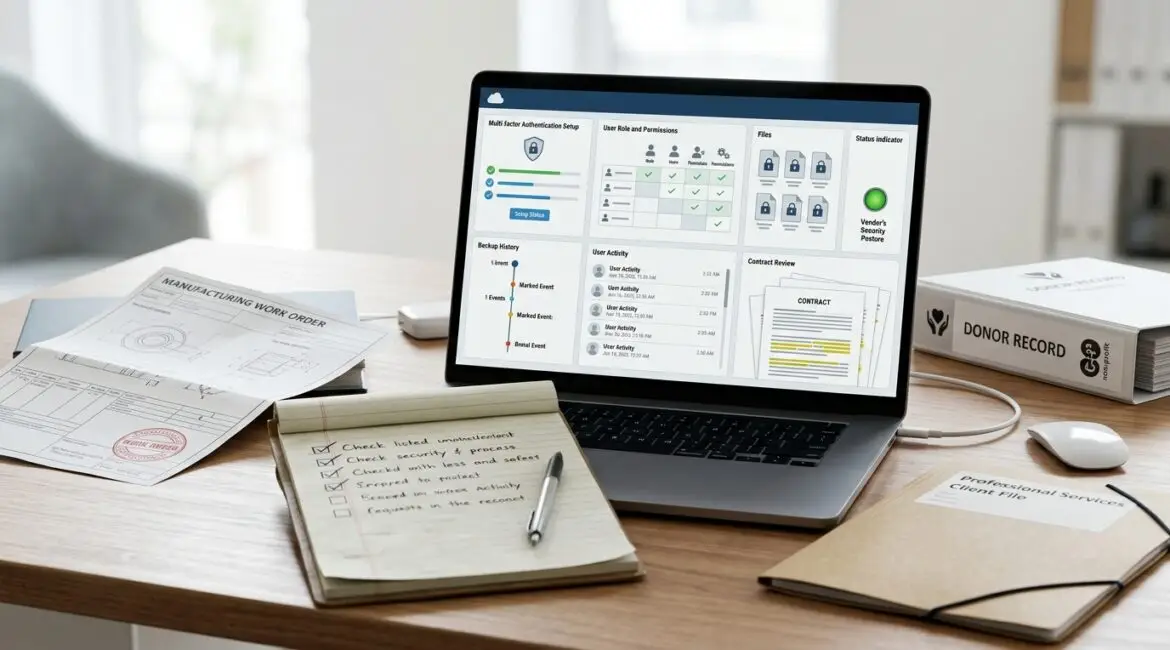
To evaluate the security of a new cloud application before buying it, look beyond features and price. You need to understand how the app protects your data, controls user access, supports recovery, and fits the way your business already works.
A short security review before purchase can prevent expensive surprises later. It can also help you avoid adding another tool that creates more support tickets, more vendor confusion, and more risk than value.
Why this matters before the contract is signed
Many businesses review cloud software based on ease of use, department requests, and subscription cost. Those things matter, but they are only part of the decision.
If the application stores customer records, financial data, donor information, HR files, production documents, or internal communications, a weak security model can create a real business problem. That could mean downtime, compliance issues, duplicate work, or the cost of moving to a different platform six months later.
For example, a 40-person professional services firm might choose a low-cost project platform that lacks proper access controls. If one employee can see every client file instead of only assigned accounts, the business may have to stop rollout, clean up permissions manually, and explain the issue to clients. That is not a software problem alone. It is a management and trust problem.
Start with one practical question
Before reviewing technical details, ask this: If this app has a problem, what part of our business gets disrupted?
That answer tells you how deep your review needs to go. A low-risk scheduling tool is not the same as a cloud accounting platform, donor database, document management system, or manufacturing workflow application.
For most organizations in Southeast Wisconsin and Northeast Illinois, cloud apps now touch daily operations directly. That means software buying decisions should be treated as business risk decisions, not just department purchases.
The core security areas to review
1. User access and sign-in controls
Start with the basics of who can get in and how.
- Does the app support multi-factor authentication?
- Can it connect to your identity platform, such as Microsoft 365 or Entra ID?
- Can you control access by role, department, or job function?
- Can you quickly disable a former employee’s access?
- Does it show login history and suspicious sign-in activity?
If the answer to several of these is no, the application may create unnecessary risk. Access control is one of the first places weak software creates problems.
If your team already uses Microsoft 365, it helps when a cloud app fits into a centralized identity strategy. Our article on Microsoft Entra ID security explains why that matters for controlling access consistently.
2. What data the app stores and where it goes
You should know exactly what information will live in the platform. Ask the vendor to explain this in plain English.
- What data is stored in the application?
- Is sensitive data encrypted at rest and in transit?
- Where is the data hosted?
- Will data be shared with subcontractors or third-party services?
- Can you limit what employees upload or export?
This is especially important for nonprofits handling donor records, manufacturers sharing design files, and accounting or legal firms managing confidential client information.
If your business has never formally sorted data by sensitivity, that should happen before buying more apps. A tool that is acceptable for public marketing files may be completely wrong for payroll or protected client records.
3. Backup, recovery, and business continuity
Many buyers assume cloud software automatically means safe and recoverable. That is not always true.
Ask the vendor:
- How often is data backed up?
- How long are backups retained?
- Can individual items be restored, or only the full environment?
- What happens if a user deletes critical data by mistake?
- What is the expected recovery time after an outage?
Imagine a Kenosha nonprofit that tracks grants and donor commitments in a cloud database. If a staff member deletes records and the vendor only offers limited recovery, the organization could lose reporting accuracy, fundraising history, and staff time trying to rebuild records manually.
This is one reason we often advise clients to review cloud apps through the same lens as resilience planning. Our post on SaaS management covers why oversight matters as app counts grow.
4. Security monitoring and vendor response
You are also evaluating the vendor, not just the software.
- Do they monitor for suspicious activity?
- Do they have a documented incident response process?
- Will they notify customers if there is a breach or outage?
- Is there a public status page or service history?
- How quickly do they apply security updates?
A vendor may have a polished sales demo and still be weak operationally. If they cannot answer basic questions about incident response, that should concern you.
Even a short outage can be expensive. If a 25-person office loses access to a line-of-business application for four hours, and each employee loses even $50 per hour in productive value, that is a $5,000 disruption before you count missed deadlines, customer delays, or overtime.
5. Compliance and contractual fit
Not every business has formal regulatory requirements, but many still have contractual or client obligations. A cloud app needs to fit those realities.
- Does the vendor support your industry requirements?
- Are audit logs available?
- Can the vendor sign required agreements if needed?
- Are retention settings configurable?
- Can you export your data if you leave?
This comes up often with healthcare-adjacent organizations, financial services firms, and nonprofits receiving grant funding that requires careful recordkeeping.
Questions business leaders should ask during the buying process
You do not need to be an engineer to ask good questions. In fact, clear business questions often reveal more than technical jargon.
- What business problem does this app solve better than our current process?
- What new risks does it introduce?
- Who inside our company will own it?
- How will employees be trained?
- How will we remove access when people leave?
- What happens if the vendor is down for a day?
- How hard would it be to move our data elsewhere later?
These questions help prevent a familiar problem: buying software quickly, then discovering your team has no clear process for managing it.
Watch for red flags that should slow the purchase
Some warning signs are easy to miss during a fast sales cycle.
- The vendor avoids direct security questions
- Multi-factor authentication costs extra or is unavailable
- Administrative controls are limited
- There is no clear data export option
- Support is only available by email with vague response times
- The app overlaps heavily with tools you already own
- Different departments want it, but no one wants to manage it
That last point matters more than it seems. Software without ownership often leads to stale user accounts, inconsistent settings, and surprise renewals. If your organization is already dealing with too many disconnected apps, our article on reducing software sprawl is a useful next step.
Use a simple evaluation scorecard
One practical way to compare vendors is with a short scorecard. Rate each area from 1 to 5.
- Access controls
- Data protection
- Backup and recovery
- Vendor transparency
- Compliance fit
- Ease of management
- Integration with your existing systems
- Total cost over 1 to 3 years
This keeps the decision grounded in business impact, not just product demos. It also helps finance and operations leaders participate without needing deep technical knowledge.
Do not separate security from cost
A low subscription price can hide a high operating cost. If a cheaper app creates more support work, more manual administration, and more risk, it may be the more expensive option over time.
We see this with smaller manufacturers and service firms that adopt niche tools without checking integration, access management, or data recovery. A platform that saves $300 per month but causes one serious access issue, one failed audit request, or one day of lost productivity can wipe out those savings quickly.
Make cloud app reviews part of your planning process
The best time to review software risk is before rollout, not after employees are already depending on it. Building this into your planning cycle leads to better decisions and fewer urgent fixes later.
If you need a framework for that, our article on building an annual IT planning calendar shows how to schedule technology decisions before they become disruptive.
Conclusion
Buying a cloud application should include a security review, a management review, and a business continuity review. When you understand how a tool handles access, data, recovery, and vendor accountability, you make a better long-term decision for your organization.
If you’re ready to strengthen your technology, reduce risk, and plan for the future, contact Platinum Systems to schedule a technology strategy discussion. We help businesses and nonprofits make practical technology decisions that support secure growth, reliable operations, and fewer surprises.