Businesses should handle unsupported line of business applications by treating them as a business risk that needs a plan, not as a minor IT inconvenience. Start by identifying how critical the application is, what would happen if it failed, and whether you should contain it, replace it, modernize it, or retire it on a timeline that fits your operations and budget.
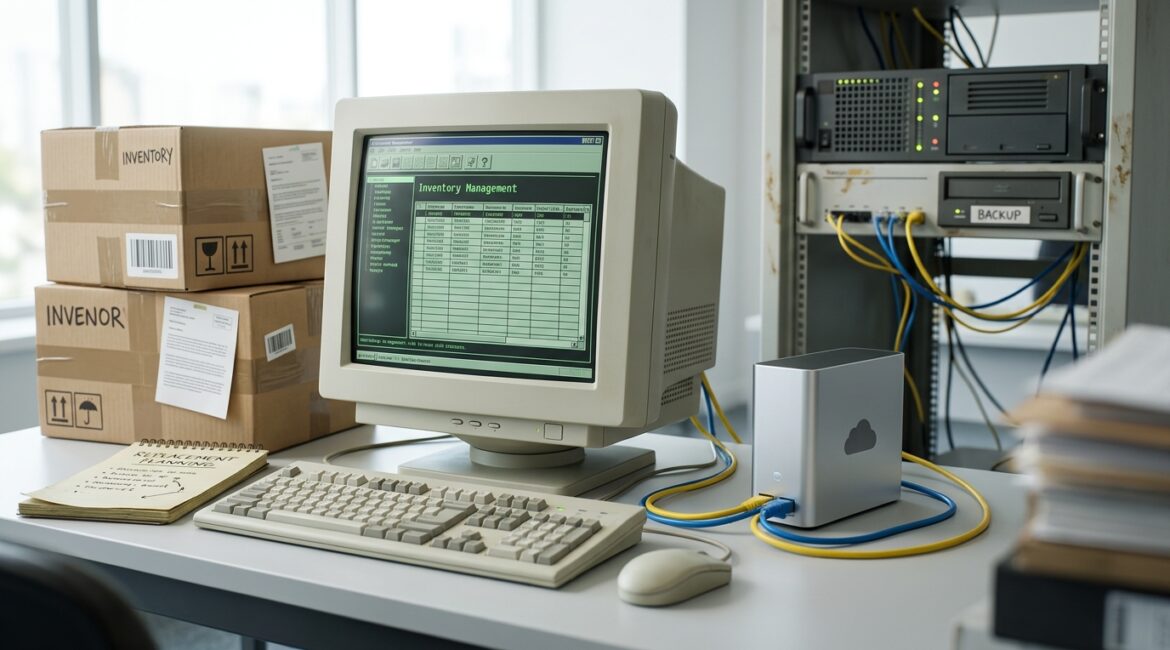
Many organizations keep older applications running because they still do an important job. A manufacturer may rely on an aging inventory system tied to a machine on the shop floor. A nonprofit may depend on a donor database built years ago by a local developer. A law office or accounting firm may still use a specialized desktop application that no longer receives updates but holds years of client records.
The problem is not simply that the software is old. The real issue is that unsupported software creates security, reliability, compliance, and productivity problems that become more expensive over time.
What counts as an unsupported application?
An unsupported application is software that no longer receives vendor updates, security patches, bug fixes, or official technical support. In some cases, the original vendor is gone. In others, the software still runs, but only on outdated operating systems or hardware.
That matters because every business application depends on a larger environment. If the app only works on an old Windows server, an outdated SQL database, or a single aging workstation, your risk is not limited to one program. It affects the systems around it too.
Why unsupported line of business applications become a business problem
Leaders often hear about unsupported software in technical terms, but the impact shows up in business terms.
- Downtime risk: If the application fails, operations may stop until someone finds a workaround.
- Security exposure: Known vulnerabilities may remain unpatched.
- Compatibility issues: New devices, printers, browsers, or operating systems may stop working with the software.
- Support delays: Your internal team or IT partner may have limited ability to troubleshoot a product no one supports anymore.
- Hidden cost: Staff time, manual processes, and emergency fixes often cost more than leaders expect.
For example, if a 25-person professional services firm loses access to its case or billing system for one full business day, the cost is not just the repair bill. It may also include delayed invoicing, missed deadlines, overtime, and frustrated staff. Even at a modest loaded labor cost, a day of reduced productivity can easily cost several thousand dollars.
Do not start with “replace it immediately”
Some unsupported applications do need urgent replacement. Many do not. The right first step is a structured review.
At Platinum Systems, we usually advise clients to answer a few practical questions first:
- What business process depends on this application?
- How many employees use it and how often?
- What data does it store or access?
- Does it connect to other systems such as Microsoft 365, accounting software, CRM, or production equipment?
- What would happen if it were unavailable for one hour, one day, or one week?
- Is there a backup process or manual workaround?
- Who owns the vendor relationship, documentation, and licensing?
This kind of review fits well into a broader IT health check, especially if your organization has not recently reviewed software dependencies, support status, or recovery plans.
Your four main options
1. Contain the risk temporarily
If the application cannot be replaced right away, you may need to keep it running while reducing exposure. This is often the most realistic short-term step for manufacturers, nonprofits, and small offices with budget or operational constraints.
Containment may include:
- Restricting internet access for the server or workstation
- Limiting who can log in or administer the system
- Segmenting it from the rest of the network
- Strengthening backups and recovery testing
- Documenting the exact configuration and dependencies
- Monitoring it more closely for failure or unusual activity
This does not make unsupported software safe forever. It buys time to plan responsibly.
2. Modernize the application
Sometimes the core business process is still valid, but the application itself needs updating. That may mean moving the database to a supported platform, rebuilding a custom front end, or shifting to a hosted version from the same vendor.
A nonprofit in Kenosha, for instance, may have a legacy donor management tool that still reflects its workflows well. If the vendor offers a supported cloud version, modernization may be less disruptive than switching to an entirely new platform.
3. Replace it with a supported product
Replacement makes sense when the software has become too risky, too hard to support, or too expensive to work around. This is often the right path when an application depends on outdated hardware, has no reliable backup method, or traps data in a format that is hard to export.
For a small manufacturer in Southeast Wisconsin, replacing an unsupported scheduling or inventory system may feel expensive upfront. But compare that to the cost of a production delay, missed shipment, or inability to access job data during a server failure. The replacement cost often looks more reasonable when measured against downtime and business interruption.
4. Retire the application entirely
Some older applications survive simply because no one has revisited the process in years. If the software is rarely used, duplicates another system, or supports a process the business no longer needs, retirement may be the best decision.
This is especially common in growing organizations that have added tools over time without cleaning up old ones. If that sounds familiar, our article on how to reduce software sprawl across your organization is a helpful next step.
How to prioritize what to do first
If you have more than one unsupported application, do not tackle them all at once. Rank them by business impact.
- Critical: Stops revenue, operations, production, donor management, scheduling, or client service if unavailable
- High: Causes major delays, manual work, or reporting problems
- Moderate: Inconvenient but manageable for a short period
- Low: Rarely used or already near retirement
Then add a second lens: risk level.
- Does it store sensitive data?
- Is it internet-accessible?
- Does it require an unsupported operating system?
- Is it dependent on one person who “just knows how it works”?
- Has it failed before?
The applications with high business impact and high technical risk should move to the top of the plan.
What leaders should budget for
Unsupported software decisions are rarely just about software licensing. The real budget may include:
- Data migration
- Testing and user training
- Temporary parallel systems during transition
- New hardware or cloud services
- Security improvements
- Vendor consulting or custom development
That is one reason annual planning matters. A well-built roadmap lets you spread costs over time instead of reacting during a failure. If your organization does not already review these items on a schedule, our post on building an annual IT planning calendar for your business can help frame those conversations.
Common mistake: waiting until the old app breaks
The most expensive time to deal with unsupported software is during an outage. Under pressure, businesses often approve rushed purchases, skip testing, accept poor migration terms, or force staff into a new system with little preparation.
We see this in professional service firms that wait until a server crash makes an old practice management application inaccessible. We see it in nonprofits that discover their donor records cannot be easily exported. We see it in operations environments where one old PC controls a critical process and no one has a replacement plan.
Proactive planning gives you options. Reactive planning usually gives you invoices and downtime.
A practical approach for business leaders
If you suspect your organization relies on unsupported line of business applications, here is a practical starting point:
- Create a list of all core business applications
- Mark which ones are vendor-supported and which are not
- Identify the business owner for each application
- Document where the data lives and what systems it connects to
- Review backup and recovery options
- Estimate downtime impact in dollars or lost productivity
- Build a 12 to 24 month plan for containment, modernization, replacement, or retirement
This does not need to be complicated. It does need to be intentional.
Conclusion
Unsupported line of business applications should be handled with a clear plan based on business impact, risk, and realistic timing. The goal is not to replace every old system overnight. The goal is to reduce the chance that one aging application creates an avoidable security issue, expensive outage, or operational bottleneck.
If you’re ready to strengthen your technology, reduce risk, and plan for the future, contact Platinum Systems to schedule a technology strategy discussion. We can help you evaluate legacy applications, prioritize next steps, and build a practical roadmap that fits your business.