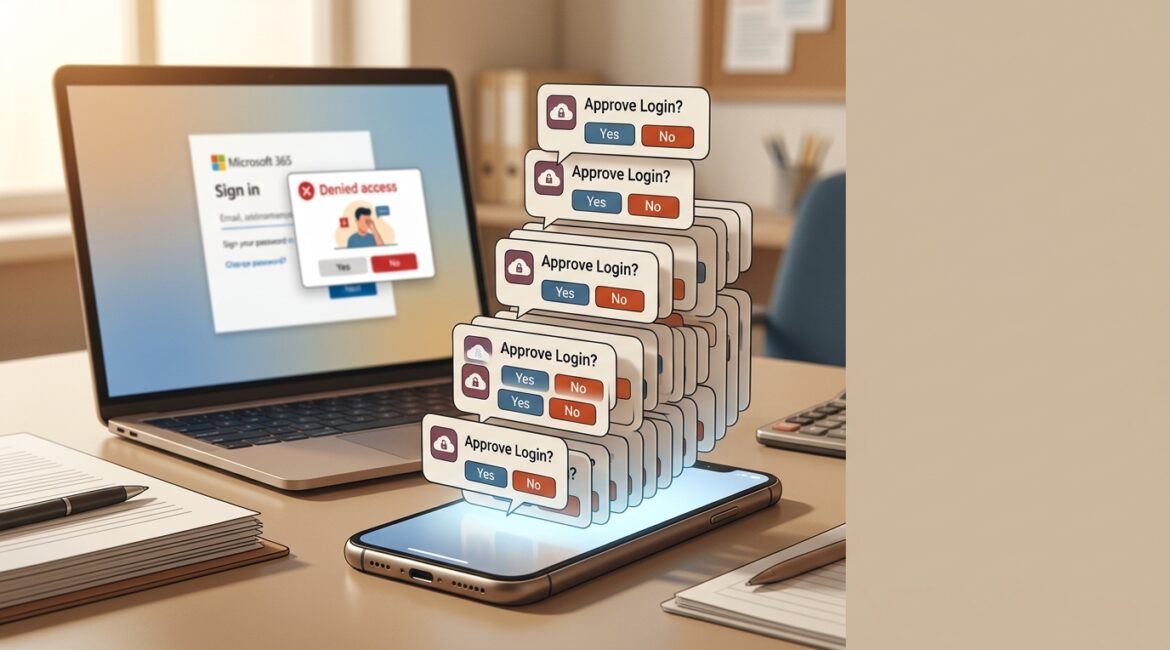
MFA fatigue attacks are prevented by reducing unnecessary sign-in prompts, requiring stronger verification methods, training employees to report suspicious approvals, and monitoring identity activity before a small issue turns into an account takeover. If your team uses Microsoft 365, cloud apps, VPN access, or remote administration tools, this is a practical risk worth addressing now.
Many business leaders assume multifactor authentication solves the login problem by itself. It helps a lot, but attackers have adapted. Instead of trying to break the lock, they try to wear people down until someone clicks approve.
What is an MFA fatigue attack?
An MFA fatigue attack happens when a criminal already has a user’s password and repeatedly triggers multifactor authentication prompts on that person’s phone or app. The goal is simple: annoy, confuse, or pressure the employee into approving one of the requests.
Sometimes the attacker sends dozens of prompts in a short period. In other cases, they time the requests for early morning, late evening, or during a busy workday when the employee is distracted.
In plain English, it is the digital version of someone pounding on the door until a tired person opens it just to make the noise stop.
Why these attacks work on real businesses
Most employees are not security specialists. They are trying to get invoices out, respond to donors, approve payroll, schedule production, or prepare client deliverables. When repeated login prompts interrupt that work, people can make quick decisions.
That is why MFA fatigue attacks affect more than large enterprises. A manufacturer in Southeast Wisconsin, a nonprofit in Kenosha, or a professional services firm in Northeast Illinois can all be targets if they rely on email, cloud storage, or remote access.
Attackers count on a few common reactions:
- Confusion about whether the prompt is legitimate
- Annoyance after repeated approval requests
- Urgency if the attacker calls or messages pretending to be IT support
- Habit when users approve prompts without reading them carefully
Once an attacker gets in, the damage can move fast. They may read email, reset passwords, access file shares, redirect payments, or impersonate staff. A single compromised Microsoft 365 account can lead to hours of downtime, financial loss, and difficult cleanup work.
What an MFA fatigue attack can cost a business
The direct cost depends on what the compromised account can access. If a controller’s account is used to change banking instructions, the loss could be tens of thousands of dollars. If a nonprofit’s executive director account is compromised, donor records and internal communications may be exposed. If a manufacturing scheduler loses access during a production run, delays can affect shipping and customer commitments.
Even when funds are not stolen, the business impact adds up quickly:
- 4 to 12 hours of employee disruption while accounts are locked down and reviewed
- Lost billable time for attorneys, accountants, or consultants who cannot access email and files
- Extra IT labor for investigation, password resets, and log review
- Potential legal, compliance, or insurance reporting requirements
- Reputational damage if customers receive fraudulent emails
For many small and midsize organizations, the cost of prevention is far lower than the cost of response.
How to reduce the risk of MFA fatigue attacks
Use number matching or phishing-resistant authentication
Simple push approvals are convenient, but they are easier to abuse. Number matching improves security by requiring the user to enter a number shown on the login screen into the authenticator app. That makes random approval prompts much harder to accept by mistake.
For higher-risk roles, consider stronger methods such as hardware security keys or passwordless sign-in. If you want to evaluate that direction, our article on secure passwordless authentication explains where it fits and what businesses should plan for.
Limit repeated prompts and risky sign-ins
Your identity platform should not allow endless approval attempts without scrutiny. Good security policies can detect unusual behavior, block suspicious login attempts, and require extra verification when a sign-in comes from an unfamiliar device, location, or session pattern.
This is where identity planning matters. Businesses using Microsoft 365 can often strengthen these controls through Entra ID, conditional access, and better sign-in policies rather than buying a pile of extra tools.
Train employees on one simple rule
Employees should know this rule clearly: if you did not initiate the login, do not approve the prompt.
That sounds obvious, but training needs to be specific. Tell users what to do next:
- Deny the request if that option is available
- Report it immediately to IT or your managed service provider
- Change the password if instructed
- Do not trust a follow-up phone call, text, or email claiming to be support unless it is verified through a known channel
Short, repeated training works better than a once-a-year lecture. The goal is not technical depth. The goal is a consistent employee response.
Protect high-value accounts first
Not every account carries the same business risk. Start with the people whose access could cause the most damage if compromised:
- Executives
- Finance and payroll staff
- HR leaders
- IT administrators
- Users with access to sensitive client, donor, or legal data
For these roles, stronger authentication and tighter sign-in controls are often worth the extra setup. This is especially true for firms handling wire transfers, protected personal information, or privileged vendor access.
Review sign-in logs and alerting
You cannot respond quickly if nobody is watching the warning signs. Repeated failed sign-ins, multiple MFA denials, impossible travel alerts, and unusual device registrations should be reviewed regularly.
Visibility matters here. Our article on network visibility covers why better monitoring helps businesses spot trouble earlier instead of finding out after the damage is done.
Reduce password exposure in the first place
MFA fatigue attacks usually begin after a password is stolen, guessed, or reused. That means prevention starts before the prompt appears.
Practical steps include:
- Using a business password manager instead of spreadsheets or reused passwords
- Blocking legacy authentication where possible
- Disabling inactive accounts promptly
- Requiring stronger passwords and account lockout policies
- Watching for phishing attempts that target Microsoft 365 credentials
If your organization still stores shared credentials informally, that is an area to fix. Weak credential practices create the opening attackers need.
What business leaders should ask their IT provider
You do not need to manage every technical setting yourself, but you should know whether your environment is set up thoughtfully. Ask your internal IT team or provider these questions:
- Are we still using simple push approvals for MFA, or have we enabled number matching?
- Which accounts have the highest access risk, and how are they protected?
- Do we receive alerts for repeated MFA denials or suspicious sign-in patterns?
- Are conditional access policies in place for risky logins?
- Do employees know how to report suspicious MFA prompts?
- Have we tested our response process for an account takeover scenario?
If the answers are unclear, that is not a reason to panic. It is a reason to review your identity security strategy before a preventable incident forces the issue.
MFA fatigue is an identity management problem, not just a user problem
It is easy to blame employees for clicking approve. In reality, repeated prompts often point to bigger issues such as weak sign-in policies, poor visibility, inconsistent training, or incomplete access controls.
That is why this topic belongs in broader technology planning. Identity protection should be reviewed alongside account lifecycle management, documentation, incident response, and business continuity. A useful starting point is an IT health check that looks at access controls, monitoring, policies, and recovery readiness together.
Conclusion
MFA fatigue attacks work by exploiting human behavior, but they are very manageable when your business combines better authentication settings, clear employee guidance, and active monitoring. A few smart changes can reduce account takeover risk without making daily work harder.
If you’re ready to strengthen your technology, reduce risk, and plan for the future, contact Platinum Systems to schedule a technology strategy discussion.