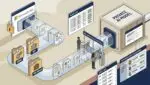
Browser security is the set of protections that keep employees, business data, and company systems safer while people use web browsers for work. Businesses should care because the browser is now one of the most common paths for phishing, malware, account compromise, data leakage, and expensive downtime.
For many organizations, the browser has quietly become the main workspace. Staff use it for email, banking portals, Microsoft 365, file sharing, HR systems, customer databases, and industry-specific software. If the browser is not managed well, a single click can create a real business problem.
Why the browser matters so much in business
Years ago, most work happened in software installed directly on office computers. Now a large share of work happens in Chrome, Edge, Safari, or Firefox. That shift changed the security conversation.
When an employee opens an email link, signs in to a cloud app, downloads an invoice, or copies data into a web form, the browser sits in the middle. That makes it a key control point for security and a key risk point when controls are missing.
Think about a few common examples:
- A manufacturer in Southeast Wisconsin receives a fake shipping update that looks like it came from a supplier. An employee clicks the link, enters Microsoft 365 credentials, and attackers gain access to purchasing emails.
- A nonprofit in Kenosha uses several donation and volunteer platforms in the browser. A staff member installs an unapproved browser extension that reads page content and exposes donor information.
- A law firm or accounting firm in Northeast Illinois relies on browser-based document sharing and client portals. One accidental upload to the wrong site can create a confidentiality issue and a compliance headache.
In each case, the browser is where the risk showed up first.
What browser security includes
In plain English, browser security means putting guardrails around how browsers are used so employees can work efficiently without exposing the business to unnecessary risk.
Core parts of browser security
- Safe browsing protections that block known malicious websites and suspicious downloads
- Identity protections such as multi-factor authentication and sign-in policies
- Browser update management so security patches are installed quickly
- Extension control to prevent risky or unapproved add-ons
- Download and upload controls that reduce data loss and malware exposure
- Web filtering to limit access to dangerous or inappropriate sites
- Session controls that help protect business data in cloud apps
- Monitoring and logging so unusual activity can be investigated
These controls can come from the browser itself, endpoint security tools, identity platforms, secure web gateways, and device management policies. The right mix depends on how your business works.
The business risks of weak browser security
Most leaders do not need a technical breakdown. They need to know what can go wrong in operational and financial terms.
Phishing and account compromise
The browser is often where phishing attacks succeed. An employee clicks a realistic login page, enters credentials, and an attacker gets access to email, files, or financial systems.
If a controller or operations manager loses access to Microsoft 365 for even half a day, the impact can spread quickly. Invoice approvals stall, customer communication slows down, and internal teams start working around the problem. A few hours of disruption can easily cost more than the security control that would have reduced the risk.
Malware and ransomware entry points
Not every attack starts with a dramatic system breach. Sometimes it starts with a browser download that looked harmless. A fake PDF viewer update, a compromised website, or a malicious ad can all become entry points.
For a 40-person professional services firm, even one encrypted file share or unavailable line-of-business application can mean missed deadlines, overtime, and client frustration. For a manufacturer, downtime may affect scheduling, inventory coordination, or shipping.
Data leakage
Employees move data through browsers all day. They upload spreadsheets, paste customer records, share links, and download reports. Without clear controls, sensitive information can leave the business through personal webmail, unauthorized file-sharing tools, or risky browser extensions.
This is one reason browser security connects closely with broader data practices. If you are reviewing how information should be handled, our article on data governance for small businesses is a useful next step.
Shadow IT and inconsistent workflows
When teams can install any extension, save passwords anywhere, and use unapproved web apps, technology becomes harder to manage. Support costs rise because every employee is working a little differently. Security also becomes inconsistent.
That is why proactive organizations standardize how people access business tools. The goal is not to make work harder. It is to reduce avoidable variation that creates risk and support friction.
What good browser security looks like in practice
Good browser security should support work, not interrupt it. The best approach is usually a combination of policy, technology, and user training.
Start with a few practical controls
- Keep browsers updated automatically so known vulnerabilities are patched quickly
- Use managed business browsers or browser policies to enforce settings consistently
- Require multi-factor authentication for cloud applications and admin access
- Limit browser extensions to approved business use cases
- Block known malicious sites and risky downloads
- Separate work and personal browsing on company devices where possible
- Train employees to recognize fake login pages, suspicious pop-ups, and unusual download prompts
For many businesses, identity is one of the most important layers. If you want to tighten access without making employees manage dozens of passwords, read our post on single sign on for business.
How browser security affects cost and productivity
Business owners sometimes hear “security” and assume it means extra expense with unclear return. Browser security is easier to justify when you look at the cost of interruptions.
Consider a 25-person nonprofit where staff rely on browser-based email, grant systems, and donor platforms. If a phishing incident locks out three employees for four hours each, that is 12 hours of lost productivity before you count IT response time, leadership review, password resets, and donor communication delays.
Or picture a 60-person manufacturer near Kenosha where a malicious browser download spreads to a shared workstation environment. Even if production does not stop completely, delays in scheduling, purchasing, and shipping can create real revenue impact in a single day.
Security planning is often less expensive than recovery. That is one reason browser controls should be part of a broader strategy instead of an afterthought.
Browser security is not only a technology issue
Strong protection depends on clear decision-making. Leaders need to know which web applications are approved, who can install software, how remote workers access systems, and what happens when suspicious activity is detected.
This is where many growing organizations benefit from a more structured operating model. Standardized systems, centralized management, and documented processes reduce both risk and support burden. Our article on the benefits of centralized device management explains why that foundation matters.
Questions business leaders should ask
If you are evaluating your current environment, start with a few straightforward questions:
- Are company browsers updated and managed consistently?
- Can employees install any browser extension they want?
- Do we have protections against phishing links and malicious downloads?
- Are cloud app logins protected with multi-factor authentication?
- Can sensitive data be uploaded to personal or unapproved websites?
- Do we know how browser-related incidents would be detected and handled?
If the answers are unclear, that usually points to a planning gap rather than a single product problem.
How Platinum Systems approaches the issue
At Platinum Systems, we look at browser security as part of a bigger business conversation. The goal is to reduce risk while keeping your team productive, whether you run a professional services firm, nonprofit, manufacturer, or multi-location business across Southeast Wisconsin and Northeast Illinois.
That means aligning browser controls with identity, device management, employee workflows, and long-term technology planning. Reactive support has its place, but most organizations get better outcomes when they address these issues before an incident forces the discussion.
Conclusion
Browser security matters because the browser is where much of your business now operates. When it is unmanaged, small user actions can lead to account compromise, data exposure, downtime, and unnecessary cost.
A practical, well-planned approach can reduce those risks without making daily work harder. If you’re ready to strengthen your technology, reduce risk, and plan for the future, contact Platinum Systems to schedule a technology strategy discussion.