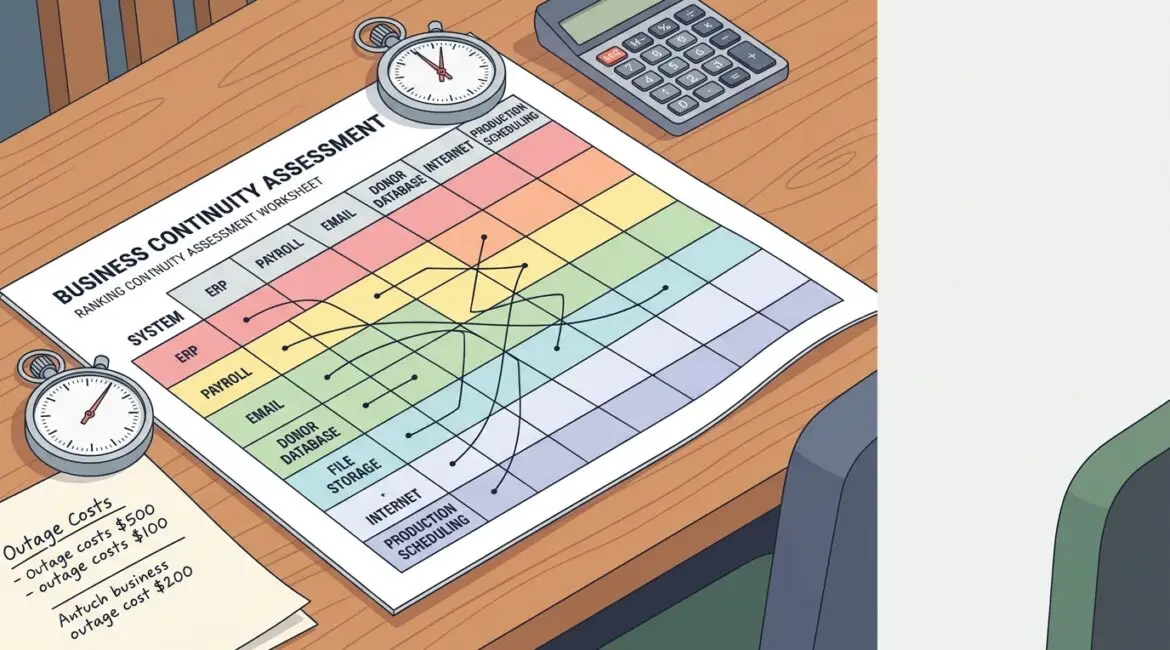
To determine which systems are truly essential, start with one simple question: if this system stopped working today, what business activity would stop with it? The systems that halt revenue, client service, production, compliance, payroll, or communication within hours are your mission critical business systems.
Many organizations guess wrong because they focus on what is visible, expensive, or frustrating instead of what the business actually depends on. A better approach is to map operations, measure downtime impact, and rank systems by business consequence rather than by technical complexity.
Why this matters to business leaders
If every system is labeled critical, then nothing is. That leads to bloated budgets, unclear recovery plans, and wasted time protecting low-impact tools while high-impact systems remain exposed.
When you identify the right priorities, you can make better decisions about backups, internet redundancy, cybersecurity controls, vendor support, replacement schedules, and disaster recovery. It also helps leadership decide where to spend first and where a slower response is acceptable.
Mission critical does not always mean most expensive
A system can be low cost and still be essential. For example, a small nonprofit may rely on a donor management platform that costs far less than its accounting software, but if that donor system goes down during a major fundraising campaign, gift processing and outreach may stop immediately.
The same is true for a manufacturer in Southeast Wisconsin. A shop floor workstation, barcode system, or scheduling application may cost less than the ERP platform, but if it prevents orders from moving through production, the business impact can be immediate.
Start with business processes, not hardware or software
The best way to identify mission critical business systems is to work backward from core business activities. Do not begin with a server list or software inventory. Begin with the work your organization must perform every day.
Ask leadership and department managers to list the activities that cannot stop for more than a few hours or one business day.
- Taking customer orders
- Scheduling production or field service
- Accessing client files and contracts
- Sending invoices and receiving payments
- Processing payroll
- Communicating with staff, customers, donors, or vendors
- Meeting regulatory or grant reporting requirements
Once those activities are clear, identify the systems each one depends on. In many cases, one process relies on several connected tools, not just one application.
A practical four-part test for criticality
1. Does the outage stop revenue or service delivery?
If your team cannot sell, produce, bill, schedule, or serve clients without the system, it likely belongs near the top of the list.
For a professional service firm, this could be the practice management platform, document system, or time-entry application. If attorneys, accountants, or consultants cannot access work files or record billable time, lost revenue starts quickly.
2. Does the outage create major operational downtime?
Some systems may not generate revenue directly, but they keep the business moving. Think about identity systems, internet connectivity, file access, phones, and line-of-business databases.
If 25 employees in Kenosha lose access to shared files for half a day, and their average loaded labor cost is $40 per hour, that is roughly $4,000 in lost productivity before you count missed deadlines or customer frustration.
3. Does the outage create legal, financial, or compliance risk?
Payroll, accounting, donor records, HR systems, and regulated data platforms often fall into this category. A short outage may be manageable, but a longer one can trigger reporting delays, payment problems, or contract issues.
For nonprofits, systems that track restricted funds, grant obligations, or donor history may be mission critical because errors or delays can affect funding and trust.
4. Is there a realistic manual workaround?
This question is often the tie-breaker. If your team can continue operating with a spreadsheet, paper process, or alternate tool for a day or two, the system may be important but not truly mission critical.
If there is no practical workaround, or the workaround causes major errors, delays, or rework, the system moves up the list.
Build a simple system ranking
You do not need a complicated scoring model. A simple ranking framework works well for most small and midsize organizations.
- Tier 1: Outage stops core operations within minutes or hours. Recovery must be fast.
- Tier 2: Outage causes serious disruption within one business day. Short-term workaround may exist.
- Tier 3: Outage is inconvenient but manageable for one to three days with limited business impact.
- Tier 4: Low operational impact. Recovery can wait if needed.
This ranking helps leaders connect technology priorities to actual business impact. It also gives your IT partner a clearer basis for backup design, monitoring, replacement planning, and incident response.
Examples by industry
Manufacturer
- Production scheduling or ERP system
- Inventory and barcode scanning tools
- Internet connection tied to vendor orders or cloud systems
- Shared file storage for drawings, work instructions, and quality documents
If a production scheduler is down for six hours, the plant may miss shipments, delay machine changeovers, and create overtime costs that exceed the monthly cost of the system itself.
Nonprofit organization
- Donor database
- Accounting and grant reporting platform
- Email and collaboration tools
- Secure file storage for board, HR, and program records
For nonprofits, the critical issue is often continuity with a lean staff. When one key system fails, there may be no extra capacity to absorb the disruption.
Professional service firm
- Document management
- Practice management or case management software
- Identity and access systems
If staff cannot log in, open files, or communicate with clients, the firm may lose billable hours immediately. In those environments, recovery speed matters as much as security.
Common mistakes that lead to bad priorities
- Assuming the newest or most expensive platform is the most critical
- Ignoring dependencies like internet, identity, DNS, or file access
- Letting only IT decide without input from operations or finance
- Failing to account for third-party vendors and cloud applications
- Never revisiting the list after growth, acquisitions, or workflow changes
We often see businesses protect a major application but overlook a smaller dependency that can still bring everything to a halt. That is one reason regular reviews matter. A structured IT health check can uncover those gaps before they turn into downtime.
Turn the list into action
Once you know which systems are Tier 1 and Tier 2, the next step is planning around them. The goal is not to create a document that sits in a folder. The goal is to reduce the chance of disruption and shorten recovery time when problems happen.
For each critical system, define:
- Who owns it internally
- What business process it supports
- What other systems it depends on
- How long the business can tolerate downtime
- Whether backups exist and have been tested
- What manual workaround is available
- Which vendor or IT partner supports it
This is also a good time to connect criticality to budgeting. If a system is Tier 1, it may justify better backup coverage, redundant internet, stronger access controls, or earlier replacement. If it is Tier 3, a lower-cost approach may be perfectly reasonable.
Businesses that want fewer surprises should also tie this work into annual planning. A clear review process, such as an annual IT planning calendar, makes it easier to revisit priorities before outages, renewals, or budget deadlines force rushed decisions.
Questions leadership should ask right now
- If one system failed tomorrow, what would hurt the business first?
- How long could each department operate manually?
- Which outage would create the highest financial impact in one day?
- Do we know the dependencies behind our most important systems?
- Have we tested recovery for the systems we call critical?
If those answers are unclear, that is usually the real issue. Most organizations do not need more tools first. They need better visibility, better prioritization, and a practical recovery strategy built around how the business actually works.
Conclusion
Determining which systems are truly mission critical comes down to business impact, not guesswork. When you identify the tools that keep revenue, operations, compliance, and communication moving, you can protect them appropriately and avoid spending in the wrong places.
If you’re ready to strengthen your technology, reduce risk, and plan for the future, contact Platinum Systems to schedule a technology strategy discussion. We help organizations across Southeast Wisconsin and Northeast Illinois make practical technology decisions that support long-term stability and growth.