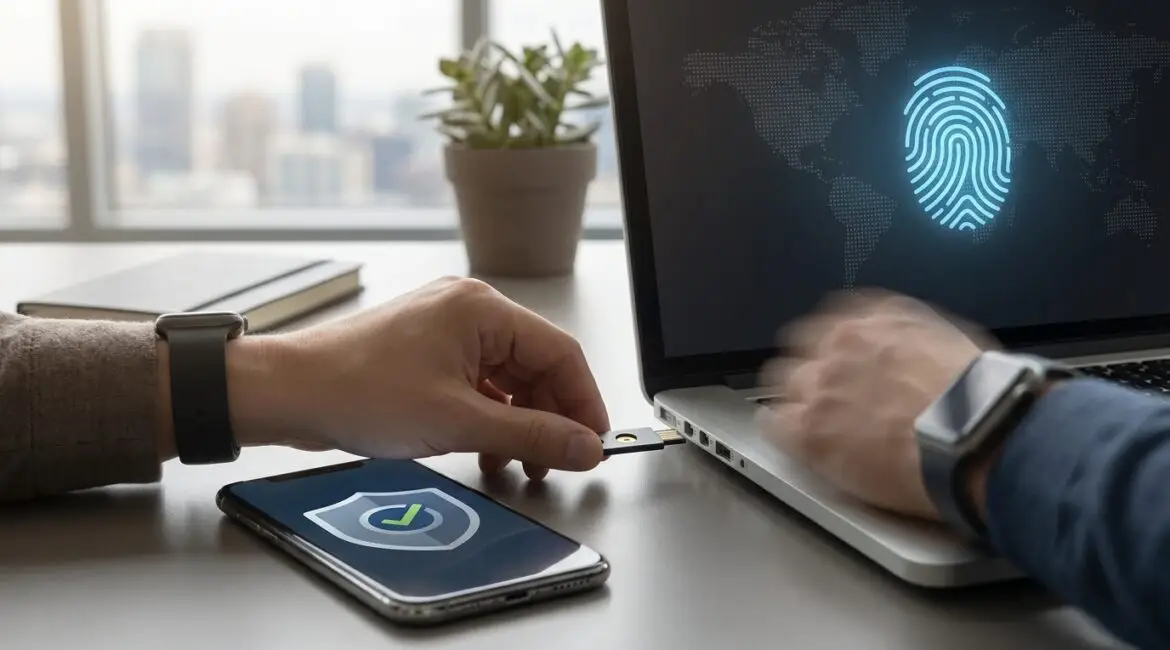
Secure authentication is the practice of reliably verifying a user’s identity using layered, resilient methods that resist guessing, phishing, and account takeover. Passwords alone are not enough because they are easy to steal, reuse, or trick users into revealing, and attackers can automate attempts at massive scale. Modern systems need additional factors and smarter signals to confirm the right person is signing in.
What secure authentication means in practice
At its core, secure authentication answers one question: “Are you who you claim to be?” A password checks something you know, but secure authentication combines controls that are harder to copy or intercept. This can include something you have (a device), something you are (biometrics), and contextual checks (location, device posture, behavior patterns). The goal is to reduce the chance that a stolen credential grants access.
Secure authentication also emphasizes secure handling of credentials behind the scenes. Even if users still type a password, the system should store it safely (salted hashing), protect it in transit (TLS), limit attempts, and detect suspicious behavior. For organizations in heavily regulated environments, such as financial services in New York or healthcare providers across the EU, these practices are often essential for compliance and risk reduction.
Why passwords alone are not enough
Passwords were designed for a simpler internet. Today, attackers have automation, data leaks, and social engineering playbooks that make “password only” a weak gate. Even long passwords can fail when users reuse them, or when a phishing kit captures them in seconds.
Credential stuffing and reuse
When a breach exposes email and password pairs, attackers test them across many sites. This technique, credential stuffing, succeeds because people reuse passwords between work and personal accounts. A leaked password from a small forum can become an entry point to a corporate email account, especially if the business uses single-factor sign-in for key tools.
Phishing and real-time interception
Phishing has evolved from poorly written emails into polished pages that mimic real sign-in portals. Real-time phishing proxies can intercept credentials and session tokens, allowing attackers to log in even if the victim changes the password later. In many incidents across North America and Europe, the initial access is not “hacking” a password but persuading a user to hand it over.
Brute force and password spraying
Automated guessing attacks remain common. Brute force targets a single account, while password spraying tries a few common passwords across many accounts to avoid lockouts. If your organization has predictable password patterns or allows weak choices, attackers can find a match quickly, particularly for externally accessible services like VPNs and cloud mail.
Passwords are hard to manage well
Users have dozens of accounts, and the cognitive load is high. Policies that force frequent password changes often backfire, producing weaker choices, incremental variations, or insecure storage in notes. Secure authentication aims to reduce reliance on memorized secrets and move toward stronger, less error-prone methods.
Key building blocks of secure authentication
Secure authentication is not one product. It is a set of design choices that make unauthorized access meaningfully harder while keeping sign-in usable. The right mix depends on your risk level, user base, and regulatory requirements.
Multi-factor authentication (MFA)
MFA requires at least two factors, commonly a password plus a one-time code or a push approval. This blocks many basic credential theft scenarios, but not all. SMS-based codes can be intercepted through SIM swapping, which has affected consumers and businesses in cities like Los Angeles, London, and Sydney. App-based TOTP codes or push approvals are usually stronger than SMS, but still vulnerable to sophisticated phishing if approvals are tricked.
Phishing-resistant MFA
Phishing-resistant methods include FIDO2 security keys and platform authenticators that use public key cryptography. They bind the sign-in to the legitimate site, so a fake domain cannot capture a reusable secret. Many enterprises standardize on security keys for administrators, finance teams, and remote workers, especially where the cost of account takeover is high.
Passkeys and passwordless sign-in
Passkeys are a user-friendly approach to phishing-resistant sign-in, typically backed by biometrics or device unlock. They rely on public key cryptography and do not transmit a password that can be reused. Consumer platforms have accelerated adoption, and businesses are beginning to deploy passkeys for customer accounts and internal applications to reduce reset tickets and takeover risk.
Risk-based and adaptive authentication
Adaptive systems evaluate signals such as device reputation, IP geolocation, time of day, and unusual behavior. If a login attempt looks risky, the system can require stronger verification or block access. For example, a sign-in from Toronto on a managed laptop may proceed normally, while a sudden login from a new device in another country triggers additional checks.
Secure session management
Authentication does not end after login. Secure authentication includes short-lived sessions, rotating tokens, protection against session fixation, and monitoring for token theft. If a session token is stolen via malware or a compromised browser, it can bypass password checks entirely. Strong session controls help limit the blast radius.
How to implement secure authentication step by step
Most organizations improve fastest by tackling the biggest risks first: external access points, privileged accounts, and common phishing targets. The same approach works for customer-facing applications, where usability matters as much as security.
1) Inventory applications and entry points
List where authentication happens: email, VPN, HR portals, source control, customer dashboards, and APIs. Pay special attention to legacy systems and third-party integrations. In distributed teams across the United States, India, and Germany, the number of entry points expands quickly due to SaaS adoption.
2) Prioritize privileged and high-impact accounts
Start with administrators, finance, and support roles, since they can change settings, move money, or reset others’ access. Require phishing-resistant MFA for these roles and restrict sign-in to managed devices where feasible. The investment here typically delivers the highest risk reduction per dollar.
3) Choose stronger factors with a clear policy
Define acceptable authentication methods. Prefer passkeys, FIDO2 keys, or authenticator apps. Avoid SMS for high-risk workflows. Document when step-up authentication is required, such as for wire transfers, exporting sensitive data, or changing security settings.
4) Improve password hygiene where passwords remain
If passwords are still used, enforce long passphrases, block breached passwords, and support password managers. Use rate limiting, account lockout policies that avoid denial-of-service risks, and secure recovery flows. Password resets should require strong identity verification, since attackers often target recovery rather than the password itself.
5) Monitor, log, and test
Collect authentication logs, track failed attempts, and alert on anomalous sign-ins. Run phishing simulations and tabletop exercises. Periodically test account recovery, device enrollment, and offboarding processes. Secure authentication is a program, not a one-time rollout.
Common mistakes that undermine secure authentication
Even with MFA, gaps in design and operations can leave accounts exposed. Avoid these pitfalls to keep your controls effective.
Relying on SMS for critical access
SMS can be acceptable for low-risk consumer scenarios, but it is a weak choice for administrators and sensitive data. SIM swap fraud and message interception are well-documented. Use phishing-resistant methods for high-impact accounts.
Weak account recovery
Recovery is often the easiest path for attackers. If support teams can reset access based on easily found personal details, MFA becomes irrelevant. Require strong verification, minimize manual overrides, and log all recovery actions with review workflows.
One-size-fits-all friction
If every user must complete the same steps for every login, people will look for workarounds. Adaptive authentication reduces friction by prompting stronger verification only when risk increases. This helps adoption in large workforces and in consumer apps where abandonment is costly.
Secure authentication as a business advantage
Beyond reducing breaches, secure authentication lowers support costs by cutting password resets, improves customer trust, and supports remote work without expanding risk. For global businesses with employees traveling between regions like the UK, the UAE, and Singapore, modern authentication reduces the dependence on fragile secrets and provides consistent protection across networks.
Secure authentication also enables better auditing and incident response. When authentication events are strongly tied to devices and cryptographic keys, investigations are clearer and containment is faster. This is especially valuable for regulated industries and for any organization that must demonstrate control over access to sensitive information.
Conclusion
Passwords alone cannot carry the security burden of today’s threat landscape. Secure authentication combines stronger factors, phishing-resistant technologies, adaptive checks, and disciplined operations to reduce account takeover while keeping access practical for real users. By prioritizing high-impact accounts, adopting modern methods like passkeys or FIDO2, and strengthening recovery and monitoring, organizations can significantly improve resilience and user experience. If you treat authentication as a continuous program with clear policy and measurable outcomes, you will be better prepared for the next wave of attacks and compliance demands.
Frequently Asked Questions
What is the simplest upgrade from passwords to secure authentication?
What is the simplest upgrade from passwords to secure authentication?
Enable multi-factor sign-in for all accounts, starting with email and administrators, then expand to other apps. Use an authenticator app or FIDO2 key rather than SMS when possible. This baseline secure authentication step blocks most credential stuffing and many phishing outcomes with minimal changes to user workflows.
Are passkeys really more secure than passwords and MFA codes?
Are passkeys really more secure than passwords and MFA codes?
Yes, passkeys improve secure authentication by using public key cryptography and binding sign-in to the real website or app. That means a phishing site cannot capture a reusable credential. When stored on trusted devices and backed by strong device unlock, passkeys typically reduce both account takeover and password reset friction.
When is SMS-based MFA acceptable for secure authentication?
When is SMS-based MFA acceptable for secure authentication?
SMS can be acceptable for low-risk consumer accounts where better options are unavailable and the impact of compromise is limited. For secure authentication on business email, admin consoles, finance tools, or regulated data, avoid SMS due to SIM swapping and interception risks. Prefer authenticator apps, passkeys, or hardware keys.
How do we handle account recovery without weakening secure authentication?
How do we handle account recovery without weakening secure authentication?
Design recovery as a high-risk workflow: require step-up verification, limit support overrides, and log every recovery action with approvals. Use backup factors like security keys or verified device-based recovery instead of knowledge questions. Strong recovery is essential to secure authentication because attackers often target resets rather than passwords.
What should small businesses prioritize first for secure authentication?
What should small businesses prioritize first for secure authentication?
Start with secure authentication for cloud email, payroll, banking, and any admin accounts. Turn on MFA, enforce password managers and long passphrases, and block sign-ins from unknown devices where possible. Add phishing-resistant methods for owners and IT admins. These steps deliver immediate risk reduction without large projects.