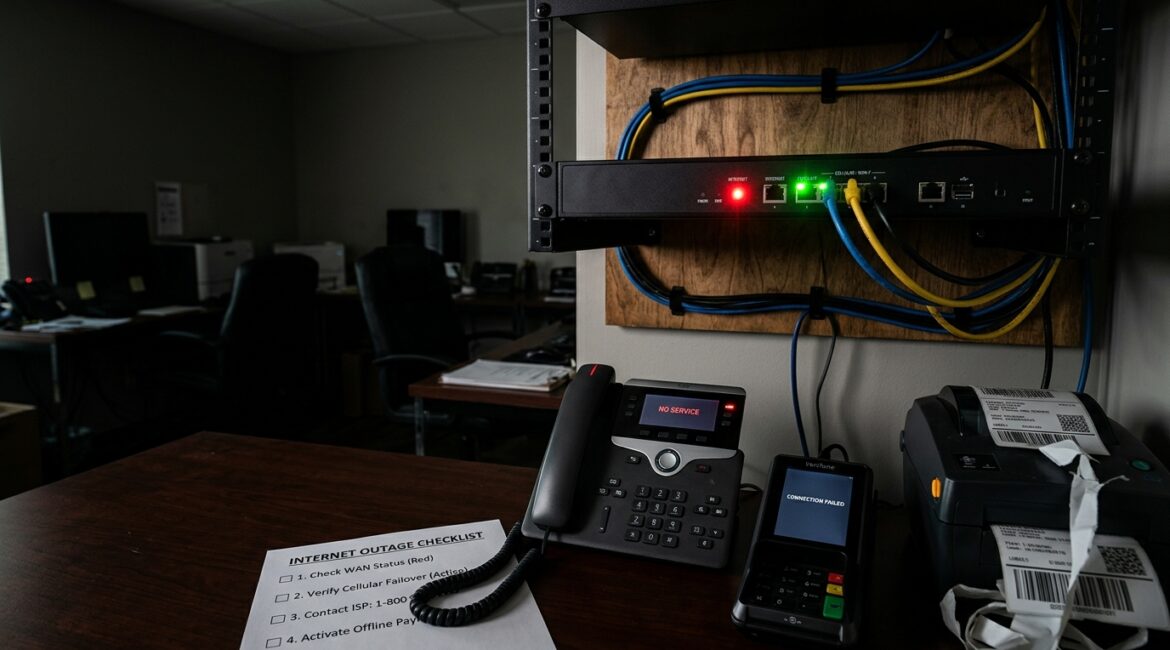
Businesses should prepare for an internet outage by deciding what must keep running, putting backup connectivity in place, documenting manual workarounds, and testing the plan before a real disruption happens. If your team cannot process payments, access cloud files, use VoIP phones, or reach customers without internet, you need an outage plan just as much as you need cybersecurity or backups.
For many organizations, internet service is now a utility that supports nearly every part of the workday. When it goes down, the issue is not only inconvenience. It can stop billing, customer service, scheduling, shipping, donor communication, and internal collaboration within minutes.
Why internet outages hit businesses harder than expected
Many leaders assume an outage only affects web browsing. In practice, it often affects phones, Microsoft 365, cloud accounting, document access, security cameras, door systems, vendor portals, and line-of-business applications.
A small manufacturer in Southeast Wisconsin might lose access to shipping systems and supplier portals. A nonprofit in Kenosha could be unable to process online donations or reach a cloud-based case management platform. A law firm or accounting office in Northeast Illinois may still have employees in the building, but if they cannot open client files or place calls, productivity drops fast.
The cost adds up quickly. If 20 employees average $35 per hour and lose half a day of productive work, that is $2,800 in labor alone, before lost sales, delayed invoices, or client frustration. For businesses that depend on online scheduling or transaction processing, the financial impact can be much higher.
Start with a business impact review, not hardware
The first step is not buying a backup circuit. It is understanding what the outage would interrupt.
Ask these practical questions
- What systems stop working if the internet is unavailable?
- Which departments are affected first?
- How long can each critical process be down before it causes financial or operational problems?
- Can any work continue offline?
- Who needs to communicate with customers, vendors, donors, or remote staff during the outage?
This exercise helps you separate critical functions from nice-to-have tools. It also keeps spending aligned with business risk. A company that can tolerate two hours of disruption may need a different plan than one that loses revenue every minute the connection is down.
If you have not reviewed these priorities recently, an annual planning process helps. Our article on building an annual IT planning calendar for your business explains how to schedule these decisions before they become urgent.
Identify the systems that truly need continuity
Not every application needs the same level of protection during an outage. Focus first on the tools that keep the business operating.
Common high-priority systems
- Cloud email and collaboration platforms such as Microsoft 365
- VoIP phone systems
- Payment processing and point-of-sale systems
- Cloud-based ERP, accounting, and CRM platforms
- Shipping, logistics, and vendor ordering portals
- Remote access tools for hybrid teams
- Security systems that depend on cloud connectivity
This is especially important for professional service firms, healthcare-adjacent nonprofits, and manufacturers that rely on real-time communication with vendors and clients. If a system is essential to same-day operations, it should be part of your outage planning.
Choose the right backup internet strategy
The most effective way to reduce outage risk is internet redundancy. That means having a secondary connection or failover option ready to take over if the primary provider goes down.
Common options include
- Secondary wired internet connection: A second circuit from a different provider. This is often the best option for offices with high uptime needs.
- Cellular failover: A business-grade firewall or router switches traffic to a 4G or 5G connection when the main line fails.
- Temporary hotspot use: Better than nothing, but usually too limited for full office operations.
- Site diversity: For organizations with multiple locations, some work can shift to another office if systems and processes support it.
The right choice depends on budget, location, building access, and how much downtime your business can absorb. In some parts of Southeast Wisconsin or Northeast Illinois, provider options vary by address, so local availability matters.
For a deeper look at backup connectivity, see our article on business internet redundancy.
Plan for partial operations if failover is limited
Some businesses are not ready for full automatic failover, and that is fine as long as expectations are clear. A realistic outage plan can still preserve the most important work.
Examples of partial continuity planning
- Front office staff use mobile phones if VoIP is unavailable
- Sales staff switch to cached documents and local contact lists
- Accounting delays cloud-based entries but continues invoice preparation offline
- Warehouse teams use printed pick lists for a short period
- Nonprofits track donations manually until systems are restored
The goal is not perfection. It is keeping the business functional enough to avoid confusion, missed commitments, and unnecessary downtime.
Document the outage playbook in plain English
When the internet fails, people need simple instructions. A one-page outage playbook is often more useful than a long technical document.
Your playbook should include
- How staff confirm whether the outage is internal or provider-related
- Who contacts the internet provider and who owns escalation
- How employees will communicate if email or Teams is unavailable
- Which systems are expected to work on backup service
- Which tasks should shift to manual processes
- When leadership, clients, vendors, or donors should be notified
- When to declare normal operations restored
This documentation also reduces stress during the incident. People work better when they know what to do and who is responsible.
Good documentation matters well beyond internet service. Our post on network documentation explains why clear records speed up support and reduce downtime.
Make sure your network equipment can support failover
Many businesses assume a backup connection alone solves the problem. It does not if the firewall, router, or network design cannot switch over properly.
Your network equipment should be reviewed for:
- Automatic failover capability
- Proper configuration and testing
- Bandwidth limits on backup service
- Traffic prioritization for phones, critical apps, or VPN use
- Security controls that remain in place during failover
This is one reason consumer-grade gear often becomes a business problem. A small office may start with simple equipment, but as cloud dependence grows, that setup may no longer be appropriate. If that sounds familiar, our article on how to know when your business has outgrown consumer technology is a useful next read.
Train employees on what changes during an outage
Even a strong technical plan can fail if employees do not know how to work during disruption. Staff should understand what will and will not be available, how to communicate, and where to find instructions.
Training should cover
- How to report the issue
- How to access backup communication methods
- Which files or forms are available offline
- How to handle customer questions
- What not to do, such as connecting personal devices without approval
This matters for security as well as productivity. During outages, people look for workarounds. Unapproved hotspots, file sharing apps, or personal email can create new risks if there is no clear guidance.
Test the plan before you need it
An outage plan that has never been tested is an assumption. Businesses should periodically simulate an internet disruption and verify that failover, communication, and manual processes work as expected.
A simple test can reveal issues such as
- Phones that do not fail over correctly
- Applications that consume too much cellular bandwidth
- Employees who do not know where the outage procedures are stored
- Vendor contacts that are outdated
- Critical devices that were never connected to the backup path
Testing does not need to be complicated. Even a planned 30-minute exercise can show whether the business is actually prepared or just hoping the provider restores service quickly.
Internet outage preparation is a business decision, not only an IT task
The best outage plans are shaped by leadership priorities. If client response time is critical, communication gets special attention. If production and shipping drive revenue, then warehouse and vendor systems take priority. If a nonprofit depends on donor engagement and remote staff, cloud access and phone continuity may matter most.
This is why outage planning should connect to broader reliability and continuity efforts. Our article on improving the reliability of your business technology covers the bigger picture of reducing downtime across systems, devices, and processes.
Conclusion
To prepare for an internet outage, identify critical operations, choose the right backup connectivity, document clear procedures, train staff, and test the plan regularly. The businesses that recover fastest are usually the ones that decided in advance how they would keep working.
If you’re ready to strengthen your technology, reduce risk, and plan for the future, contact Platinum Systems to schedule a technology strategy discussion. We can help you evaluate where an internet outage would hurt most and build a practical plan that fits your operations and budget.