

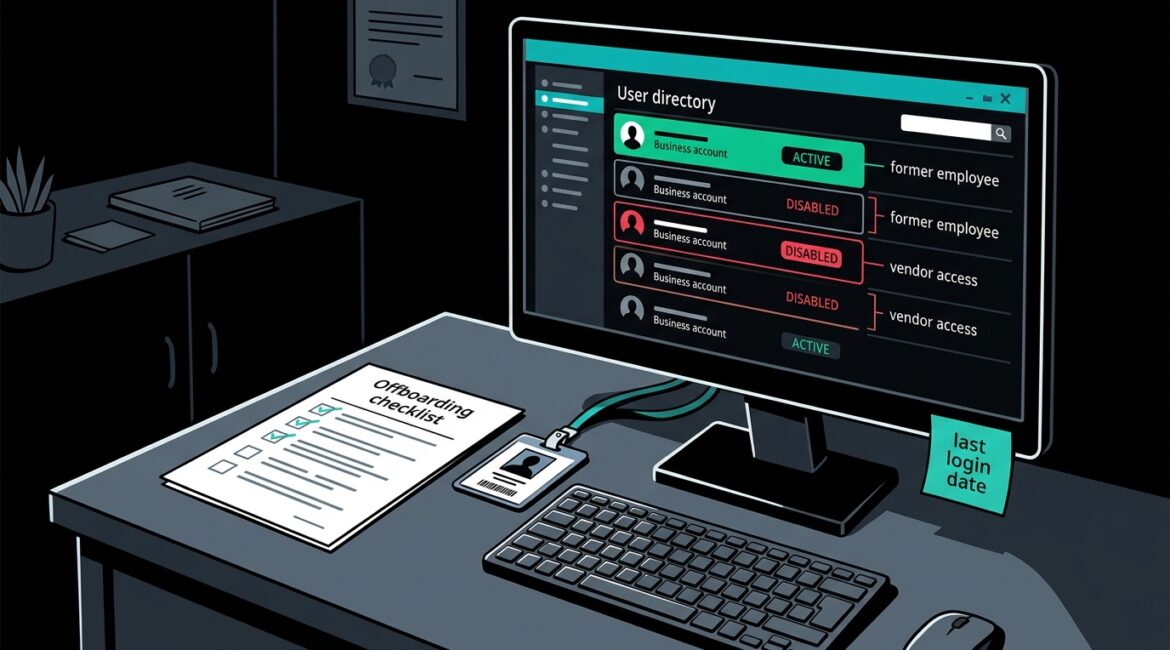
Forgotten user accounts become security risks when they stay active after an employee leaves, a vendor relationship ends, or a system stops being used. The fix is straightforward: know which accounts exist, review them regularly, remove access quickly, and make account management part of normal business operations.
Many businesses do a decent job creating accounts. Far fewer do a consistent job retiring them. That gap can leave old email accounts, remote access logins, Microsoft 365 users, software seats, and administrator credentials sitting in the background for months or even years.
Why old accounts create real business risk
An inactive account is easy to ignore because it does not appear to be causing a problem. But if it still works, it can be used to access email, files, cloud apps, VPN connections, accounting systems, or line-of-business software.
For a manufacturer in Southeast Wisconsin, that could mean an old engineer login still has access to production files or vendor portals. For a nonprofit in Kenosha, it might be a former staff member who can still reach donor records. For a law office or accounting firm in Northeast Illinois, an unused account may still open client email or document storage.
The risks usually fall into a few categories:
- Unauthorized access if a former employee, contractor, or attacker uses an old account
- Data exposure when forgotten accounts still have access to sensitive files or mailboxes
- Compliance issues if your organization cannot show who has access and why
- Extra cost from paying for unused software licenses and cloud subscriptions
- Slower incident response because nobody is sure which accounts are legitimate
These are not theoretical issues. A single overlooked account with admin rights can create hours of investigation, emergency password resets, and business interruption. Even if no breach occurs, cleanup takes time and money.
What counts as a forgotten user account
Most leaders think of old employee logins first, but the problem is broader than that. Forgotten accounts show up across cloud platforms, business applications, network gear, and vendor tools.
Common examples
- Former employee Microsoft 365 or Google Workspace accounts
- Old VPN and remote desktop accounts
- Shared logins nobody owns anymore
- Local administrator accounts on servers, workstations, or firewalls
- Vendor support accounts left behind after a project ends
- Trial software accounts that became permanent
- Service accounts tied to old applications or scripts
- Temporary intern or seasonal worker accounts that were never removed
Shared accounts deserve special attention because they often survive staff turnover. If five people have used the same login over three years, no one can say with confidence who last accessed it or whether the password has been reused elsewhere.
How forgotten accounts usually happen
In most small and midsize organizations, the issue is not laziness. It is a process problem. Hiring, role changes, vendor turnover, and software growth move faster than account cleanup.
Common causes include:
- No formal offboarding checklist
- HR and IT not notifying each other quickly
- Departments buying software without centralized oversight
- Shared accounts used for convenience
- Acquisitions, office moves, or system migrations that leave old access behind
- Little visibility into all the apps and accounts the business actually uses
If your business has grown quickly, added remote work, or adopted many cloud apps over the last few years, the odds are high that some access has been left behind. This is one reason a clear inventory matters. Our post on how to create a business technology inventory that actually helps explains how better visibility supports smarter security decisions.
How to find forgotten accounts before they cause problems
You do not need to start with a massive audit. Start with the systems that matter most to daily operations and sensitive data.
Review your core platforms first
- Email and identity systems such as Microsoft 365
- VPN and remote access tools
- Accounting and payroll platforms
- File storage and document management systems
- CRM, ERP, and donor management applications
- Firewall, server, and backup administration accounts
For each system, ask a few simple questions:
- Who has access right now?
- Does each account belong to a current employee, approved vendor, or active service?
- When was it last used?
- Does it have more access than it needs?
- Who is responsible for approving it?
This is also where identity tools can help. If you use Microsoft 365, our article on Microsoft Entra ID to improve business security covers practical ways to control and review user access more effectively.
Look for warning signs
- Accounts with no recent login but still enabled
- Users assigned licenses after termination dates
- Generic names like admin2, tempuser, warehouseold, or vendorlogin
- Accounts tied to former employees’ email addresses
- Privileged accounts with no documented owner
If your IT provider or internal team cannot quickly produce a user list for key systems, that is a governance issue as much as a technical one.
Practical steps to reduce the risk
Once you identify old or questionable accounts, the goal is to make cleanup repeatable. A one-time review helps, but the long-term value comes from building a process.
1. Create a clear offboarding procedure
When someone leaves, access removal should happen the same day, not whenever there is time. That includes email, line-of-business apps, remote access, mobile devices, and any third-party platforms tied to their role.
A good offboarding checklist should define:
- Who notifies IT
- What systems must be reviewed
- Which accounts are disabled immediately
- What data needs to be preserved or transferred
- Who signs off when the process is complete
2. Stop relying on shared accounts
Whenever possible, give each person their own login. Individual accounts improve accountability, make access reviews easier, and reduce confusion when staff changes happen.
If a shared account truly cannot be eliminated, document who uses it, limit its permissions, require strong authentication, and rotate the password whenever staffing changes occur.
3. Review access on a schedule
Quarterly reviews are a practical starting point for most businesses. High-risk systems may need monthly review. The point is consistency.
This fits well into broader planning. If you want a structure for recurring reviews, budgeting, and technology decisions, see our article on building an annual IT planning calendar for your business.
4. Limit administrator rights
Forgotten admin accounts are far more dangerous than standard user accounts. Keep the number of privileged accounts low, assign clear ownership, and review them more often than regular users.
Even a small business with 25 employees should know exactly who has admin access to Microsoft 365, the firewall, backup systems, servers, and accounting software.
5. Keep documentation current
Account management gets messy when nobody knows what exists. Maintain a living record of major systems, account owners, approval contacts, and vendor access. That makes reviews faster and reduces cleanup time during staff changes or security events.
The cost of ignoring the problem
Old accounts rarely show up on a budget line, but they create measurable cost. If a former employee still has access to a licensed cloud app at $40 per month, ten unused accounts cost $4,800 over a year. That is before you count the time spent sorting out who still needs access.
The bigger cost is disruption. If an abandoned admin account is flagged during a security investigation, your team may spend half a day resetting passwords, checking logs, and confirming no data was touched. For a professional services firm, that can mean lost billable time. For a nonprofit, it can pull staff away from donor outreach or program delivery. For a manufacturer, it can delay orders or reporting if key systems need emergency review.
What good account management looks like
You do not need a large internal IT department to handle this well. You need ownership, visibility, and routine. Strong account management usually includes:
- A current list of users, admins, vendors, and service accounts
- Fast offboarding tied to HR or management workflows
- Regular access reviews for critical systems
- Fewer shared logins
- Documented approval for privileged access
- Better visibility into cloud apps and software sprawl
That kind of structure reduces risk without making daily work harder. It also supports smoother audits, fewer support surprises, and better control over software cost.
Conclusion
Forgotten user accounts are one of the most common avoidable security gaps in small and midsize businesses. When access stays active longer than it should, your organization takes on unnecessary risk, extra cost, and more operational confusion.
A practical review process, strong offboarding, and clear ownership can fix the problem before it turns into downtime or data exposure. If you’re ready to strengthen your technology, reduce risk, and plan for the future, contact Platinum Systems to schedule a technology strategy discussion.