

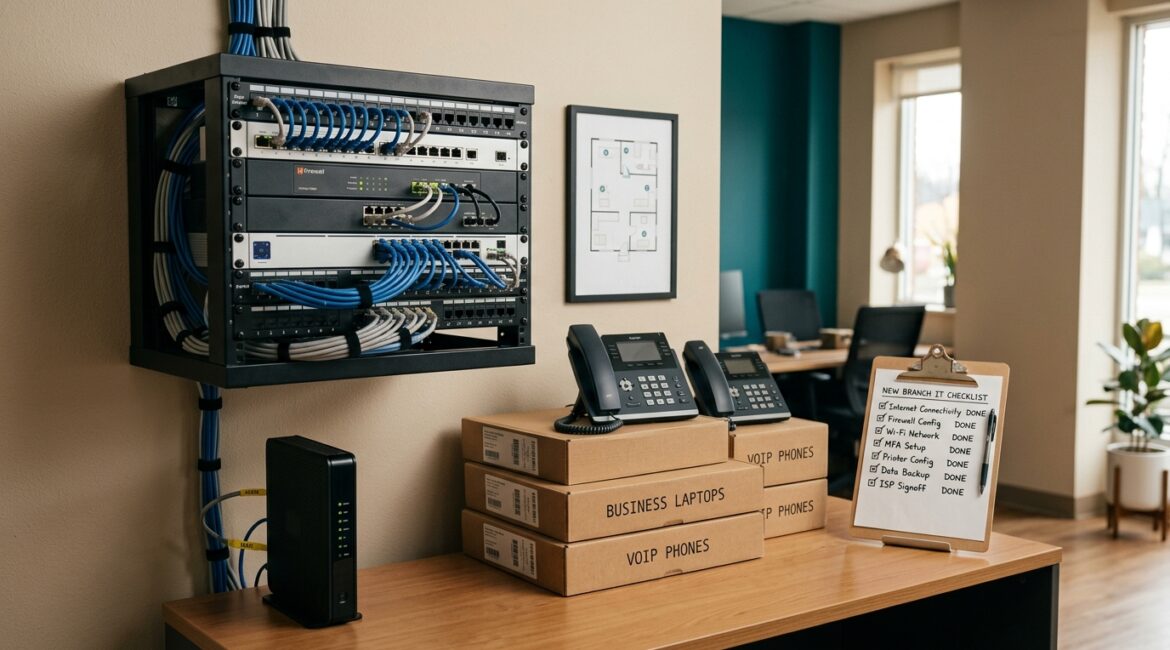
To reduce IT risk when opening a new business location, plan the technology environment before move-in, standardize what goes into the site, and test critical systems before employees start working there. The biggest problems usually come from rushed internet setup, inconsistent security controls, missing documentation, and too many last-minute decisions.
Whether you are opening a second office in Kenosha, adding a nonprofit outreach site in Southeast Wisconsin, or launching a small manufacturing facility in Northeast Illinois, the same rule applies: treat the new location like a business risk project, not just a facilities task.
Why new locations create hidden IT risk
When leaders open a new location, the obvious priorities are usually lease terms, furniture, staffing, and operations. Technology often gets pushed later in the timeline, even though internet service, network design, device setup, security controls, and vendor coordination can take weeks or months.
That delay creates avoidable risk. A branch can open on schedule but still be unable to process payments, access shared files, print shipping labels, connect to ERP systems, or make secure video calls with clients.
For example, if a 12-person professional services office loses just three billable hours per employee on opening day because systems are not ready, the cost can easily reach several thousand dollars in lost productivity. For a manufacturer, one unstable network closet or poorly configured firewall can interrupt production reporting, inventory updates, or communications with the main facility.
Start with business requirements, not equipment lists
Before anyone orders hardware, define what the location actually needs to do. A small satellite office has different requirements than a warehouse, clinic, or donor services center.
Ask practical questions first
- What business functions must work on day one? Examples include phones, internet, shared file access, line-of-business software, printing, Wi-Fi, and security cameras.
- How many employees will be there now and in 12 to 24 months? Growth affects internet capacity, switching, wireless coverage, and licensing.
- What data will the site handle? Payroll, donor records, client files, health information, and financial data all require stronger controls.
- Will vendors need access? Copiers, security systems, HVAC, and production equipment often introduce outside connections that need oversight.
- What happens if the site loses internet for a day? The answer helps determine whether failover connectivity is worth the cost.
This business-first approach keeps you from overspending in the wrong places and underplanning the areas that actually affect operations.
Standardize the new location as much as possible
One of the simplest ways to reduce risk is to make the new site look and operate like your existing environment. The more exceptions you create, the more support issues, security gaps, and training problems you introduce.
That means using the same approved firewall platform, Wi-Fi standards, device setup process, identity controls, backup approach, and security policies already used in the rest of the business. If every location is built differently, troubleshooting gets slower and the chance of configuration mistakes goes up.
This is also where configuration discipline matters. If you want a deeper look at how small changes create security gaps over time, see configuration drift and why it is a security risk.
Build the network for reliability and visibility
A new site network should do more than turn on. It should be stable, secure, and easy to support.
Key network decisions that affect risk
- Business-grade internet instead of consumer service where reliability matters
- Proper firewall deployment with current security settings and remote management controls
- Separate networks for staff, guests, phones, cameras, and operational devices when appropriate
- Strong Wi-Fi coverage based on the physical layout, not guesswork
- Monitoring and alerting so outages and device issues are visible quickly
- Documented cabling and ports so support is faster later
For many organizations, internet redundancy is worth considering. A law firm that cannot access cloud files for half a day may lose billable time. A nonprofit running a fundraising event from a new site may lose donations if payment systems go offline. A business internet failover option can cost far less than a single major outage.
If network stability is a concern, our article on how to build a more reliable business network covers the fundamentals in plain language.
Control access from the beginning
New locations often expose access problems because people are moving fast. Temporary staff, vendors, and managers may all need systems access at once. Without clear rules, businesses end up with shared passwords, over-permissioned accounts, and little visibility into who can reach what.
A safer approach is to set access rules before opening day:
- Use individual accounts for every employee
- Require multifactor authentication for email, cloud apps, and remote access
- Limit admin rights to approved IT personnel
- Give employees access based on role, not convenience
- Review vendor access for copiers, alarm systems, production tools, and support platforms
This matters especially for professional service firms handling client records, nonprofits managing donor information, and manufacturers connecting operational systems back to headquarters.
Protect data before devices arrive
Many businesses think about computers first and data second. That order should be reversed. If the new location handles sensitive information, decide where files will live, who can access them, how they are backed up, and how they will be recovered if something goes wrong.
For example, a nonprofit opening a second location may have staff collecting donor and program data on day one. A CPA firm may need secure document access immediately during tax season. A manufacturer may rely on shared drawings, inventory records, and shipping documents that cannot disappear because one laptop fails.
Data protection basics for a new site
- Use approved cloud storage or mapped business file systems, not ad hoc local saving
- Confirm backup coverage for endpoints, servers, and cloud data where needed
- Set retention rules for important records
- Encrypt sensitive data in transit and at rest where appropriate
- Test recovery before the site is considered fully operational
If your team needs a stronger foundation for file handling, see our article on secure file storage for businesses.
Coordinate vendors early, not the week before opening
One of the most common causes of delay is vendor timing. Internet providers, phone vendors, access control installers, copier companies, and building management teams all affect the technology environment.
If no one owns the coordination process, important details get missed. A circuit may be installed in the wrong suite. A firewall may arrive after the ISP appointment. Security cameras may be placed without considering network capacity or retention needs.
A simple vendor checklist helps reduce surprises:
- Installation dates and contacts
- Service handoff responsibilities
- Required IP addresses, ports, or remote access methods
- Support ownership after go-live
- Documentation to collect before signoff
Test the site like operations depend on it, because they do
Before employees arrive, test the location as if it were already live. Do not assume that a green light on a modem means the office is ready.
What to test before opening day
- Internet speed and failover behavior
- Wi-Fi coverage in actual work areas
- Printing and scanning
- Phone calls and voicemail
- Access to cloud apps, shared drives, and line-of-business systems
- Multifactor authentication and password reset workflows
- Backup status and monitoring alerts
- Security cameras, door access, and alarm integrations if installed
It is much cheaper to find a problem two days before opening than two hours after staff and customers arrive.
Document the location so support stays efficient
Documentation is easy to skip when everyone is trying to open fast. It is also one of the reasons support becomes expensive later.
At minimum, document the network layout, ISP details, device list, warranty information, admin ownership, vendor contacts, and recovery procedures. That record helps internal staff and outside support teams solve problems quickly without guessing.
If your business is adding sites as part of growth, this should also tie back to a broader planning process. Our post on building an annual IT planning calendar is a helpful resource for scheduling these decisions before they become urgent.
Think beyond opening day
The goal is not just to get the lights on and the laptops connected. The goal is to open a location that can be supported, secured, and scaled without constant rework.
That means planning for device replacement, software licensing, employee onboarding, patching, monitoring, and future growth from the start. A location that is opened cheaply but managed poorly often costs more over the next three years through downtime, support calls, rushed upgrades, and inconsistent security.
Conclusion
Opening a new business location is a growth milestone, but it also introduces real operational and cybersecurity risk if technology planning is left too late. A clear plan for connectivity, access, data protection, vendor coordination, testing, and documentation can prevent downtime, reduce surprise costs, and help the new site support the business from day one.
If you’re ready to strengthen your technology, reduce risk, and plan for the future, contact Platinum Systems to schedule a technology strategy discussion.