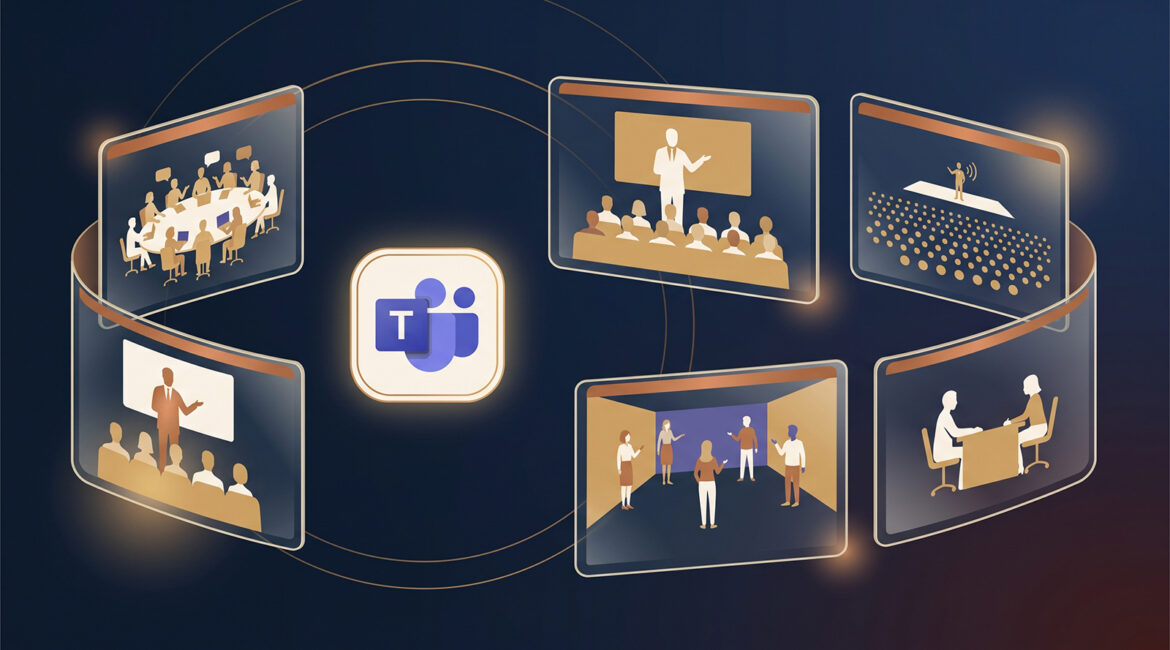
Microsoft Teams offers five types of meetings: standard meetings for two-way collaboration, webinars for structured presentations with registration, town halls for large one-way broadcasts, immersive events for 3D avatar-based experiences, and virtual appointments for customer-facing consultations. The right choice depends on your audience size, how much interaction you need, and whether attendees are inside or outside your organization.
Most people click "New meeting" for everything, and most of the time that works. But if you have ever run an all-hands where attendees kept unmuting themselves, or hosted a training where you wished you had registration data, you have felt the cost of choosing the wrong format. Teams has quietly become an event platform, not just a meeting tool, and knowing the differences saves real time and frustration.
The five-second answer
If you only remember one thing from this article, make it this:
Every format sits somewhere on a spectrum between full collaboration and one-way broadcast:
Standard meetings: the everyday workhorse
A Teams meeting is a two-way conversation where every attendee is a full participant. Anyone can unmute, turn on a camera, share a screen, and jump into chat. It is the right default for internal collaboration, client calls, project check-ins, and any session where discussion is the point.
Meetings also carry the richest collaboration toolset: breakout rooms, Microsoft Whiteboard, PowerPoint Live, live polls, and recording with attendance reports.
Where meetings fall short
- No registration: There is no sign-up page or attendee data collection, just a calendar invite.
- Open mics at scale: Past roughly 20 people, an unmanaged meeting gets noisy fast.
- The 1,000 cliff: Attendees beyond 1,000 are automatically dropped into a view-only experience.
Webinars: structured presentations with a front door
A webinar flips the dynamic. Presenters present, and attendees register, listen, and interact only in ways you allow. The defining features are a registration page, a customizable event site, and attendee reporting, which makes webinars the natural fit for product demos, structured training, and marketing events with external audiences.
Where webinars fall short
- Hard cap: 1,000 attendees is the ceiling. Beyond that, you need a town hall.
- Breakout limit: Breakout rooms only work in webinars with fewer than 300 attendees.
- Setup time: Registration pages and presenter roles take more prep than a calendar invite.
Town halls: broadcasting to the whole company (and beyond)
A town hall is a production, not a conversation. A small number of presenters broadcast to a large audience whose members watch, react, and submit questions through moderated Q&A. Town halls replaced the retired Teams Live Events and are built for all-hands meetings, leadership announcements, and policy rollouts.
Where town halls fall short
- View-only by design: Attendees have no mic or camera. Interaction is limited to reactions and Q&A.
- Fewer collaboration tools: No breakout rooms, PowerPoint Live, or Whiteboard.
- Not a bigger webinar: If your session needs discussion or hands-on work, a town hall is the wrong tool no matter how large the audience.
Immersive events: meetings as a place, not a call
Immersive events are the newest format and the biggest departure from a traditional call. Attendees join a customizable 3D environment as avatars, move around freely, and hold multiple simultaneous conversations using spatial audio, where voices get louder as avatars get closer. It creates a genuine sense of being somewhere together.
This format replaced the old "Immersive space (3D)" meeting view and the Microsoft Mesh apps, which Microsoft retired on December 1, 2025. Immersive events are scheduled directly from the Teams calendar, and organizers can customize prebuilt 3D templates with videos, images, and branding without any coding.
Immersive events shine for employee onboarding, team building, product showcases, and social mixers where side conversations are the point. A happy hour on a video grid is awkward. The same event in a 3D space where small groups naturally cluster works surprisingly well.
Where immersive events fall short
- Hardware requirements: Older or underpowered machines cannot join the 3D experience.
- Template lock: The 3D environment cannot be changed after the event is saved.
- Smaller scale: 300 attendees maximum, far below webinar and town hall capacity.
Virtual appointments: the customer-facing front door
Virtual appointments solve a different problem entirely: scheduled one-on-one or small group sessions with people outside your organization. Built on Microsoft Bookings, they give customers a self-service booking page, automated reminders, and browser-based joining with no Teams account or app required.
Think client consultations, intake calls, support sessions, and screenings. Advanced capabilities such as SMS reminders, a queue view for managing walk-in style scheduling, and appointment analytics require Teams Premium.
Side-by-side feature comparison
Here is how all five formats stack up across the features that matter most when you are planning an event:
| MeetingCollaborate | WebinarPresent | Town HallBroadcast | Immersive EventExperience | Virtual Appt.Consult | |
|---|---|---|---|---|---|
| Max capacity | 1,000 interactive+10,000 view-only overflow | 1,000 attendees | 10,000 view-only3,000 interactive; up to 100,000 with Attendee Packs | 300 attendees | 1:1 or small group |
| Attendee interaction | Full two-way | Controlledorganizer decides who unmutes | View-onlyreactions & Q&A | Full & spatialside conversations via spatial audio | Full two-way |
| Registration / sign-up | Nonecalendar invite only | Yesregistration page + event site | Invite-basedaccess controls, no form | Invite-basedTeams calendar | Self-serviceBookings page |
| Breakout rooms | Yes | Under 300 attendees only | No | Nospatial clusters instead | No |
| PowerPoint Live & Whiteboard | Yes | Yes | Noscreen share only | Nocontent on virtual stage | Screen share only |
| External attendees | Yes | Yespublic registration | Yes | Yesinvited guests | Yesbrowser join, no account |
| Recording & reporting | Recording + attendance | Recording + attendee analytics | Recording + on-demand replayreal-time insights | Limitedevent-level basics | Appointment analyticswith Premium |
| License to host | Any Teams license | Teams Enterprise | Teams EnterpriseAttendee Packs extra | Teams Enterpriseattendees need standard only | Any Teams licenseSMS, queue, analytics need Premium |
| Platforms | Desktop, web, mobile, rooms | Desktop, web, mobile | Desktop, web, mobile | PC, Mac, Meta Quest4-core CPU & 8 GB RAM | Desktop, mobile, browser |
Capacity at a glance
The audience-size differences between formats are dramatic, which is exactly why format choice matters:
What changed in 2025 and 2026 (and why your old assumptions may be wrong)
If you last compared Teams event options a year or two ago, two changes are worth knowing about.
Live Events and Mesh are gone. Teams Live Events was retired in favor of town halls, and on December 1, 2025 Microsoft retired the Immersive space (3D) meeting view along with the Mesh apps. Immersive events, scheduled from the Teams calendar, are the replacement for both 3D experiences.
Licensing got simpler and more generous. As of April 1, 2026, most advanced webinar and town hall features that previously required Teams Premium are included with Teams Enterprise licenses, including those bundled with Microsoft 365 Business and E3/E5 plans. Town halls with Teams Enterprise now support up to 3,000 fully interactive attendees and 10,000 view-only attendees, with purchasable Attendee Packs scaling events to 100,000. Teams Premium still matters for advanced meeting protection, intelligent recap, and enhanced virtual appointment features, but you may already have event capabilities you were once quoted extra for.
Not sure what your current licenses include?
Many organizations are paying for capabilities they never turned on, or assuming they need upgrades they already have. A quick license review usually settles it in under an hour.
Real-world examples from everyday business operations
Manufacturer running quarterly all-hands across shifts
A manufacturer with office staff, first shift, and second shift cannot get everyone in one room, and a standard meeting with 200 attendees turns into background noise and accidental unmutes. A town hall gives leadership a clean broadcast with moderated Q&A, plus an on-demand recording for whoever is on the floor during the live session.
Professional services firm hosting client education sessions
An accounting or legal firm running a "year-end planning" session for clients wants to know exactly who registered, who attended, and who to follow up with. That is a webinar: a registration page collects the leads, presenter roles keep the session polished, and the attendee report feeds the follow-up list.
Nonprofit onboarding volunteers and staff
A nonprofit onboarding a seasonal cohort can use an immersive event to make orientation feel like an actual gathering rather than another video call. Small groups cluster naturally by interest using spatial audio, and the 3D space can be branded with the organization's imagery. For one-on-one donor or client conversations, virtual appointments give people a booking page and a browser link with no software to install.
How to choose: three questions that settle it
- How many people? Under 300 with 3D flair, immersive event. Up to 1,000, meeting or webinar. Thousands, town hall.
- How much interaction? Everyone talks, meeting. Presenters talk and attendees ask, webinar or town hall. People mingle, immersive event.
- Who is the audience? Internal team, meeting or town hall. Registered external audience, webinar. Individual customers booking time, virtual appointment.
When two formats both seem to fit, pick the one with more structure. It is easy to loosen controls during an event and nearly impossible to add structure to a session that has already gone sideways.
Conclusion
Microsoft Teams has grown from a meeting app into a full event platform, and the five formats exist because one size genuinely does not fit all. Matching the format to the moment means smoother events, better data, less frustration for attendees, and fewer of those first ten minutes lost to "can everyone mute?"
If your organization is planning larger virtual events, rethinking client-facing scheduling, or simply unsure what your Microsoft licensing already includes, contact Platinum Systems to schedule a technology strategy discussion. We help Southeast Wisconsin businesses get more out of the Microsoft tools they already pay for.
Frequently Asked Questions
What is the difference between a Teams meeting and a Teams webinar?
A Teams meeting is a two-way conversation where every attendee can unmute, share video, and present. A webinar is a structured event with defined presenter and attendee roles, a registration page, and attendee reporting, making it better for presentations to external or large audiences.
What replaced Microsoft Teams Live Events?
Town halls replaced Teams Live Events as Microsoft's large-scale broadcast format. Town halls support up to 10,000 view-only attendees with Teams Enterprise, up to 3,000 interactive attendees, and can scale to 100,000 attendees with purchasable Attendee Packs.
What are immersive events in Microsoft Teams?
Immersive events are 3D experiences scheduled from the Teams calendar where up to 300 attendees join a customizable virtual environment as avatars. They use spatial audio for natural side conversations and replaced the retired Immersive space view and Microsoft Mesh apps in December 2025.
Do customers need a Teams account to join a virtual appointment?
No. Virtual appointments are designed for external customers, who book through a self-service Microsoft Bookings page and join directly from a web browser without a Teams account or any software installation.
Do I need Teams Premium to host webinars and town halls?
Not anymore for most features. As of April 1, 2026, advanced webinar and town hall capabilities are included with Teams Enterprise licenses, such as those bundled with Microsoft 365 Business and E3/E5 plans. Teams Premium is still required for advanced meeting protection, intelligent recap, and enhanced virtual appointment features like SMS reminders and queue management.