

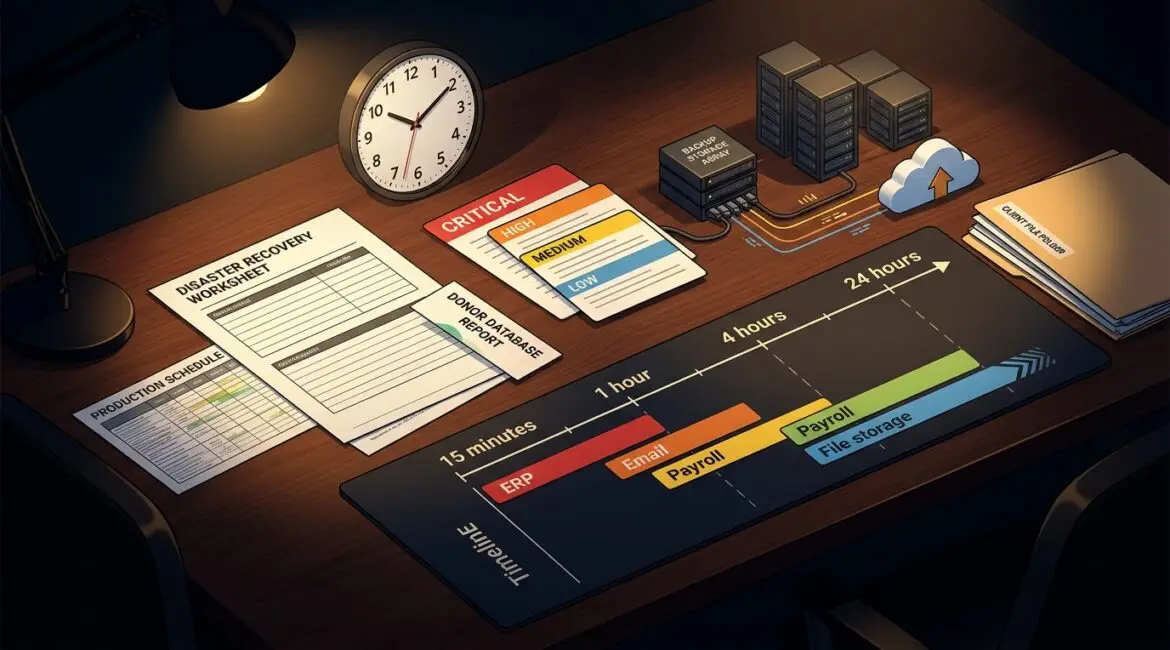
A recovery time objective, or RTO, is the maximum amount of time your business can afford to have a system, application, or process down after an outage. Put simply, it answers a practical question: how long can we be offline before the business starts taking unacceptable damage?
That number should not be a guess. It should be based on how your company actually operates, what downtime costs you, and which systems matter most to revenue, service delivery, compliance, and daily work.
What a recovery time objective means in plain English
If your accounting platform goes down at 10:00 a.m. and your RTO is four hours, your goal is to have that system working again by 2:00 p.m. The focus is on time to restore operations, not just whether data exists somewhere in a backup.
Many business leaders hear about backups and assume that means recovery is covered. It often is not. You can have a backup and still wait a day or two to rebuild servers, reconnect users, reinstall applications, and verify access.
That is why RTO matters. It helps you plan for the full business interruption, not just the technical failure.
RTO vs. RPO: two different recovery questions
RTO is often discussed alongside recovery point objective, or RPO. They are related, but they measure different things.
- RTO asks: How quickly do we need this back?
- RPO asks: How much data can we afford to lose?
For example, a manufacturer in Southeast Wisconsin might decide its production scheduling system needs an RTO of two hours because the floor cannot stay idle for long. The same business might set an RPO of 15 minutes because re-entering a few orders is manageable, but losing half a day of production data is not.
A nonprofit in Kenosha may have a different profile. Its donor management system might tolerate a longer outage overnight, but payroll and email may need to be restored quickly during business hours to keep staff and operations moving.
Why businesses get RTO wrong
The most common mistake is choosing a number that sounds good without understanding the cost to achieve it. Saying every system must be back in 15 minutes may feel safe, but it can drive unnecessary spending if the business impact does not justify it.
The second mistake is treating all systems the same. Most organizations do not need the same recovery target for every tool, device, or application.
Another issue is failing to test assumptions. A server may be backed up nightly, but if no one has tested restoring it, the real recovery time could be far longer than expected. This is one reason regular reviews such as an IT health check are so useful. They help uncover gaps before an outage exposes them.
How to set a recovery time objective for your business
The right RTO starts with business impact, not technology features. Here is a practical way to set one.
1. List your critical business functions
Start with what the business must do to operate. Think in terms of functions, not just software names.
- Taking customer orders
- Processing payments
- Running payroll
- Scheduling production
- Accessing client files
- Communicating by email or phone
- Serving patients, donors, or customers
This step matters because one application may support several important processes, while another may be inconvenient but not urgent.
2. Identify what downtime actually costs
Downtime cost is not limited to lost sales. It can include payroll waste, missed deadlines, delayed billing, overtime, reputational damage, and compliance exposure.
For example:
- A 20-person professional services firm that bills $175 per hour may lose thousands in productive time if document management is unavailable for half a day.
- A small manufacturer may lose even more if a line sits idle while staff wait for access to inventory or production systems.
- A nonprofit may not measure downtime in direct revenue, but delayed grant reporting, donor communications, or service delivery can still create serious consequences.
If 25 employees making an average loaded cost of $40 per hour are unable to work for four hours, that alone is about $4,000 in lost labor value. Add missed orders or postponed shipments, and the number climbs quickly.
3. Rank systems by business priority
Once you know the impact, group systems into tiers. A simple model works well:
- Tier 1: Must be restored within hours
- Tier 2: Can wait until the same business day or next day
- Tier 3: Can be restored later with limited impact
This prevents overbuilding recovery for low-priority systems while protecting what really drives operations.
4. Consider dependencies
Some systems cannot come back on their own. Your line-of-business application may depend on internet access, identity services, file storage, or a specific server.
If those dependencies are not mapped, an RTO on paper may be impossible in practice. Good network documentation and system documentation make recovery faster because your team is not trying to reconstruct the environment during an outage.
5. Match the target to the recovery method
Once you set the target, ask whether your current tools and processes can realistically meet it.
If your RTO is one hour but your recovery process involves locating backup media, ordering replacement hardware, and manually rebuilding a server, the plan does not match the goal.
You may need:
- Faster backup and restore options
- Cloud-based failover or replication
- Spare hardware or a replacement strategy
- Internet redundancy
- Documented recovery procedures
- Assigned internal and vendor responsibilities
This is where planning becomes a business decision. You are balancing risk, speed, and cost.
Realistic RTO examples by organization type
Manufacturer
A manufacturer in Northeast Illinois may set a one to two hour RTO for ERP access, production scheduling, and plant connectivity. If those systems are down longer, orders back up, machines sit idle, and shipping delays follow.
Professional services firm
A law firm, accounting firm, or engineering company may set a two to four hour RTO for document management, email, and line-of-business applications. If attorneys or consultants cannot access files, billable work stops almost immediately.
Nonprofit organization
A nonprofit may prioritize donor databases, finance systems, and communication tools differently depending on program schedules and reporting deadlines. A same-day RTO may be acceptable for some systems, while payroll or grant-related data may need much faster recovery.
What influences the right RTO
There is no universal target. The right number depends on several factors:
- Revenue impact
- Client or donor service obligations
- Compliance requirements
- Staff productivity loss
- Operational workarounds
- Budget for resilience and recovery
If your team can continue manually for a few hours, your RTO may be longer. If work stops the moment a platform fails, it should be shorter.
Why testing matters as much as planning
An RTO is only useful if it can be achieved under pressure. That means testing recovery steps, validating backups, confirming vendor roles, and making sure leadership understands the decision process during an incident.
Tabletop exercises are especially helpful here. Walking through a realistic outage often reveals hidden delays, unclear ownership, or missing information. Platinum Systems often advises clients to treat recovery planning as an operational discipline, not a one-time IT project.
It also helps to review RTOs as your business changes. New software, more employees, additional locations, and increased client expectations can all shorten the amount of downtime you can tolerate. Articles like how to build an annual IT planning calendar for your business can help leaders build these reviews into a regular cadence instead of waiting for a crisis.
Common signs your current RTO is unrealistic
- You have never tested a full restore
- Critical systems depend on one aging server
- No one has documented recovery steps
- Key vendor contacts are scattered across emails or spreadsheets
- Leadership assumes backups mean instant recovery
- Your business has grown, but recovery planning has not
If any of these sound familiar, your actual recovery time may be much longer than you think.
Final thoughts
A recovery time objective is a business decision first and a technical decision second. When it is set thoughtfully, it helps you spend wisely, reduce downtime, and protect the parts of your organization that matter most.
If you’re ready to strengthen your technology, reduce risk, and plan for the future, contact Platinum Systems to schedule a technology strategy discussion.