

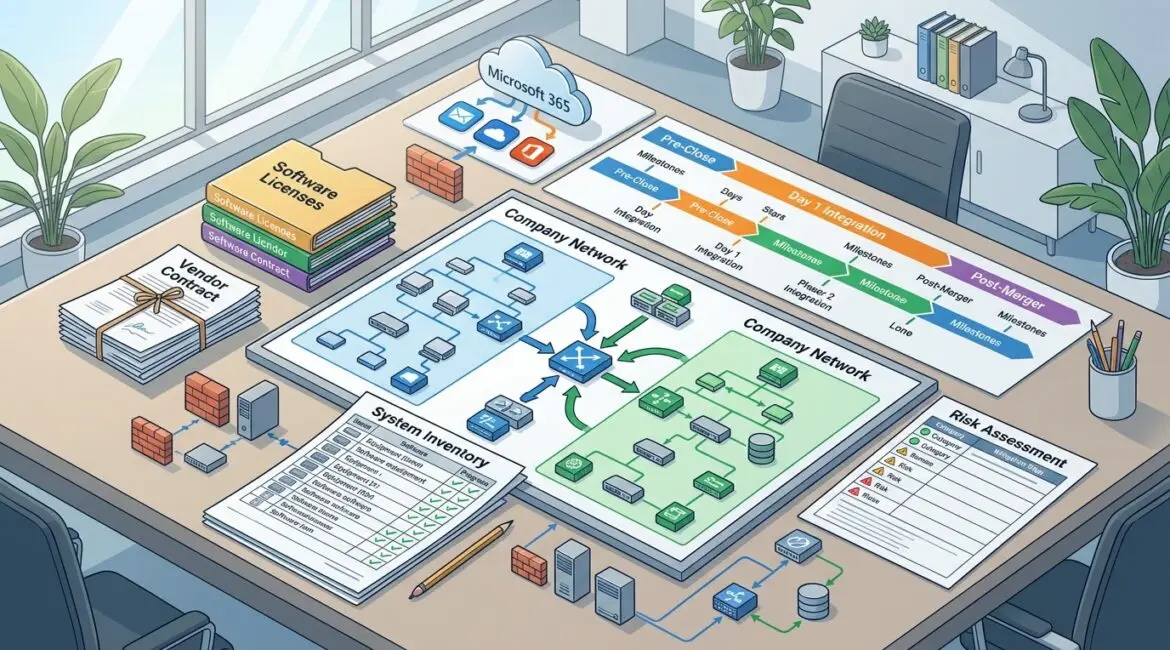
A technology plan for a business acquisition starts with one goal: make sure the acquired company can keep operating without creating avoidable cost, downtime, or security risk. The best plans are built before closing, not after, and they focus on systems, data, access, vendors, and business priorities in plain terms.
If you wait until the paperwork is signed to sort out technology, you often inherit hidden problems. That can mean unsupported servers, duplicate software, weak cybersecurity controls, or a billing system nobody fully understands.
Why technology planning matters before the acquisition closes
Most acquisitions are evaluated through finance, legal, and operations. Technology sometimes gets pushed into the background, even though it affects all three. If the acquired company relies on aging hardware, undocumented processes, or a patchwork of software subscriptions, those issues quickly become business problems.
For example, a manufacturer in Southeast Wisconsin may acquire a smaller shop to expand capacity. On paper, the deal looks strong. But if the shop floor PCs are ten years old, the ERP integration is unclear, and the backup system has not been tested, production delays can show up in the first month.
A professional services firm can face a different version of the same problem. It may acquire a smaller practice with client files stored across personal drives, shared inboxes, and consumer file sharing tools. The risk is not only inefficiency. It can also create confidentiality and retention issues.
Start with business priorities, not hardware lists
Before reviewing devices and software, define what the acquisition is supposed to accomplish. The technology plan should support the deal, not distract from it.
Ask a few direct questions first
- What must keep working on day one? Payroll, production scheduling, donor management, email, phones, and customer billing are common examples.
- What can be consolidated later? You may not need to merge every system immediately.
- What data is most sensitive? Financial records, HR files, donor data, client records, and regulated information need extra attention.
- Who will own decisions after close? Without clear ownership, even simple changes stall.
This step keeps the plan grounded. A nonprofit in Kenosha may decide donor database continuity matters more than replacing laptops in the first 30 days. A law firm may put document access and secure email at the top of the list.
Build your acquisition technology review around seven areas
1. Inventory systems, devices, and software
You need a full picture of what you are buying. That includes servers, laptops, firewalls, cloud platforms, line-of-business applications, phone systems, copiers with storage, backup tools, and internet providers.
Do not stop at equipment. Identify software licenses, renewal dates, admin accounts, and who actually manages each system. A good business technology inventory can save weeks of confusion after close.
Common surprises include:
- Software paid for on a former employee’s credit card
- Shared admin passwords with no audit trail
- Internet contracts that auto renew
- Specialized manufacturing or nonprofit software with only one knowledgeable user
2. Assess cybersecurity and access risk
An acquisition can also mean inheriting security gaps. Review how users log in, who has administrator rights, whether multifactor authentication is enabled, and how remote access is handled. Look at antivirus, patching, email security, backups, and vendor access.
This does not need to be overly technical. The practical question is simple: if you connect this environment to yours, what risk comes with it?
For example, if the acquired company has 25 users and no multifactor authentication, a weak password could expose email, file storage, and financial approvals. If one compromised account delays invoicing for three days, the cost is not theoretical. It affects cash flow.
3. Review data locations and data quality
Find out where business data lives and whether it is organized well enough to support operations after the acquisition. Files may be stored in Microsoft 365, local servers, desktops, external drives, or industry-specific applications.
You also need to know what should be retained, archived, migrated, or restricted. If you are combining teams, poor file structure can create major productivity loss. Ten employees losing 20 minutes a day searching for the right files adds up to more than 16 hours of lost work each week.
If sensitive information is exchanged during the transition, secure communications matter. In some cases, it makes sense to review whether secure email encryption should be part of the transition process.
4. Map integrations and dependencies
Many businesses rely on systems that quietly depend on each other. Accounting may feed payroll. CRM may trigger invoicing. A warehouse scanner may connect to an on-premise database. A donor platform may sync to email marketing and finance tools.
If one system changes, several others may break. That is why acquisition planning should map:
- Which applications connect to each other
- Which vendors support those connections
- Which systems are business critical
- Which processes still depend on one specific employee
This is especially important for manufacturers and professional service firms with custom workflows. A missed dependency can turn a simple migration into a week of disruption.
5. Evaluate support, documentation, and vendor relationships
Some acquired businesses run on tribal knowledge. One office manager knows the copier login. One consultant knows the firewall password. One outside vendor installed the server years ago and nobody has the contract.
That is a risk. Review documentation, support agreements, escalation contacts, warranty status, and administrative access. If there is little documentation, build that into the post-close plan immediately.
This is one reason many organizations benefit from a structured review similar to an IT health check. It helps identify what is missing before those gaps slow down operations.
6. Estimate near-term costs and deferred costs
Acquisition technology planning should include a realistic 12 to 24 month cost view. Some costs are immediate, such as licensing, security tools, device replacements, and network upgrades. Others are deferred, such as server refreshes, cloud migrations, or standardizing collaboration tools.
Here are a few common examples:
- Replacing 15 unsupported PCs at $1,000 to $1,500 each
- Upgrading firewall and switching equipment for a second location at $5,000 to $15,000
- Adding cybersecurity controls and backup improvements for a 30-user office at $500 to $2,000 per month depending on scope
- Paying for overlapping software during a 90-day transition period
These are not reasons to avoid a deal. They are reasons to budget accurately.
7. Create a phased integration plan
Not everything should happen at once. The best acquisition technology plans separate urgent work from strategic improvements.
A practical phased approach often looks like this:
- Pre-close: due diligence, risk review, system inventory, access planning, vendor identification
- Day 1 to 30: secure accounts, confirm backups, stabilize email and internet, document critical systems, assign ownership
- Month 2 to 6: standardize devices, reduce duplicate software, improve identity security, clean up file storage, align support processes
- Month 6 to 12: complete larger migrations, retire old systems, optimize costs, improve reporting and governance
This phased model reduces disruption. It also gives leadership a clearer way to measure progress.
Common mistakes that make acquisitions harder than they need to be
- Assuming the acquired company uses the same standards you do. Even similar businesses often have very different technology habits.
- Focusing only on hardware. Access, vendors, software, and undocumented processes are often bigger risks.
- Trying to merge everything immediately. Fast change can create downtime if critical workflows are not mapped first.
- Ignoring user communication. Employees need to know what changes, when it changes, and where to get help.
- Skipping long-term planning. A rushed fix today can create years of extra support cost.
What a good acquisition technology plan should deliver
By the end of the planning process, leadership should have a clear, usable document. It should not read like a technical manual. It should answer business questions.
A solid plan typically includes:
- A summary of business-critical systems
- A list of major risks and recommended actions
- An access and security transition plan
- A vendor and contract inventory
- A 30, 90, and 180 day action roadmap
- A budget range for stabilization and integration
- Clear ownership for decisions and follow-up
That kind of structure helps executives make better choices under pressure. It also reduces the chance that hidden technology problems will erode the value of the acquisition.
Final thought
A business acquisition can create growth, efficiency, and stronger market position, but only if the technology side is planned with the same care as finance and legal. A practical technology plan helps you protect continuity, control cost, and make the transition easier for employees and customers.
If you’re ready to strengthen your technology, reduce risk, and plan for the future, contact Platinum Systems to schedule a technology strategy discussion. We help organizations in Southeast Wisconsin, Northeast Illinois, and the Kenosha area evaluate technology decisions with a business-first approach.