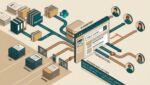


Businesses should secure internet connected devices by treating them like any other business asset: identify them, lock down their settings, separate them from critical systems, keep them updated, and monitor them over time. That applies to obvious devices like laptops and phones, but also to printers, cameras, thermostats, door controllers, conference room systems, and manufacturing equipment.
The problem is not that these devices exist. The problem is that many businesses add them to the network without a clear plan. A single poorly managed device can create an entry point for attackers, cause outages, or expose sensitive data.
Why internet connected devices create business risk
Many internet connected devices are built for convenience first. Security is often basic, and setup is frequently rushed. A camera installer, copier vendor, or facilities contractor may connect equipment and get it working, but no one verifies whether passwords were changed, remote access was restricted, or updates were enabled.
That gap matters because these devices often stay in place for years. Unlike employee laptops, they may not be part of regular IT checkups. Over time, they become forgotten assets sitting on the same network as accounting systems, file storage, and cloud applications.
For a manufacturer in Southeast Wisconsin, that could mean a vulnerable shop floor device affecting production scheduling. For a nonprofit in Kenosha, it might be a networked printer exposing donor records. For a law or accounting firm in Northeast Illinois, an insecure conference room device could become a weak point on a network that handles confidential client information.
Start with a full device inventory
You cannot protect devices you do not know about. The first step is building a complete list of everything connected to the network, including devices that are easy to overlook.
Common examples include:
- Printers and copiers
- Security cameras and video recorders
- Smart TVs and conference room systems
- Badge readers and door access systems
- HVAC and building management controls
- Voice over IP phones
- Network attached storage devices
- Medical, lab, or manufacturing equipment
- Backup appliances
- Wireless access points and firewalls
A good inventory should show the device type, location, owner, vendor, model, serial number, IP address, software or firmware version, and whether the device needs internet access at all. If your business has never created that list, a useful technology inventory is one of the best places to start.
Change default settings before the device goes live
One of the most common problems is also one of the easiest to fix. Many devices are installed with default usernames, passwords, and open services that should never remain in place.
Before deployment, make sure you:
- Change default administrator credentials
- Use strong unique passwords or centralized authentication where supported
- Disable features you do not need
- Turn off unused remote access options
- Rename devices clearly so they are easy to identify later
This is especially important for devices installed by outside vendors. If a copier company or camera installer uses the same admin password across multiple customers, your business inherits unnecessary risk. Clear standards for vendor access and setup can prevent that problem from the start.
Separate devices from the rest of the business network
Not every device belongs on the same network as your main business systems. In many cases, the safest move is to isolate internet connected devices on their own network segment or VLAN.
In plain English, that means your cameras, smart TVs, or building systems are not sitting side by side with accounting workstations and file servers. If one device is compromised, it is harder for the problem to spread.
Network separation is especially useful for:
- Security cameras
- Guest wireless devices
- Building automation systems
- Vendor managed equipment
- Older devices that cannot support modern security controls
This kind of planning also improves troubleshooting. If a camera system starts flooding the network with traffic, your team can contain the issue faster instead of chasing random slowdowns across the office. Strong segmentation is part of good network design, and it connects closely with having better network visibility into what is actually happening.
Keep firmware and software updated
Internet connected devices run software too, even if the manufacturer calls it firmware. Those updates often fix security issues, stability problems, and performance bugs.
The challenge is that many businesses do not have a process for checking them. A printer, camera recorder, or door controller may go three or four years without a single update. That is a long time for known issues to remain exposed.
A practical update process should include:
- Tracking firmware versions in your inventory
- Assigning responsibility for updates
- Reviewing manufacturer notices regularly
- Testing updates on critical devices when needed
- Replacing devices that no longer receive security updates
If a device is no longer supported, that is a business decision point, not just a technical one. Replacing a $700 network appliance is often far less expensive than dealing with a day of downtime, emergency support, or a compliance issue.
Limit who and what can access each device
Most internet connected devices do not need broad access. A camera system may need to talk to its recorder and a management workstation. A smart thermostat may only need to reach a cloud service. A printer does not need permission to communicate with every system on your network.
That is why access control matters. Give users, vendors, and devices only the access they actually need.
That usually means:
- Restricting admin access to approved staff
- Using multi-factor authentication where available
- Allowing only required network traffic
- Removing old vendor accounts when contracts end
- Reviewing shared credentials and replacing them where possible
This is also where many organizations run into trouble with convenience. Shared logins, old remote access tools, and broad permissions may save a few minutes during setup, but they create long-term support and security problems.
Monitor devices instead of waiting for a problem
Secure internet connected devices need ongoing oversight. A device that was configured properly last year may not be secure today if settings changed, updates failed, or a vendor opened temporary access and never removed it.
Businesses should monitor for:
- New devices appearing on the network
- Configuration changes
- Failed login attempts
- Unexpected internet traffic
- Offline or unstable devices
- Expired support or warranty status
This is one reason proactive management costs less than constant cleanup. If a professional services firm loses access to its phone system for half a day because a network device failed or was misconfigured, the cost is not just repair time. It is missed client calls, delayed work, and frustrated staff. Articles like this explanation of configuration drift show how small unmanaged changes can turn into real business disruption.
Include internet connected devices in business planning
These devices should be part of your broader technology standards, budget, and lifecycle planning. Too often, businesses budget for laptops and software but forget about replacing aging firewalls, unsupported access control systems, or outdated wireless hardware.
That creates a pattern of reactive spending. Something fails, support becomes urgent, and the business pays more because there was no replacement plan.
A better planning approach includes:
- Replacement schedules for network and connected devices
- Security standards for new purchases
- Approval processes for vendor-installed equipment
- Documentation for setup and support ownership
- Periodic reviews as part of an IT health check
For organizations with multiple sites across Southeast Wisconsin or Northeast Illinois, standardization matters even more. If each office buys different devices with different support models, managing security becomes harder and more expensive.
What business leaders should ask their IT provider
If you are not technical, you do not need to know every device setting. You do need clear answers to a few practical questions.
Ask your IT team or provider:
- Do we have a complete list of internet connected devices?
- Which of these devices are unsupported or out of date?
- Are they separated from critical business systems?
- Who has administrative access to them?
- How are firmware updates tracked and applied?
- Which vendors can remotely access our environment?
- What happens if one of these devices fails or is compromised?
Those questions usually reveal whether device security is being managed strategically or handled case by case.
Conclusion
To secure internet connected devices, businesses need visibility, standards, segmentation, updates, and ongoing oversight. The goal is not to eliminate useful technology. It is to make sure every connected device supports the business without quietly increasing risk, downtime, or support cost.
If you’re ready to strengthen your technology, reduce risk, and plan for the future, contact Platinum Systems to schedule a technology strategy discussion.