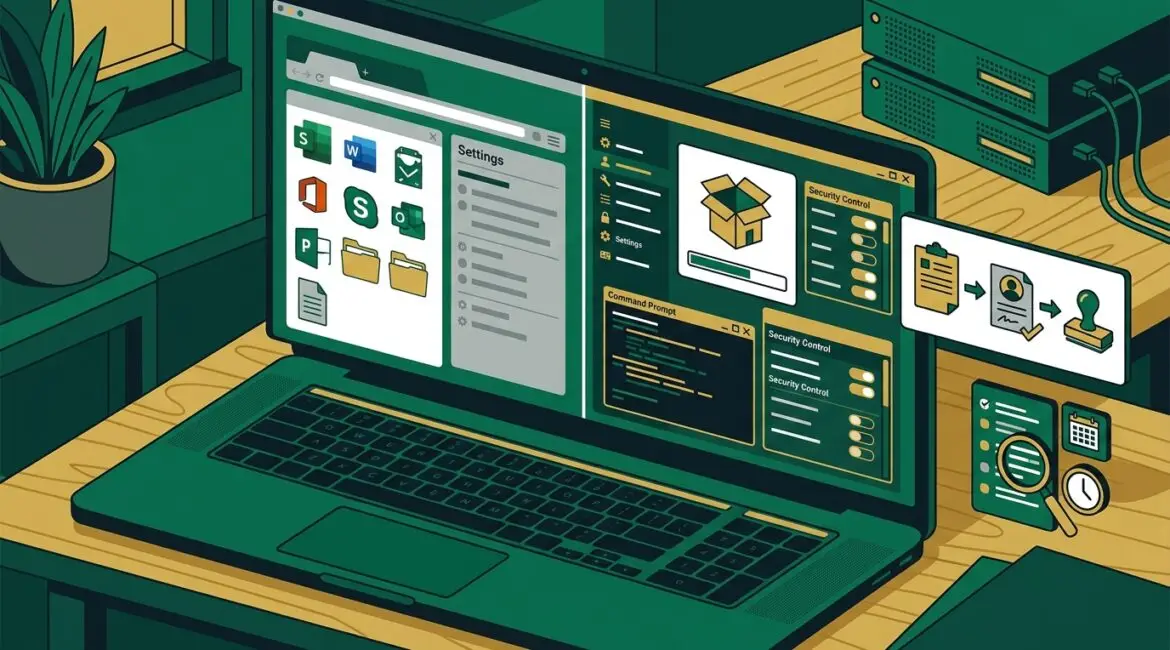
Businesses should manage local administrator rights by removing them from everyday user accounts, limiting them to approved roles or specific tasks, and reviewing exceptions regularly. For most organizations, the safest and most practical approach is standard user access by default with controlled elevation when a legitimate business need exists.
That may sound technical, but the business issue is simple. If too many people have full control over their computers, one bad click, one poorly chosen download, or one rushed shortcut can create security problems, downtime, and support costs that were easy to avoid.
What local administrator rights actually mean
A local administrator account has broad control over a device. It can install software, change security settings, disable protections, add users, access sensitive system areas, and make changes that standard users cannot.
On the surface, that sounds convenient. An employee can install a printer tool, update a program, or troubleshoot a problem without waiting for IT. The tradeoff is that malware, ransomware, or unauthorized software can often do those same things if it reaches an admin-level account.
In plain English, local administrator rights turn a normal user account into one with the keys to the machine.
Why too much admin access creates business risk
Many small and midsize businesses ended up with broad admin access for practical reasons. Maybe the company started small, everyone needed flexibility, and no one revisited the setup as the organization grew. That is common in manufacturers, nonprofits, and professional service firms across Southeast Wisconsin and Northeast Illinois.
The problem is that convenience at the beginning often becomes risk later. When every employee can install software or change settings, your environment becomes harder to secure, support, and standardize.
Common problems caused by excessive admin rights
- Malware spreads more easily because harmful software can install itself with fewer barriers.
- Security tools get weakened when users disable antivirus, firewall settings, or browser protections to solve a short-term annoyance.
- Unauthorized software appears which increases licensing cost, compatibility issues, and data exposure.
- Support becomes slower because every device may be configured differently.
- Compliance gets harder when access is not limited or documented.
Consider a 25-person accounting firm. If one employee with local admin rights installs a browser extension that captures credentials, the issue may not stay limited to one laptop. It can lead to compromised email, client file exposure, and hours or days of cleanup. The direct cost might be a few thousand dollars in emergency response and lost productivity, before you even count reputational damage.
Should anyone have local administrator rights?
Yes, sometimes. The goal is not to eliminate admin access in every situation. The goal is to control it carefully.
Some employees have legitimate reasons to perform elevated tasks. Examples include engineers running specialized manufacturing software, internal IT staff, or approved power users managing equipment interfaces. A nonprofit may also have a database administrator or operations lead who needs limited elevated access for a donor system or line-of-business application.
But those cases should be the exception, not the default. If everyone has admin rights because it is easier, that is not a strategy. It is a shortcut that usually becomes expensive later.
What a good business approach looks like
A practical local administrator rights strategy balances security with daily work. It should reduce unnecessary access without creating constant delays for employees.
1. Make standard user access the default
Most employees do not need full control of their devices to do their jobs. Email, accounting platforms, CRMs, Microsoft 365, web apps, document systems, and collaboration tools usually work fine without admin rights.
Starting with standard access also improves consistency. It supports the kind of standardization discussed in an easier to manage IT environment, where support is simpler because devices are configured in a more controlled way.
2. Approve exceptions based on role, not habit
If someone needs elevated access, document why. Tie that access to a job requirement, business application, or approved process.
Good exception questions include:
- What task requires admin rights?
- How often does it happen?
- Can IT perform it instead?
- Can the software be updated or reconfigured so admin rights are no longer needed?
- Does the user need full-time admin rights or only temporary elevation?
This avoids the common pattern where one exception quietly turns into ten.
3. Use separate admin accounts when needed
If an employee or technician truly needs admin access, it is better to use a separate account for administrative tasks instead of giving admin rights to the person’s everyday login. That way, email, web browsing, and routine work happen under a standard account, while elevated actions require a deliberate switch.
This simple separation reduces the chance that a phishing click or malicious attachment runs with full system privileges.
4. Add approval and monitoring around elevation
Modern access tools can allow temporary elevation for approved tasks. For example, a user might request permission to install a signed business application for 30 minutes instead of having permanent admin rights all year.
That creates a record of who requested access, what was installed, and when it happened. It also supports better oversight alongside broader identity controls such as those covered in Microsoft Entra ID security planning.
5. Review local admin memberships regularly
Many businesses think they have a tight access model until someone checks the actual device groups and finds old users, former vendors, or long-forgotten exceptions still in place.
Regular review matters because access tends to drift over time. That is one reason configuration review is so important, especially when businesses are already dealing with software changes, staff turnover, and growth.
How local admin rights affect cost and productivity
Some leaders worry that removing local admin rights will slow employees down. It can, if the change is handled poorly. But in well-managed environments, the opposite is often true over time.
Here is why:
- Fewer security incidents mean fewer interruptions and less emergency support.
- More standardized devices mean faster troubleshooting.
- Less unauthorized software means fewer application conflicts.
- Clear approval paths reduce confusion about what employees can install or change.
Imagine a 40-user nonprofit where each employee installs their own PDF tools, browser add-ons, and file-sharing apps. Support tickets pile up because systems behave differently from one workstation to the next. Even if each ticket only costs 30 minutes of staff time and support effort, those small interruptions add up quickly over a year.
By contrast, a controlled environment may require a little more planning upfront but often reduces recurring support noise. That fits the same principle behind reducing IT support requests through better planning.
Best practices for small and midsize businesses
If your organization wants a practical starting point, focus on these steps:
- Audit current local administrator memberships on all business devices.
- Remove admin rights from general user accounts unless there is a documented need.
- Create a written exception process for users who need elevated access.
- Use separate privileged accounts for IT staff and administrators.
- Require multifactor authentication for privileged accounts where possible.
- Monitor software installation and privilege changes.
- Review access quarterly or whenever roles change.
- Test business applications to confirm they work properly under standard user permissions.
For companies in Kenosha and surrounding areas, this is often part of a broader cleanup effort. Admin rights are rarely the only issue. They usually connect to device standardization, identity security, software sprawl, and support process gaps.
When to revisit your current setup
If any of these sound familiar, it is time to review your approach:
- Employees can install almost anything without approval.
- Different computers behave differently even when users have the same role.
- You are not sure who currently has admin rights.
- Security tools have been disabled or bypassed in the past.
- Software audits keep uncovering unapproved applications.
- Your business has grown, but access rules have not changed.
A local administrator rights review is not just a technical cleanup. It is a business decision about control, risk, support cost, and operational consistency.
Conclusion
Businesses should treat local administrator rights as a controlled exception, not a standard setting. When access is limited thoughtfully, employees can still get their work done while the organization reduces avoidable risk, support complexity, and downtime.
If you are ready to strengthen your technology, reduce risk, and plan for the future, contact Platinum Systems to schedule a technology strategy discussion. A careful review of access, devices, and day-to-day support practices can reveal practical improvements that protect the business without getting in the way of work.