

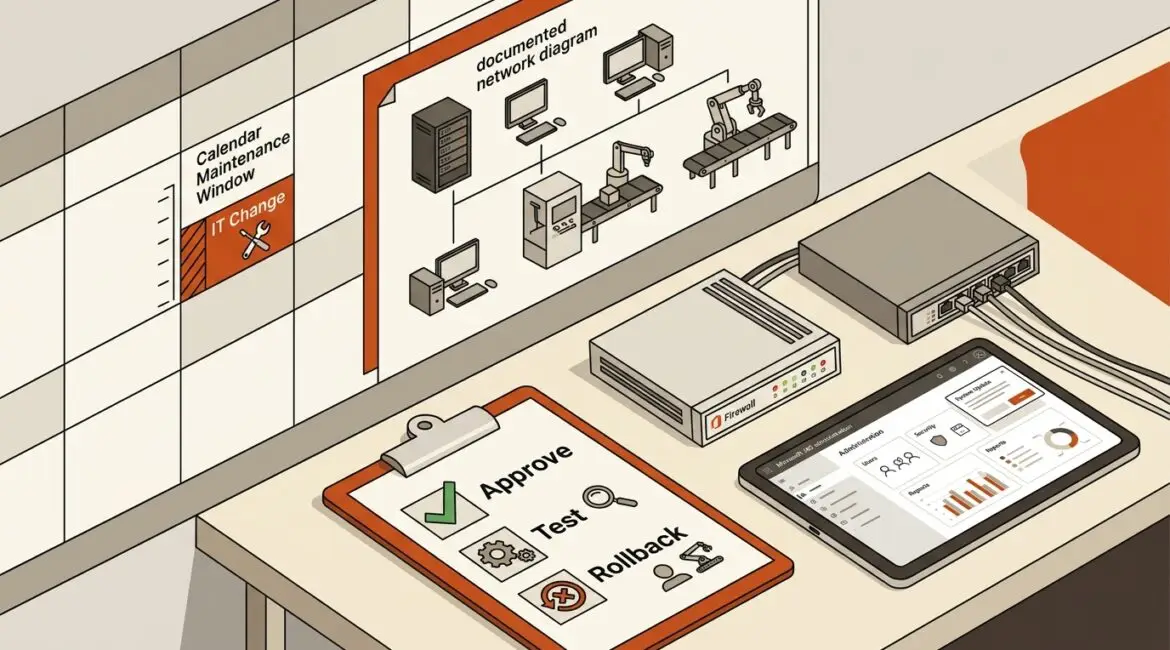
An IT change management process is a structured way to make technology changes without creating avoidable downtime, security problems, or confusion. Yes, even a small business needs one. If your company relies on email, cloud apps, internet access, phones, files, or line-of-business software, then changes to those systems affect real work and real money.
For many organizations, the issue is not whether change happens. It happens constantly. The real question is whether those changes are planned and controlled, or rushed in after something breaks.
What IT change management means in plain English
Change management sounds formal, but the idea is simple. Before someone updates a firewall, replaces a switch, changes Microsoft 365 settings, installs new software, moves files, or gives a vendor remote access, there should be a clear process.
That process answers a few practical questions:
- What is changing?
- Why is it changing?
- Who approved it?
- When will it happen?
- What could go wrong?
- How will we test it?
- How do we roll it back if it fails?
- Who needs to know?
Without those answers, businesses end up relying on memory, assumptions, and last-minute decisions. That usually works until it does not.
Why small businesses run into trouble without a process
Many owners hear the term and assume it is only for large enterprises with internal IT departments. In reality, small businesses often feel the impact of poor change control faster because they have fewer backup resources and less margin for disruption.
Consider a 25-person accounting firm in Kenosha. An after-hours firewall update goes wrong, and staff cannot access cloud applications the next morning. If each employee bills or supports work worth $75 per hour, three hours of lost productivity can easily cost more than $5,000 before you count missed deadlines or client frustration.
Or take a small manufacturer in Southeast Wisconsin. A network change affects a workstation on the shop floor that connects to production equipment. If output slows for half a day, the cost is not just IT labor. It can mean delayed shipments, overtime, and avoidable schedule pressure.
Nonprofits and professional service firms see the same pattern. A permissions change in file storage can block access to grant records, donor data, or client documents right when staff need them most.
What kinds of changes should be managed?
Not every change needs a committee meeting or a long approval chain. But any change that could affect security, uptime, access, compliance, or business operations should be handled deliberately.
Common examples include:
- Firewall, router, or switch configuration changes
- Microsoft 365 security or access policy changes
- Software deployments and updates
- Server maintenance
- New vendor integrations
- User permission changes for shared files or line-of-business apps
- Internet or phone system cutovers
- Office relocations or network redesigns
- Backup and recovery setting changes
If a change could interrupt work, expose data, or require recovery steps, it belongs in the process.
What a practical IT change management process looks like
A small business does not need a complicated framework. It needs a process that is consistent, documented, and easy to follow.
1. Request the change
Someone identifies a need. Maybe your CPA firm wants stronger email security. Maybe your nonprofit needs to give a fundraising platform vendor limited access. Maybe your manufacturer is replacing aging wireless equipment.
The request should include the business reason, affected systems, expected benefits, and any likely risks.
2. Review the impact
This is where you ask what the change might affect. Could it interrupt internet access? Could it lock users out? Could it create a security gap or software conflict?
This step also helps identify dependencies. A simple change in one system may affect printers, phones, shared drives, remote users, or vendor connections.
3. Approve the change
Approval does not need to be bureaucratic. It just means the right people know the change is happening and agree it makes sense. That may include an owner, operations manager, department leader, or outside IT advisor.
Approval should match the risk. A routine software update may need light review. A change to identity access, internet connectivity, or financial software deserves more attention.
4. Schedule it carefully
Timing matters. Good change management avoids business disruption by scheduling work during off-hours, slower periods, or planned maintenance windows.
It also includes communication. Staff should know what is changing, when it will happen, what to expect, and who to contact if something does not work afterward.
5. Test before and after
Testing is where many preventable problems are caught. Before the change, confirm backups, settings, and documentation. After the change, verify that critical functions still work.
That means testing more than whether a device turns on. Can users sign in? Can they print? Can they access shared files? Can the accounting platform sync? Can remote staff connect?
6. Have a rollback plan
Every meaningful change should include a way back. If the update fails, who restores the prior settings? How long should you try to fix the issue before rolling back? What is the exact recovery path?
This is one reason documentation matters. Businesses that lack current records often lose time during recovery because nobody is fully sure what the original setup was. That is also why good network documentation supports smoother changes.
7. Record what happened
After the change, document the result. Note what was changed, who performed it, whether issues occurred, and what follow-up is needed.
Over time, this gives your business a useful history. It reduces repeat mistakes, speeds troubleshooting, and helps new team members or outside support providers understand your environment.
The business value goes beyond avoiding outages
Most leaders first think about change management as a way to prevent downtime. That is true, but the value is broader.
- Lower support costs. Fewer rushed fixes and repeat issues.
- Better accountability. Clear ownership of decisions and actions.
- Improved security. Less chance of accidental exposure or risky shortcuts.
- More predictable operations. Changes happen on purpose, not in a panic.
- Better planning. Technology decisions align with business priorities and budgets.
It also helps reduce configuration drift, where systems slowly move away from approved settings over time. If that issue sounds familiar, our article on configuration drift explains why unmanaged changes create support and security problems later.
How formal should a small business make it?
The answer depends on complexity, risk, and industry requirements. A 10-person office does not need the same process as a multi-site healthcare group. But both need clarity.
For many small businesses, a practical version includes:
- A standard change request template
- A simple approval path based on risk
- A change calendar
- Required testing and rollback steps
- Post-change documentation
If your business already has recurring planning rhythms, this process fits naturally into them. In fact, a well-built annual IT planning calendar makes it easier to schedule upgrades, maintenance, renewals, and security improvements before they become urgent.
Signs your business needs better change management right now
If any of these sound familiar, your current process probably needs work:
- Staff say, “It worked yesterday” more often than they should
- No one is sure who approved a recent change
- Vendors make updates without clear oversight
- You do not have rollback steps for major changes
- Documentation is outdated or incomplete
- Security settings vary from one system to another
- Technology work is often done reactively after a problem appears
These are not just IT issues. They are operational issues that affect productivity, client service, and cost control.
Where Platinum Systems fits in
At Platinum Systems, we see change management as part of good business operations, not just technical process. The goal is to help organizations in Southeast Wisconsin and Northeast Illinois make technology changes with less disruption, better visibility, and clearer decision-making.
That means defining what needs approval, documenting key systems, planning maintenance windows, and making sure every important change has a business reason behind it. For small businesses, manufacturers, nonprofits, and professional firms, that structure can make day-to-day technology far easier to manage.
Conclusion
An IT change management process is simply a disciplined way to make technology changes without creating unnecessary downtime, risk, or confusion. Small businesses absolutely need one, especially when their operations depend on stable systems and limited internal resources.
If you’re ready to strengthen your technology, reduce risk, and plan for the future, contact Platinum Systems to schedule a technology strategy discussion.