

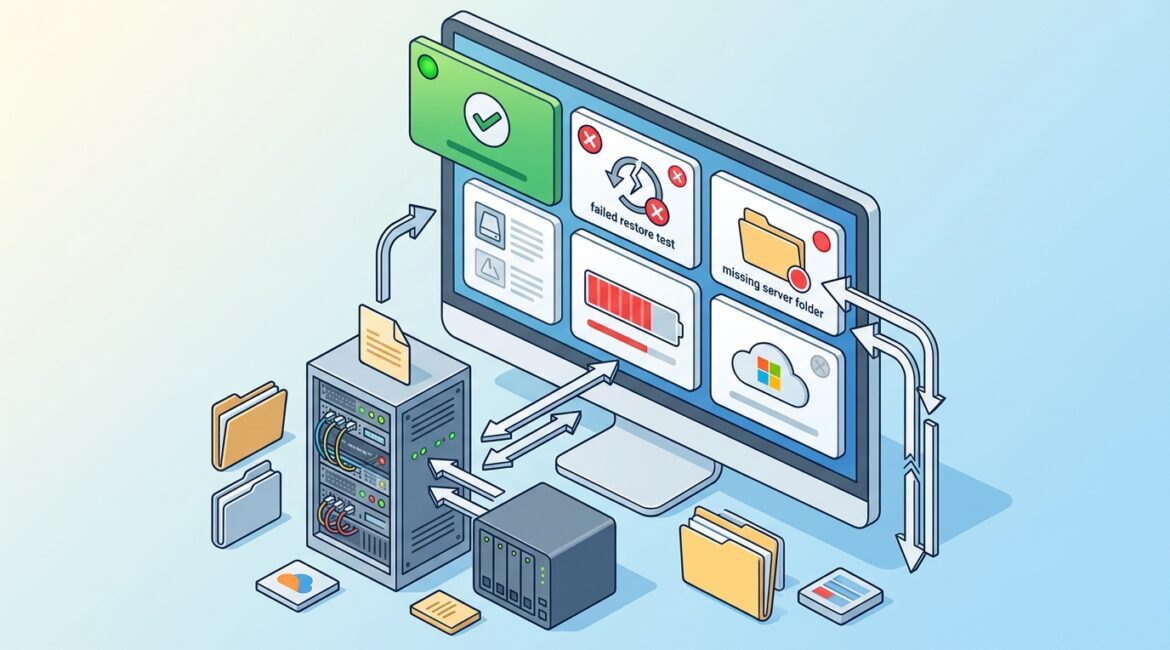
Backup monitoring is the process of checking whether your backups are actually usable, complete, current, and recoverable. A backup job marked successful only tells you one narrow thing: the software finished its task. It does not guarantee that the right data was captured, that the files are not corrupted, or that your business could restore operations quickly if something goes wrong.
That difference matters more than most business leaders realize. When a server fails, a user deletes a critical folder, or ransomware affects shared files, the question is not whether a backup ran last night. The real question is whether your team can get back to work without days of disruption.
Why a successful backup can create a false sense of security
Backup platforms often report success based on the completion of a process, not the business outcome. In plain English, the system may be saying, “I finished the job I was told to run,” not, “Your business is fully protected and ready to restore.”
There are several reasons that happens:
- The backup ran, but it skipped a critical folder or application database.
- The backup completed, but the storage destination was nearly full.
- The data copied successfully, but the backup file is corrupted.
- The backup exists, but the restore process fails when you actually need it.
- The backup covered files, but not system settings, permissions, or application dependencies.
- The backup is too old to meet your recovery needs.
For a business owner, that means a green check mark in a dashboard can hide a real operational problem.
What backup monitoring actually includes
Good backup monitoring goes beyond checking whether a task ran on schedule. It looks at the health of the entire recovery process.
Backup job status
This is the basic first layer. Did the scheduled backup start and finish? Were there warnings, partial completions, or repeated retries?
Backup coverage
Monitoring should confirm that the right systems, servers, cloud data, and file locations are included. This is especially important when businesses add new software, move data to Microsoft 365, or change file storage practices.
Storage capacity and retention
If your backup repository is running out of space, older restore points may be deleted sooner than expected. That can create trouble if you discover a problem weeks later and need a clean version from before the issue started.
Backup integrity
A backup file that cannot be read is not useful. Monitoring should include checks for corruption, failed verification, and abnormal file sizes.
Restore testing
This is where many organizations fall short. The only way to know whether a backup will work in a real event is to test restoring files, applications, and systems.
Alerting and response
Monitoring is only valuable if someone reviews alerts and takes action. If warnings sit unnoticed for days, the business still carries the risk.
Business examples of where “successful” is not enough
Manufacturer with design files on a shared server
A manufacturer in Southeast Wisconsin may store CAD drawings, production documents, and purchasing records on an on-premises file server. The nightly backup reports success for weeks. Then the server drive fails, and the restore reveals that a key engineering folder was excluded after a permissions change.
Now production planning is delayed, engineers are recreating files, and customer delivery dates may slip. A missed folder can turn into thousands of dollars in lost productivity and schedule disruption.
Nonprofit with donor and grant records in Microsoft 365
A nonprofit may assume Microsoft 365 alone covers every recovery need. Then a staff member accidentally deletes important grant files and the deletion is not noticed until later. If there is no proper backup monitoring for retention, version history, and restore capability, those records may be difficult or impossible to recover in time for a deadline.
For a lean team, losing one week to document reconstruction can affect funding, reporting, and staff workload.
Professional services firm with a line-of-business application
An accounting or legal office in Kenosha might back up the server that hosts its practice management software. The backup job succeeds, but no one verifies whether the application database can be restored cleanly. During a hardware failure, the server image comes back, but the database is inconsistent and the application will not open properly.
At that point, the issue is no longer technical trivia. Billable work stops, deadlines move, and client service suffers.
What business leaders should ask about their backups
You do not need to be an IT expert to ask the right questions. In fact, clear business questions usually reveal whether backup protection is mature or mostly assumed.
- What systems and data are backed up, and what is excluded?
- How often are backups reviewed by a real person?
- How quickly would we know if a backup failed or only partially completed?
- When was the last time we tested a full restore?
- How long would it take to restore a file, a server, or a major application?
- How many days of data could we afford to lose?
- Are Microsoft 365, cloud apps, and remote endpoints included where needed?
These questions tie directly to business continuity, not just IT operations. They also fit well into broader planning work such as an IT health check or annual budgeting review.
Backup monitoring supports recovery time, not just data storage
Many organizations think of backups as storage. A better way to think about them is recovery readiness. Monitoring helps answer whether your business can restore what matters within a timeframe that makes sense.
For example, if a 20-person office cannot access files for one full day, the cost may include:
- Lost employee productivity
- Delayed invoicing or order processing
- Missed customer commitments
- Temporary overtime to catch up
- Leadership time pulled into crisis management
If the average burdened labor cost is $40 per hour, one day of downtime for 20 employees can easily exceed $6,000 in direct productivity impact alone. That does not include customer frustration, disrupted operations, or recovery labor.
This is why backup monitoring should be part of a larger reliability strategy. If you want a broader view of reducing avoidable disruptions, our article on how to improve the reliability of your business technology is a useful next step.
Common backup monitoring gaps in small and midsize organizations
Many small and midsize businesses have backups, but fewer have a disciplined process around them. Some of the most common gaps include:
- No documented owner for backup review and follow-up
- Alerts sent to an old email address or ignored inbox
- No regular restore testing
- Cloud services assumed to be fully protected without validation
- New servers, laptops, or applications added without updating backup scope
- Retention settings that do not match legal, operational, or nonprofit reporting needs
These problems usually develop slowly. They are similar to other visibility issues in business technology. If your organization lacks clear oversight into systems and changes, articles like what network visibility is and why it matters can help frame the bigger picture.
What a practical backup monitoring process looks like
A practical process does not need to be complicated, but it does need to be consistent.
- Review backup alerts daily or according to the criticality of the system.
- Investigate warnings, not just outright failures.
- Verify that backup scope still matches current business systems.
- Track storage usage and retention trends.
- Test file-level restores regularly.
- Test full system or application restores on a scheduled basis.
- Document recovery priorities so the most important systems come back first.
This kind of discipline fits well with structured planning. Businesses that already maintain an annual review rhythm often handle backup oversight more effectively. For that reason, many leaders also benefit from reading how to build an annual IT planning calendar for your business.
How Platinum Systems approaches the issue
At Platinum Systems, we look at backups from the standpoint of business risk and recovery outcomes. That means asking what data matters most, how long your organization can tolerate downtime, and whether your current backup and monitoring approach supports those realities.
For manufacturers, that may mean protecting production data and shared design files. For nonprofits, it may mean preserving donor records, grant documentation, and Microsoft 365 data. For professional services firms, it often means making sure line-of-business systems can be restored in a usable state, not just copied somewhere.
The goal is not to add technology for its own sake. The goal is to reduce disruption, support better decisions, and make recovery predictable when something goes wrong.
Conclusion
A successful backup is a good start, but it is not the same as proven recoverability. Backup monitoring helps your business verify that backups are complete, healthy, and ready to restore when operations depend on them.
If you’re ready to strengthen your technology, reduce risk, and plan for the future, contact Platinum Systems to schedule a technology strategy discussion. We can help you evaluate whether your current backup approach is simply running or truly protecting the business.