

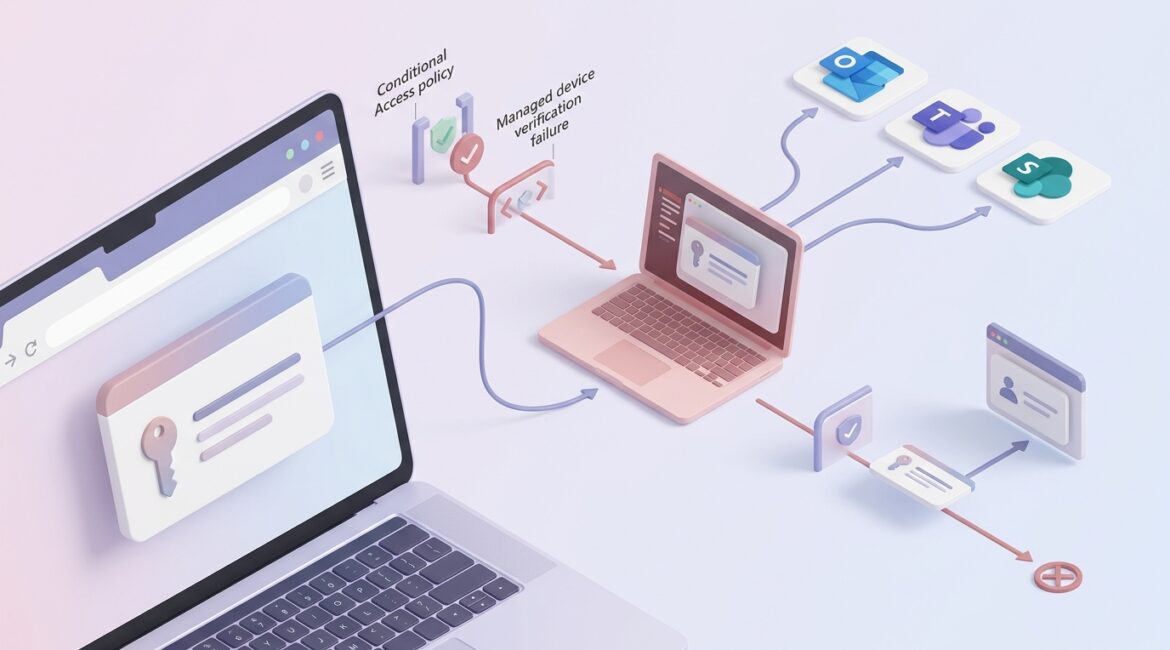
To protect Microsoft 365 from stolen session tokens, you need to reduce how often tokens can be abused and limit what an attacker can do if one is stolen. That means combining strong identity settings, secure browsers and devices, shorter session controls, and a clear response plan when suspicious sign-ins appear.
Many business leaders assume multi-factor authentication solves the problem. It helps, but stolen session tokens can sometimes let an attacker bypass the normal login prompt after a user has already signed in. If your organization relies heavily on Outlook, Teams, SharePoint, and OneDrive, this is a practical risk worth addressing.
What is a stolen session token in plain English?
When someone signs in to Microsoft 365, the system gives their browser or app a temporary digital pass. That pass is called a session token. It tells Microsoft 365, “this user already proved who they are, so let them keep working without logging in every few minutes.”
If a criminal steals that token from a compromised browser, infected device, or malicious sign-in page, they may be able to access the account as if they were the employee. They might read email, download files, review Teams chats, or send messages from a legitimate account.
This is one reason identity security has to go beyond passwords. Platinum Systems often explains this as a business control issue, not just a technical setting. If an attacker gets into a Microsoft 365 account for even a few hours, the cost can show up quickly in downtime, wire fraud risk, legal review, and staff time spent investigating.
Why session token theft matters to businesses
For a manufacturer in Southeast Wisconsin, one compromised Microsoft 365 account could expose supplier pricing, production schedules, or shared engineering files. For a nonprofit in Kenosha, it might mean donor data, grant communications, or board documents are viewed by the wrong person. For a law firm or accounting practice in Northeast Illinois, it could create client confidentiality issues and billable time losses.
The financial damage is not always dramatic at first. Sometimes it starts with subtle misuse:
- Email fraud: An attacker watches conversations and sends a realistic payment change request.
- Data theft: Files are downloaded quietly from SharePoint or OneDrive.
- Internal impersonation: A compromised account messages employees in Teams asking for sensitive information.
- Persistence: The attacker adds mailbox rules or registers new authentication methods to stay in the environment.
A single finance employee account compromise can easily consume 20 to 40 hours of internal and outside IT response time. If payroll, vendor payments, or client communications are affected, the productivity cost can climb far beyond the direct technical cleanup.
How attackers usually steal Microsoft 365 session tokens
Phishing websites that capture authenticated sessions
Some phishing kits do more than steal usernames and passwords. They can intercept the sign-in flow and capture session data after the user completes multi-factor authentication.
Malware on a workstation
Infostealer malware can pull browser cookies, saved credentials, and session artifacts from an infected device. If an employee uses a personal or poorly managed computer for work, the risk goes up.
Unmanaged browsers and extensions
Browser extensions with too much access, weak browser security settings, or unsupported software can expose session information. This is one reason browser security matters more than many organizations realize.
Weak access governance
If accounts have excessive privileges or broad file access, a stolen token becomes much more valuable to an attacker. Good access design limits the blast radius.
Practical ways to reduce the risk
Require phishing-resistant sign-in methods where possible
Traditional MFA is still important, but some methods are stronger than others. Security keys, passkeys, and well-managed passwordless sign-ins are harder to intercept than basic text message codes or prompt approvals.
If your leadership team, finance staff, and administrators are using Microsoft 365 daily, they should be first in line for stronger sign-in methods.
Use Conditional Access and device trust
Microsoft Entra ID can help you control which devices and sessions are trusted. For example, you can require that users access Microsoft 365 only from compliant, managed devices for certain apps or data types.
This matters because if a token is stolen from an unmanaged or risky device, those controls can reduce what happens next. If you want a broader identity foundation, our related article on Microsoft Entra ID explains where these protections fit.
Shorten session lifetimes for higher-risk access
Long sessions are convenient, but they also give attackers more time. For finance systems, executive accounts, or admin roles, it may make sense to require more frequent reauthentication.
This should be planned carefully. The goal is to protect sensitive workflows without frustrating employees every hour. A professional services firm may accept a shorter session for partner accounts, while a manufacturer may focus stricter controls on procurement and finance staff.
Limit browser-based risk
Because many token theft attacks target the browser, browser hardening is a smart business move. That can include:
- Using a supported, managed browser
- Restricting unapproved extensions
- Applying web filtering and secure DNS
- Keeping browsers and devices patched
- Separating work activity from personal browsing on company devices
These steps are often less expensive than dealing with one account takeover investigation.
Reduce standing privilege
Administrators should not use elevated accounts for routine email and web browsing. If an admin token is stolen, the consequences are much worse than a standard user compromise.
Separate admin accounts, role-based access, and least-privilege design are basic controls that still prevent a lot of damage.
Monitor for suspicious behavior inside Microsoft 365
Token theft is often discovered through behavior, not the original theft event. Watch for:
- Impossible travel or unusual sign-in locations
- New inbox forwarding rules
- Unexpected file download spikes
- Authentication method changes
- Access from devices that do not match your standards
Microsoft 365 gives organizations useful visibility here, but someone has to review it and act on it. That is one reason regular review of your environment matters. A good starting point is understanding Microsoft 365 Security Score and using it to identify gaps before they become incidents.
What to do if you suspect a stolen token
Speed matters. If you believe an account session has been hijacked, your team should act immediately.
- Revoke active sessions for the affected user
- Reset the password and require fresh authentication
- Review and remove suspicious MFA methods
- Check mailbox rules, forwarding settings, and delegated access
- Review recent file access and downloads
- Scan the user device for malware or isolate it from the network
- Review whether the account had elevated privileges
Without a tested process, even a small incident can drag on. We see this often when businesses rely on reactive support instead of documented response steps. Planning ahead is part of building a more resilient Microsoft 365 environment.
Business examples of smart protection
Manufacturer
A 75-user manufacturer near Kenosha may decide to require compliant laptops for SharePoint access, block risky browser extensions, and use stronger sign-ins for purchasing and finance. Those changes can reduce the chance that a compromised workstation leads to vendor fraud or data loss during a busy production week.
Nonprofit
A nonprofit with a small staff may not need enterprise complexity, but it still needs basic controls. Managed devices, stronger MFA for leadership, and alerting for suspicious inbox forwarding can go a long way without overwhelming the team.
Professional services firm
An accounting or legal firm handling confidential client information may justify tighter session policies, separate admin accounts, and more aggressive monitoring. The cost of one exposed mailbox can easily exceed the cost of prevention when you factor in client communication, investigation time, and reputational damage.
Protection works best when it is part of a larger plan
Session token theft is a good example of why cybersecurity should be managed as an ongoing business discipline. You do not solve it with one setting. You solve it with better identity controls, better devices, better monitoring, and clearer operating standards.
That is also why security reviews should be part of your annual planning cycle. If your organization has not reviewed Microsoft 365 policies, browser controls, and access design recently, now is a good time to address them before they become urgent. Our article on building an annual IT planning calendar can help leadership teams put these reviews on a schedule.
Conclusion
To protect Microsoft 365 from stolen session tokens, focus on trusted devices, stronger authentication methods, tighter session controls, browser security, and fast response procedures. The goal is simple: make account hijacking harder, limit the damage if it happens, and keep your business operating without unnecessary disruption.
If you’re ready to strengthen your technology, reduce risk, and plan for the future, contact Platinum Systems to schedule a technology strategy discussion.