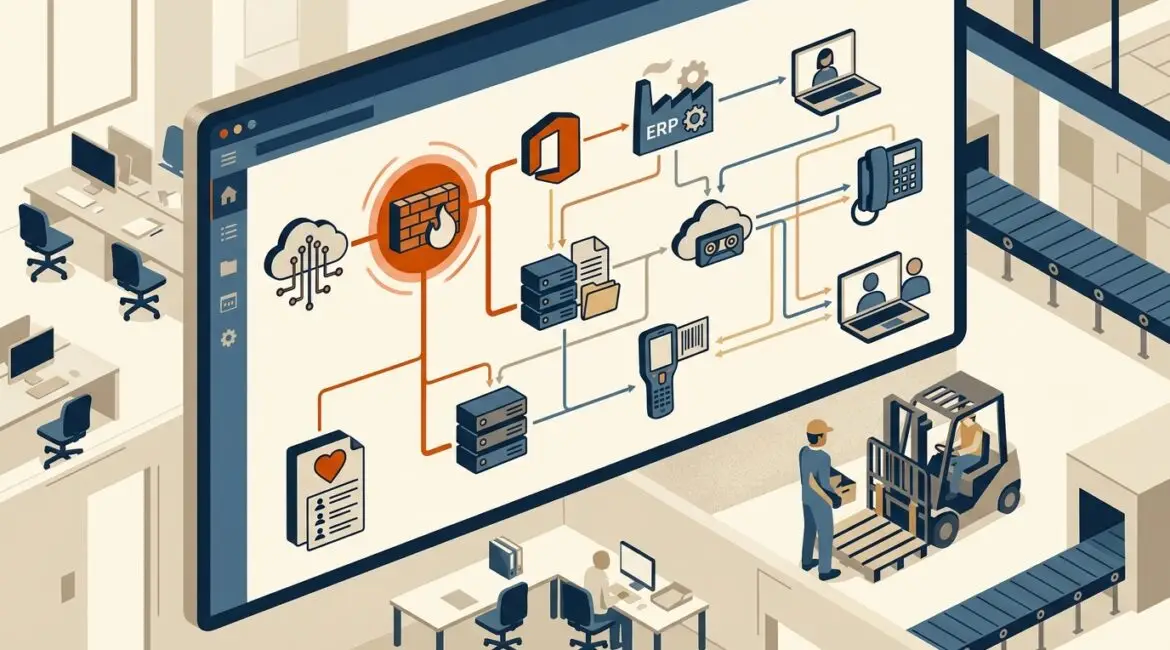
A technology dependency map is a clear picture of how your business systems, applications, vendors, devices, and workflows depend on one another. It is useful because it helps you understand what breaks when one piece fails, which makes planning, budgeting, security, and downtime prevention much easier.
Many businesses know what technology they own, but they do not always know how those tools connect. That gap matters. If your internet circuit fails, your phones, cloud applications, shipping system, remote access, and payment processing may all be affected at once. A dependency map turns that hidden risk into something visible and manageable.
What a technology dependency map actually shows
Think of it as a business-focused diagram, not just an IT diagram. It does not only list servers and software. It shows which systems support revenue, operations, communication, compliance, and customer service.
A good dependency map often includes:
- Core business applications such as ERP, accounting, CRM, donor management, scheduling, and file storage
- Infrastructure such as internet connections, firewalls, switches, Wi-Fi, servers, cloud platforms, and backup systems
- Identity and access tools such as Microsoft 365, Entra ID, multifactor authentication, and password management
- Endpoints such as desktops, laptops, mobile devices, printers, and specialty equipment
- Third-party vendors such as payroll providers, SaaS platforms, line-of-business software vendors, and managed service providers
- Business processes such as order entry, invoicing, payroll, client communication, production scheduling, and reporting
The point is to answer practical questions. What relies on what? Which systems are critical? Which vendor outage would stop work? Which single failure would affect five other systems?
Why businesses struggle without one
Without a dependency map, technology decisions are often made in pieces. A company adds a new cloud app, upgrades a firewall, changes an internet provider, or replaces a server without seeing the full business impact.
That creates problems such as:
- Unexpected downtime during changes
- Poor recovery planning
- Duplicate tools and wasted spending
- Security gaps between connected systems
- Confusion about who owns what
- Slow troubleshooting when something fails
This is common in growing organizations. A manufacturer in Southeast Wisconsin may have added systems over ten years to support production, inventory, accounting, and shipping. Each decision may have made sense at the time, but no one stepped back to map how everything fits together.
How a dependency map helps reduce downtime
Most downtime is more expensive than it first appears. It is not just the hourly cost of an outage. It also includes lost productivity, missed orders, delayed billing, customer frustration, overtime, and recovery effort.
For example, imagine a 25-person professional services firm in Kenosha. If its document management platform becomes unavailable for half a day, attorneys, accountants, or consultants may not be able to access client files, send deliverables, or complete billable work. If average loaded labor cost is $50 per hour, four hours of disruption could easily cost $5,000 in direct productivity alone, before revenue delays or client impact are counted.
A dependency map helps prevent that by showing:
- Which systems need redundancy
- Which changes require after-hours planning
- Which backup and recovery steps matter most
- Which vendors need escalation contacts
- Which applications must be tested first after an outage
If your organization is already working on reliability, our article on how to improve the reliability of your business technology goes hand in hand with dependency mapping.
Why it matters for cybersecurity
Cybersecurity is not only about protecting individual devices. It is also about understanding how trust, access, and data move across the environment.
If one employee account is compromised, what can that account reach? If a vendor remote access tool fails or is abused, which systems are exposed? If a cloud file platform syncs automatically to local devices, where does sensitive data end up?
A dependency map helps identify:
- Single points of failure that create outsized risk
- Overconnected systems that allow issues to spread
- Critical vendors that need stronger oversight
- Access dependencies tied to identity platforms and admin tools
- Recovery priorities for cyber incidents and ransomware events
This becomes especially valuable when paired with clear documentation. If you want a related foundation, see our post on what network documentation is and why every business needs it.
Business examples by industry
Manufacturing
A manufacturer may depend on an ERP platform, barcode scanners, warehouse Wi-Fi, production workstations, vendor portals, and shipping software. If wireless coverage drops in one area, inventory updates may fail, which can delay picking, packing, and outbound shipments. The issue may look like a Wi-Fi problem, but the business impact reaches operations and customer delivery.
Nonprofit organizations
A nonprofit might rely on Microsoft 365, a donor database, online giving tools, accounting software, volunteer scheduling, and grant reporting files. If a staff member loses access to the identity platform, email, shared files, and donor records may all become unavailable at once. During a fundraising campaign, that can affect donor communication and gift processing in a matter of hours.
Professional service firms
An accounting firm or law office often depends on secure email, document storage, line-of-business applications, e-signature tools, and remote access. If one tool changes authentication requirements without proper planning, staff may be locked out of several connected systems during tax season or a major client deadline.
What should be included in a practical map
The best maps are simple enough to use and detailed enough to guide decisions. They should not be so technical that only an engineer can read them.
At minimum, include:
- Critical business functions such as payroll, order processing, client service, production, and communications
- Systems that support each function
- Dependencies between systems
- Primary vendors and support contacts
- Data locations for important records
- Authentication and access dependencies
- Backup and recovery relationships
- Known single points of failure
In many cases, this work starts with a strong inventory. If your records are incomplete, building a useful map gets harder. That is why many organizations first review their assets, software, and ownership before mapping dependencies.
When a business should create one
The short answer is before a disruption forces the issue. In practice, a dependency map is especially valuable when:
- You are growing quickly
- You use many cloud applications
- You have multiple offices across Southeast Wisconsin or Northeast Illinois
- You are planning an office move, acquisition, or major software rollout
- You have had recurring outages or support confusion
- You need better budgeting for upgrades and replacements
It is also useful during annual planning. A map helps leadership decide what should be upgraded first, what needs backup connectivity, and where risk is being accepted without realizing it. For planning structure, our article on building an annual IT planning calendar is a helpful next step.
How Platinum Systems approaches dependency mapping
At Platinum Systems, we view dependency mapping as part of proactive technology planning. It is not an academic exercise. It is a way to help business leaders see where operations are fragile, where support is harder than it should be, and where smart changes can reduce cost and risk over time.
That may mean identifying one internet circuit that supports too many critical services, a cloud application with no clear owner, or a backup process that does not match recovery priorities. Once those relationships are visible, decisions become easier and more strategic.
The long-term value
A technology dependency map helps businesses make better decisions because it connects technical details to business outcomes. It improves change planning, shortens troubleshooting, supports cybersecurity, and reduces the chance that one small problem turns into a major operational issue.
It also gives leadership a clearer way to discuss technology with financial and operational priorities in mind. Instead of asking, “What server do we need to replace?” the better question becomes, “Which business functions are most at risk if this system fails?”
If you’re ready to strengthen your technology, reduce risk, and plan for the future, contact Platinum Systems to schedule a technology strategy discussion.
A well-built dependency map will not eliminate every problem, but it will help your organization respond with less confusion, less downtime, and better decisions. If you would like guidance evaluating your environment and identifying critical dependencies, Platinum Systems can help.