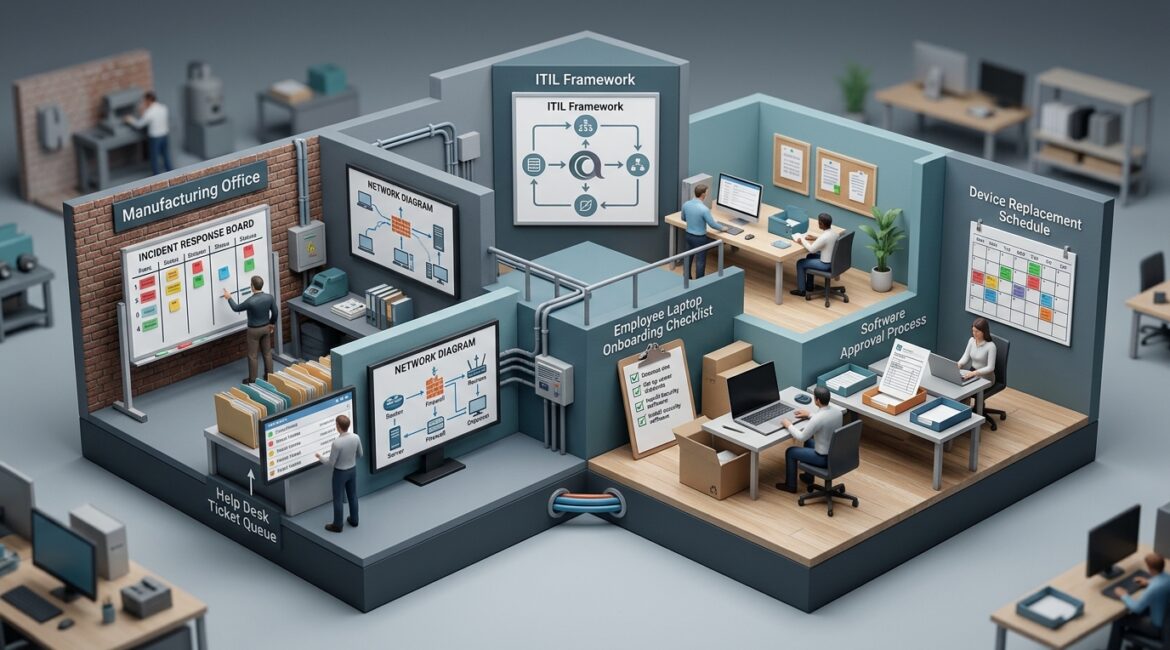
IT service management is the structured way a business plans, delivers, supports, and improves the technology people rely on every day. Yes, it matters for small businesses because it helps reduce downtime, control costs, and make technology decisions more consistent instead of reactive.
If that sounds like a large enterprise concept, it does not have to be. For a small business, IT service management simply means having clear processes for how technology is requested, supported, secured, updated, documented, and improved over time.
What IT service management means in plain English
Most business owners do not care about technical frameworks. They care about whether employees can work, whether clients are served, and whether technology problems turn into expensive interruptions.
That is where IT service management helps. It treats technology as an operational service, not a collection of random devices and software subscriptions.
In practical terms, it answers questions like these:
- How do employees request help or new equipment?
- Who approves software purchases?
- How are passwords, access, and onboarding handled?
- What happens when a laptop fails or a server goes down?
- How are updates tested and scheduled?
- How do you know whether IT spending is actually improving the business?
Without those processes, even a 15-person company can end up with confusion, delays, security gaps, and avoidable cost.
Why small businesses feel the pain first
Large organizations usually have dedicated IT staff, formal procedures, and specialized tools. Small businesses often have a mix of internal staff, outside vendors, and well-meaning employees filling the gaps. That works for a while, until growth exposes the cracks.
A manufacturer in Southeast Wisconsin may depend on shared workstations, production software, barcode printers, and vendor portals. A nonprofit in Kenosha may rely on Microsoft 365, donor databases, and a small finance team that cannot afford downtime during a campaign. A law firm or accounting practice in Northeast Illinois may need secure access to client files, email, and line-of-business applications every day.
In each case, the business is not asking for fancy IT. It needs dependable processes so the right technology is available, secure, and supportable.
What IT service management usually includes
Good IT service management is not one product. It is a set of practices that make technology easier to run and easier to improve.
Service requests and help desk processes
Employees need a clear way to ask for support, report issues, and request changes. That could be a ticketing system, a service portal, or a structured support workflow. The point is consistency.
When requests are tracked properly, patterns become visible. If five people keep reporting the same printing issue or login problem, there is probably a root cause worth fixing instead of handling each case one at a time.
Incident management
This is the process for dealing with things that break. A file share goes offline. Email stops syncing. Internet service drops. A line-of-business app crashes during payroll.
Incident management defines who responds, how issues are prioritized, how communication works, and what steps are taken to restore service quickly.
Change management
Many business disruptions come from poorly planned changes, not hardware failures. A firewall update is applied at the wrong time. A new application conflicts with an old printer driver. A vendor changes a cloud setting without documenting it.
Change management helps prevent that. It means reviewing, approving, scheduling, and documenting changes before they affect daily work.
Asset and lifecycle management
You need to know what technology you own, who uses it, when it should be replaced, and whether it is still supported. This is one reason businesses benefit from device lifecycle planning instead of waiting for equipment to fail.
For example, if ten laptops are all six years old and two fail in the same quarter, you may face a sudden $12,000 to $15,000 replacement expense. Planned refresh cycles spread costs out and reduce disruption.
Documentation and knowledge management
When only one person knows how a system works, that is a business risk. Good documentation covers network layouts, vendor contacts, software licenses, recovery steps, admin access, and standard procedures.
If you want a deeper look at this area, network documentation is one of the most practical ways to reduce support delays and recovery time.
Security and access processes
IT service management also supports cybersecurity. New employees should be onboarded the same way every time. Departing employees should lose access promptly. Software should be approved before installation. Sensitive data should be handled according to clear rules.
That structure lowers risk without making daily work harder than it needs to be.
What happens when a small business does not have it
Most small businesses do not notice the absence of IT service management all at once. They feel it through recurring friction.
- Employees do not know where to go for help
- Technology purchases happen without standards or approval
- Old devices stay in use too long
- Support issues repeat because root causes are never addressed
- Critical knowledge lives in one person’s inbox or memory
- Security settings vary from user to user or office to office
- Downtime lasts longer because nobody has a clear response plan
Those problems add up. If a 20-person professional services firm loses just one hour of productivity per employee due to avoidable IT issues, and the average loaded labor cost is $40 per hour, that is $800 lost in a single hour. Repeat that twice a month and the annual cost becomes significant before you even factor in client delays or missed deadlines.
How IT service management improves business results
The value is not in the terminology. The value is in better outcomes.
Less downtime
Documented support processes, monitored systems, and controlled changes help restore service faster and prevent repeat problems. That matters whether you run a shop floor, a nonprofit office, or a multi-location services business.
Better budgeting
When assets, subscriptions, warranties, and replacement schedules are tracked properly, technology spending becomes more predictable. That makes annual planning easier and reduces emergency purchases.
This connects closely with broader planning work such as an annual IT planning calendar, which helps businesses schedule upgrades and decisions before they become urgent.
Improved employee productivity
People work better when systems are consistent and support is organized. They spend less time chasing answers, waiting on fixes, or working around recurring issues.
Stronger risk management
Standardized onboarding, offboarding, patching, approvals, and documentation reduce the odds of preventable security and compliance problems. For small organizations, that structure often matters just as much as the tools themselves.
Does every small business need a formal ITSM platform?
No. A small business does not need to copy enterprise IT departments or buy a complex platform on day one.
What it does need is discipline. A 25-person company can benefit from simple, well-run processes using the right-sized tools. In many cases, the first step is not software. It is agreeing on standards, ownership, priorities, and workflows.
For example:
- A manufacturer may need better change control for production systems
- A nonprofit may need clearer onboarding and offboarding for staff and volunteers
- A CPA firm may need stronger ticket tracking and documentation before tax season
- A growing business with multiple locations may need standardized device deployment and vendor management
How to tell if your business needs better IT service management
You probably do if any of these sound familiar:
- Your team relies on one person for too much technical knowledge
- Support requests come in by text, email, hallway conversations, and sticky notes
- You are surprised by hardware failures, renewals, or license costs
- Employees use different tools for the same task without oversight
- Technology changes create disruption because they are not planned well
- You cannot easily explain how access is granted, reviewed, and removed
- Recurring issues keep coming back with no long-term fix
If several of those apply, the issue is usually not effort. It is process.
A practical starting point for small businesses
You do not need to overhaul everything at once. Start with the areas that affect business continuity and daily operations most directly.
- Create one clear path for support requests
- Document critical systems, vendors, and admin access
- Build a current inventory of devices and software
- Set replacement guidelines for aging equipment
- Define how changes are approved and scheduled
- Standardize onboarding and offboarding steps
- Review recurring issues for root causes, not just quick fixes
Over time, those habits create a more stable environment that is easier to support, secure, and budget for.
Final thoughts
IT service management matters for small businesses because it turns technology from a recurring source of disruption into a managed business function. It helps leaders reduce downtime, make spending more predictable, and support growth without adding unnecessary complexity.
If you’re ready to strengthen your technology, reduce risk, and plan for the future, contact Platinum Systems to schedule a technology strategy discussion.
Platinum Systems works with organizations that want practical guidance, clearer processes, and a long-term technology strategy that supports the business as it grows.