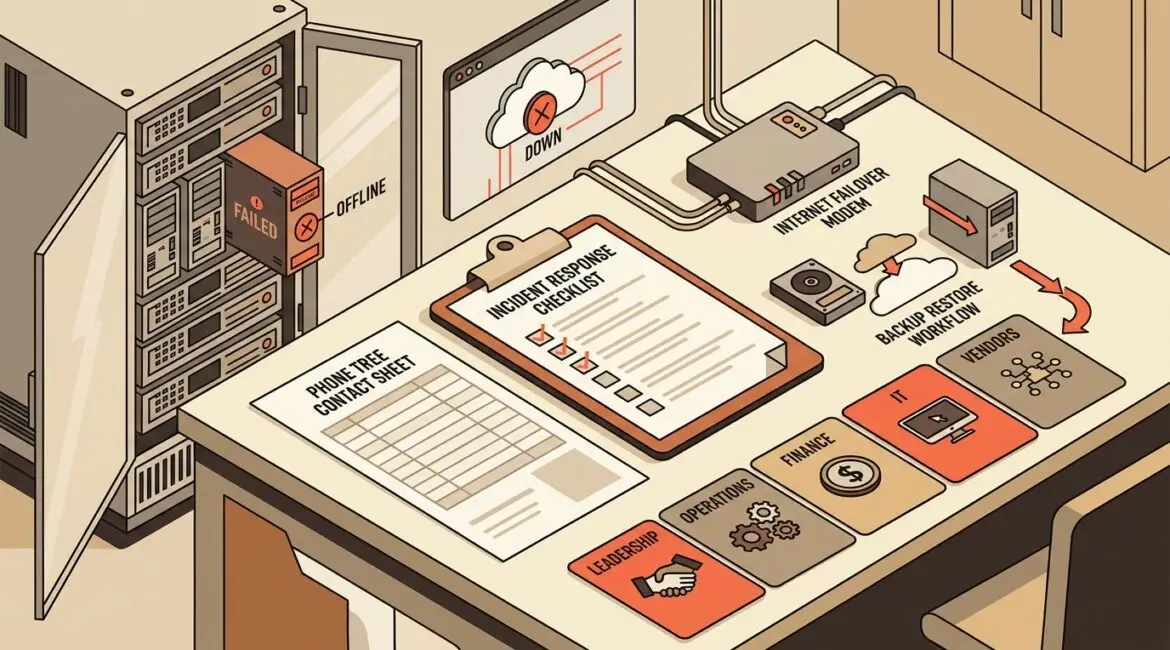
An emergency IT response plan is a written playbook for what your organization will do when a cyberattack, outage, hardware failure, or major system issue disrupts business operations. The people who should be involved are not just IT. Leadership, operations, finance, communications, department managers, and key outside vendors all need defined roles before an incident happens.
Without a plan, even a short disruption becomes expensive. Teams waste time deciding who approves shutdowns, who calls vendors, how staff should keep working, and what customers or donors need to hear. A good plan removes that confusion.
What an emergency IT response plan actually covers
In plain English, this plan answers a few practical questions:
- What counts as an IT emergency?
- Who gets notified first?
- Who is allowed to make urgent decisions?
- How do we contain the problem?
- How do we keep the business operating while systems are down?
- How do we restore systems safely?
- How do we document what happened and improve afterward?
This is broader than a simple cybersecurity checklist. It should address ransomware, internet outages, failed servers, cloud application disruptions, lost devices, accidental data deletion, vendor incidents, and even office-level events like power loss or water damage affecting equipment.
For many organizations in Southeast Wisconsin and Northeast Illinois, the biggest issue is not a lack of technology. It is a lack of clarity. People often assume someone else owns the response until a problem hits.
Why business leaders should care
An emergency IT response plan is a business continuity tool. It protects revenue, productivity, client trust, and decision-making speed.
Consider a 25-person professional services firm in Kenosha. If its file system or Microsoft 365 access goes down for half a day, payroll still runs, deadlines still exist, and billable work may stop. If each employee loses four productive hours and the average loaded labor cost is $50 per hour, that is roughly $5,000 in internal productivity loss before you count missed client work or recovery costs.
Now picture a small manufacturer that cannot access order data, shipping systems, or production schedules. One morning of confusion can delay shipments, idle staff, and create customer service problems that last for days.
Nonprofits face a different version of the same risk. A donor database outage before an event or campaign can disrupt communications, gift processing, and reporting when timing matters most.
Planning ahead reduces the cost of those moments. It also helps leaders make calmer, better decisions because they are not building a response in real time.
Who should be involved in the plan
The right group depends on your size, but most organizations need more than the IT contact and the owner.
Executive leadership
Someone at the leadership level needs authority to approve urgent business decisions. That may include shutting down systems, authorizing emergency spending, approving outside legal or forensic support, or deciding when to notify customers.
Internal IT or managed IT provider
This team handles technical triage, containment, recovery coordination, vendor escalation, and documentation. If you work with an MSP, their role should be clearly defined in writing, including after-hours contacts and escalation paths.
Operations leaders
Operations managers understand which processes must stay running. They can identify workarounds, prioritize restoration order, and help determine what downtime actually costs the business.
Finance and administration
Finance may need to approve emergency purchases, monitor fraud risk, or shift payment processes if accounting systems are unavailable. Administrative leaders often help coordinate staff communication and vendor records.
Department managers
Each department should identify its critical systems, manual fallback options, and key deadlines. The sales team, warehouse, HR department, or development office may all need different recovery priorities.
Communications or client-facing leadership
When customers, donors, vendors, or staff need updates, someone must own the message. Even a simple internal script can prevent confusion and inconsistent communication.
Key outside vendors
Your internet provider, line-of-business software vendor, cybersecurity partner, copier vendor, cloud provider, and phone system provider may all play a role. Their contact details, support terms, and escalation procedures should be part of the plan.
If vendor access is part of your environment, it helps to review how that access is controlled before an incident. Platinum Systems has covered this in secure vendor access.
What should be inside the plan
A useful plan should be short enough to use under pressure and detailed enough to guide action. At minimum, include the following:
- Emergency definitions so staff know what requires escalation
- Contact list for internal leaders, IT, vendors, internet providers, cyber insurance, and legal counsel if applicable
- Roles and responsibilities so everyone knows who leads, approves, communicates, and documents
- System priority list that ranks critical applications, servers, devices, and data
- Containment steps for common incidents such as phishing, ransomware, internet outage, or lost device
- Business workaround procedures for operating manually or through backup methods
- Backup and recovery information including where backups exist and who can restore them
- Communication templates for employees, customers, donors, and vendors
- Decision thresholds for when to disconnect systems, call outside specialists, or notify stakeholders
- Post-incident review process to improve the plan after each event
Good documentation matters here. If no one can quickly find network details, vendor contacts, and system dependencies, recovery slows down. That is one reason strong network documentation is so valuable.
Common mistakes that weaken the plan
Treating it as an IT-only document
Technology issues quickly become business issues. If department leaders are not involved, the plan may restore the wrong systems first or overlook manual workarounds.
Writing a plan nobody can use
A 40-page document full of technical language often fails in a real emergency. The best plans are practical, current, and easy to follow.
Ignoring communication
Staff need to know whether to keep working, stop using systems, or switch to backup processes. Customers and donors may need reassurance and clear expectations.
Failing to test the plan
A plan that lives in a folder but never gets reviewed usually contains outdated names, old phone numbers, retired systems, or unrealistic assumptions. Running a tabletop exercise helps expose those gaps before they matter. This is exactly why many businesses benefit from a cybersecurity tabletop exercise.
How the plan looks in real business situations
Manufacturer hit by server failure
A local manufacturer loses access to its production scheduling server at 7:15 a.m. With a plan, the plant manager knows who to call, IT knows the recovery order, and staff switch to a temporary printed workflow while systems are restored. Without a plan, production supervisors wait for direction, customer service cannot give accurate shipment updates, and the downtime spreads across multiple departments.
Nonprofit email compromise before a fundraiser
A nonprofit discovers a staff email account was compromised two days before a donor event. A prepared response plan defines who resets access, who reviews forwarding rules, who checks donor communications, and who informs leadership. That can prevent a contained issue from becoming a reputational problem.
Law or accounting firm loses internet access
A professional services firm experiences a provider outage. If the response plan includes failover internet, mobile hotspot procedures, cloud access alternatives, and client communication steps, the disruption may be inconvenient but manageable. If not, attorneys, accountants, or advisors may lose half a day of billable time waiting for answers.
How often should you review it?
At minimum, review the plan once a year and any time your environment changes significantly. That includes office moves, major software changes, vendor changes, leadership changes, or growth into new locations.
It also helps to tie the plan into broader planning work. If your business already uses an annual technology roadmap, include emergency plan review dates there. Platinum Systems discussed that approach in an annual IT planning calendar.
How to get started without overcomplicating it
If you do not have a formal plan yet, start with a simple first version:
- List your top five critical systems
- Name the people who must be involved in a serious outage
- Document vendor contacts and after-hours support details
- Define who can approve emergency decisions
- Write down manual fallback processes for key departments
- Confirm that backups and recovery steps are current
- Schedule a tabletop review with leadership
You do not need a perfect document on day one. You need a usable one. The goal is to reduce uncertainty, shorten downtime, and make sure business leaders are not forced to improvise under pressure.
Conclusion
An emergency IT response plan gives your organization a clear way to respond when technology problems threaten operations. The strongest plans involve leadership, operations, IT, department owners, and key vendors so the response is coordinated, practical, and fast.
If you’re ready to strengthen your technology, reduce risk, and plan for the future, contact Platinum Systems to schedule a technology strategy discussion.